

 FSX Military Aircraft
US Air Force Douglas C-117D
Experience an imaginative United States Air Force livery for the Douglas C-11…
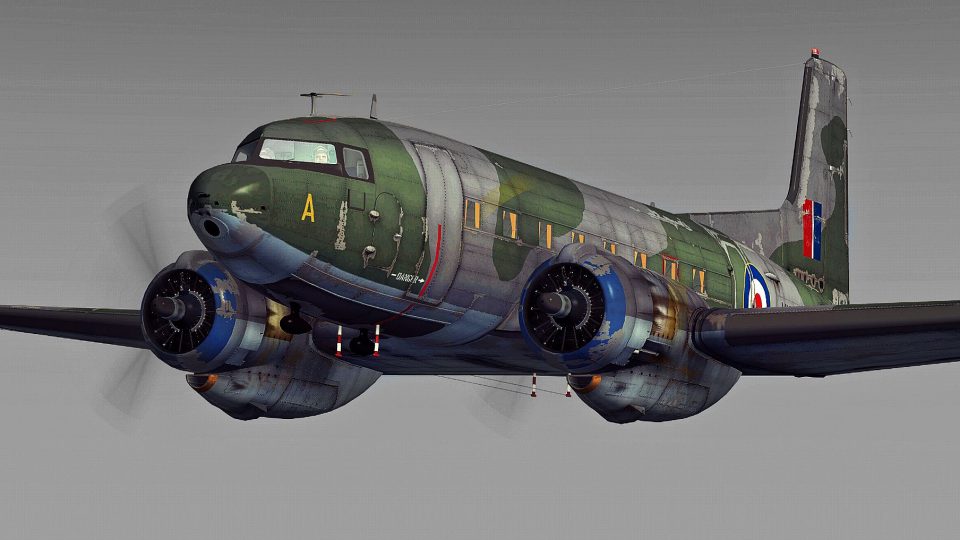
Royal Air Force-themed Douglas C-117D Skytrooper livery brings fictional serial VX208 to life with period-correct roundels, crisp panel detail, and subtle weathering for a convincing post-war transport look in Microsoft Flight Simulator X. Requires the freeware Manfred Jahn C-117D base package, delivering an authentic-style RAF twist on the classic DC-3 family airframe.
 Rate
Rate
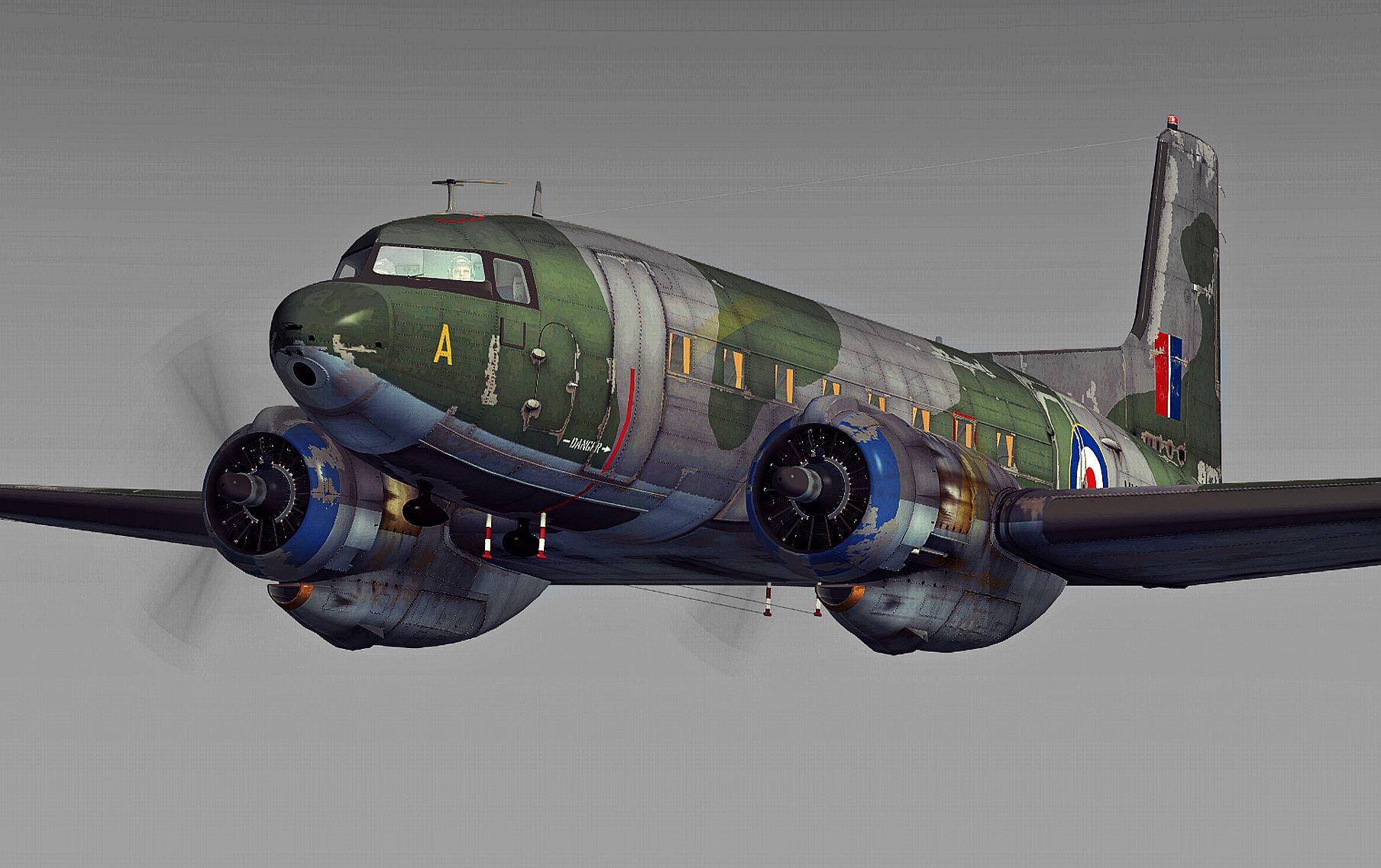
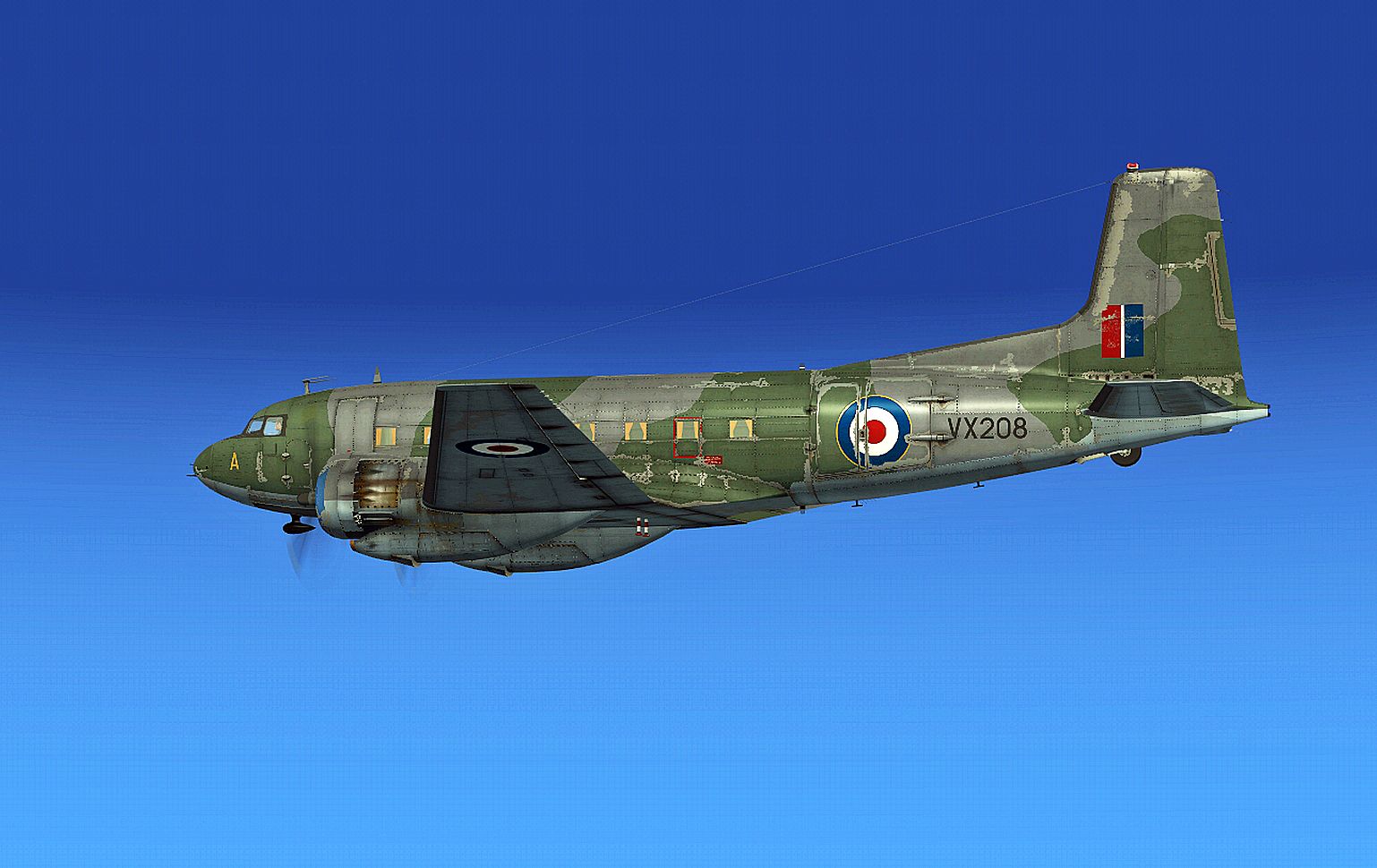
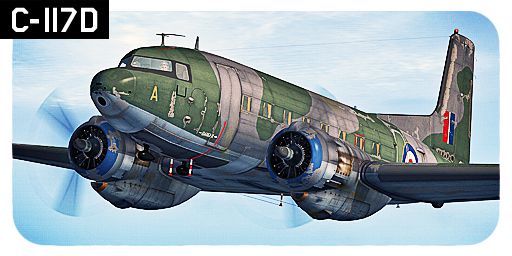
This fictional repaint adds a Royal Air Force twist to the Douglas C-117D Skytrooper created by Manfred Jahn, Alexander M. Metzger, and Hans-Joerg Naegele. It is designed for Microsoft Flight Simulator X and will require users to download the freeware base package from Fly Away Simulation’s mod library. The texture features RAF markings (VX208) and presents a classic post-war appeal that suggests a practical yet historically inspired service livery. B. Lechner has authored this new scheme to honor an alternative variant of the C-117 airframe in a way that blends authenticity with imaginative flair.
The Douglas C-117D, sometimes recognized by its military designation as the R4D, is a derivative of the renowned DC-3 family. This particular model retained radial engines for reliable medium-range transport roles. Although the real RAF did not operate this exact subtype, the fuselage lines and cockpit arrangements remain consistent with the broader family. As a result, this fictitious repaint captures the essence of Royal Air Force service, complete with realistic insignia and a suitably muted color scheme.
Screenshot of Royal Air Force Douglas C-117D in flight.
To integrate these textures into your Microsoft Flight Simulator X environment, follow these steps carefully:
SIMOBJECTS/AIRPLANES/Douglas_C-117D directory.aircraft.cfg file, then scroll to the existing repaint entries. After the last entry, add the following content, ensuring [fltsim.XX] is replaced with the next number in your sequence:[FLTSIM.XX]
title = DOUGLAS C-117D -- RAF (VX208) --
sim = DOUGLAS_C-117D_V1.2
model = C117_1
panel =
sound =
texture = _RAF (VX208)
kb_checklists = douglas_c117_check
kb_reference = douglas_c117_ref
atc_id = VX208
atc_flight_number =
atc_airline =
ui_manufacturer = DOUGLAS
ui_type = C-117D
ui_variation = RAF (VX208)
ui_typerole = Twin Engine Prop
ui_createdby =
description =
This repaint alone does not include the original aircraft model. Be sure to download C117D_V1_BETA.ZIP, found in the Fly Away Simulation file library, which contains the full set of files authored by Manfred Jahn, Alexander M. Metzger, and Hans-Joerg Naegele. Once installed, you will be able to enjoy this customized RAF-inspired aesthetic with realistic flight dynamics and correct engine behavior.
The result is a distinctive aircraft that pays homage to the Douglas legacy and the Royal Air Force’s storied transport heritage, all while retaining the C-117D’s fundamental performance characteristics under vintage-liveried operations.
Free for all simmers · 9.65 MB · Scanned clean Oct 2026
Download speed: Free tier is capped at 0.5 Mbps (this file takes approximately 3 mins at the cap). PRO members download at full line speed.
This file is a repaint — the package below is the base model it paints onto. Install it first, or the textures will have nothing to load onto.
texture.{airline}) inside FSX\SimObjects\Airplanes\{base-aircraft}\.aircraft.cfg in Notepad. Add a new [fltsim.X] section per the readme.readme.txt or README file. It tells you exactly where files go, what dependencies are needed, and any quirks specific to this add-on.The archive douglas_c-117d_raf.zip has 16 files and directories contained within it.
This list displays the first 500 files in the package. If the package has more, you will need to download it to view them.
| Filename/Directory | File Date | File Size |
|---|---|---|
| readme_c-117d_raf.txt | 09.08.13 | 1.83 kB |
| Screens | 09.12.13 | 0 B |
| RAF (VX208) - 012.jpg | 09.12.13 | 1.20 MB |
| RAF (VX208) - 014.jpg | 09.12.13 | 1.30 MB |
| texture._RAF (VX208) | 09.12.13 | 0 B |
| C117_1.dds | 09.12.13 | 4.00 MB |
| C117_1_SPEC.dds | 09.07.13 | 4.00 MB |
| C117_2.DDS | 09.07.13 | 4.00 MB |
| C117_2_SPEC.dds | 09.07.13 | 4.00 MB |
| C117_2A.dds | 09.07.13 | 4.00 MB |
| C117_2A_SPEC.dds | 09.07.13 | 4.00 MB |
| PROPDISK.DDS | 07.27.13 | 256.12 kB |
| texture.cfg | 07.15.12 | 112 B |
| THUMBNAIL.JPG | 09.08.13 | 180.83 kB |
| flyawaysimulation.txt | 10.29.13 | 959 B |
| Go to Fly Away Simulation.url | 01.22.16 | 52 B |
Only PRO members can place votes.
More FSX & P3D add-ons hand-picked based on this download.
FSX Military Aircraft
Experience an imaginative United States Air Force livery for the Douglas C-11…
 FSX Military Aircraft
This repaint brings a Swedish Air Force-inspired look to the Douglas C-117D i…
 FSX Military Aircraft
The C117D Skytrooper or Super DC-3 was a medium-range transport serving with …
 FSX Military Aircraft
This fictional Securite Civile repaint brings the well-known Douglas C-117D S…
 FSX Military Aircraft
This downloadable expansion provides a fictional repaint for a Douglas C-117D…
 FSX Military Aircraft
This custom French Navy-inspired livery reimagines the Douglas C-117D Skytroo…
 FSX Military Aircraft
This freeware package provides detailed repaints of the US Marine Corps Dougl…
 FSX Military Aircraft
This paintkit contains basic Photoshop (psd) master templates for the FSX Sup…
Be the first to leave a comment on this download.
Be the first to share your thoughts on this download.