

 FSX Civil Aircraft
Bombardier House Colors CSeries CS300
Discover an enhanced simulation of a modern regional jet that combines advanc…
House Colors Bombardier FTV5 C-GWXZ brings the CSeries 100 v4 test aircraft to life with refined geometry, crisp textures, and polished exterior detailing. Built for Microsoft Flight Simulator X, it includes a tuned flight model, detailed virtual cockpit visuals, and Animated Ground Servicing with working doors and service animations for realistic turnaround operations.
 Rate
Rate
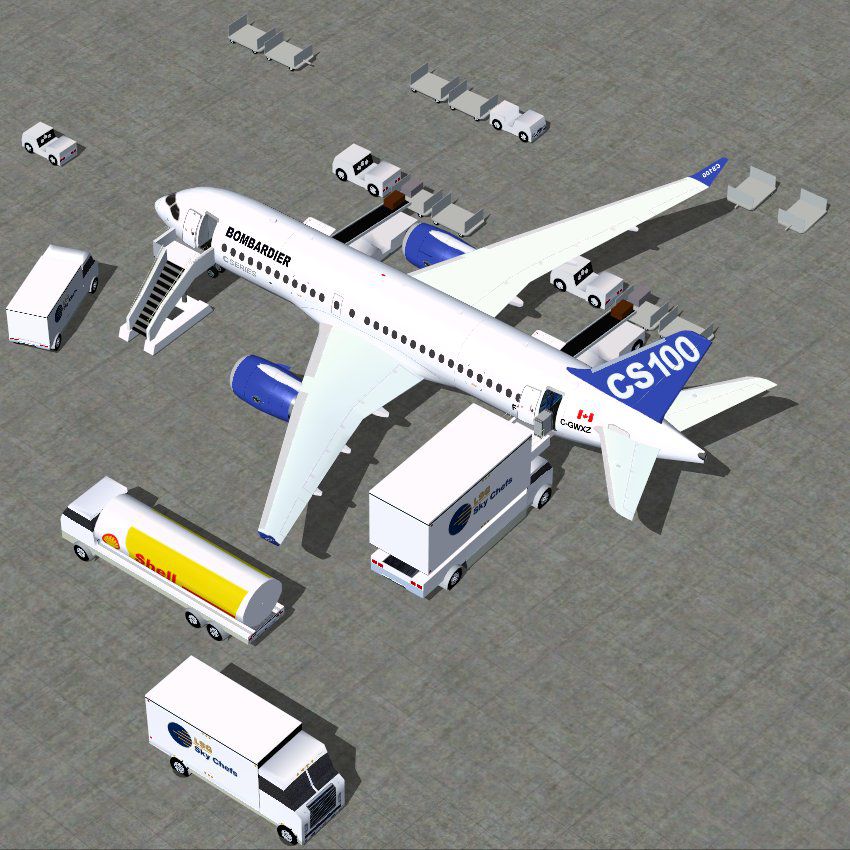
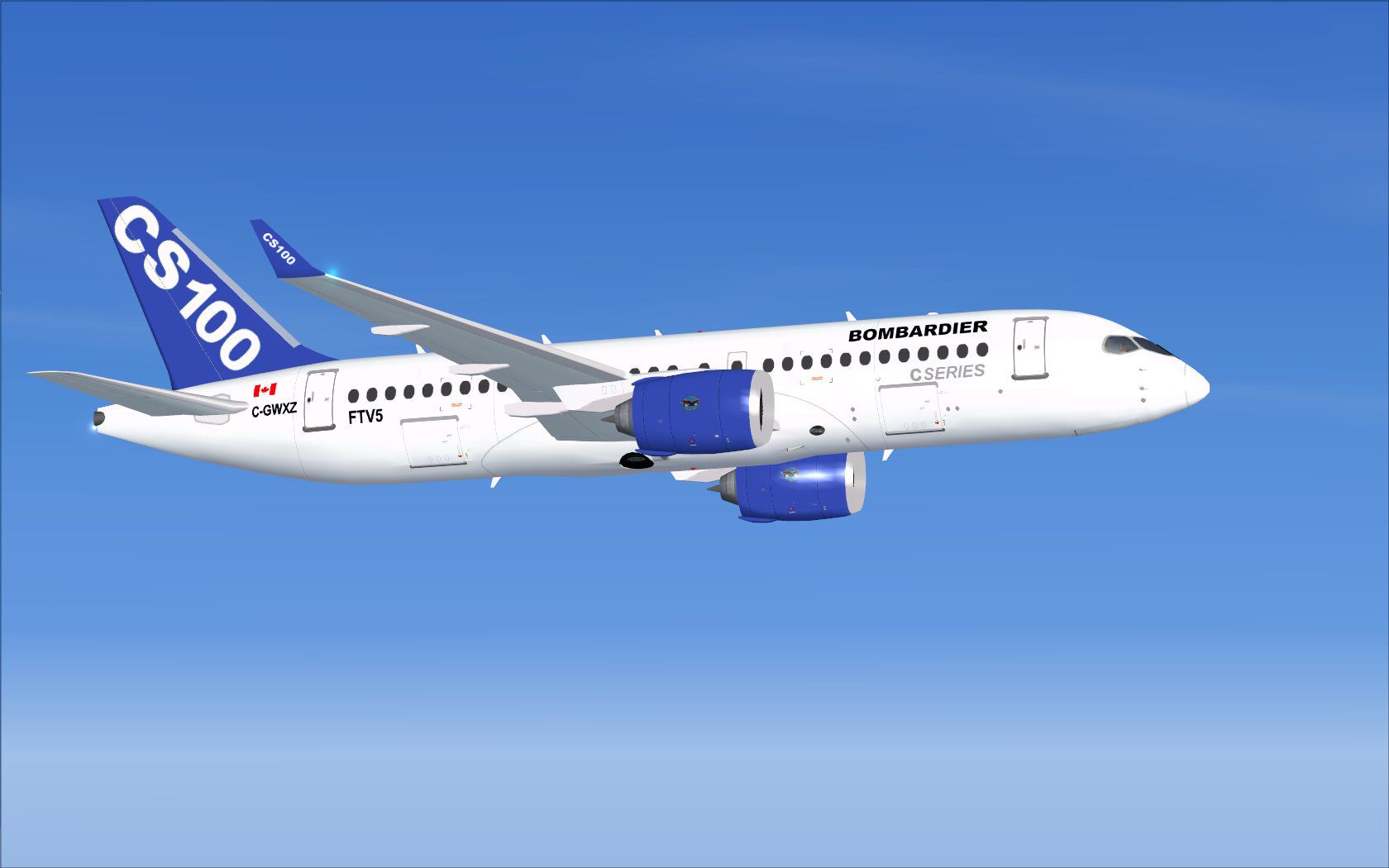
This enhanced House Colors rendition of the Bombardier FTV5 (registration C-GWXZ), presented as a CSeries 100 version 4, introduces a meticulously refined model with intricate physical details. Created by Camil Valiquette, it implements advanced static elements and integrates Animated Ground Servicing (AGS), delivering an immersive environment for enthusiasts of Microsoft Flight Simulator X. Bombardier’s CSeries platform, known for its efficient design and modern aerodynamics, is showcased here with polished exterior finishes and updated features that replicate real-world operational behavior.
Version 4 enhances the structure for more precise geometry and sharper textures. Each fuselage section reflects authentic proportions, while the cockpit area is optimized for realistic visuals. CamSim’s static displays give onlookers a clear perspective of the aircraft when parked, allowing simmers to appreciate the unique lines of this narrow-body jet.
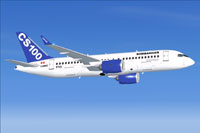
Screenshot of Bombardier FTV5 in flight.
The AGS system enables interactive airport operations that many pilots find essential for realism. These animations replicate various service vehicles and door mechanisms. Engage or disengage the passenger and cargo doors using dedicated shortcuts. For full functionality, ensure the proper key commands are set up in your simulator’s control settings.
Shift+E to toggle.Shift+D to open or close.Shift+C to activate or cease extra ground services.FSX/Airplane directory.Shift+C and the Tail hook up/down function is assigned to Shift+D in the simulator’s control menu. This step ensures proper ground animations align with the intended actions.Overall, this freeware package exemplifies modern engineering within a simulated environment. With careful attention to detail, Camil Valiquette’s work ensures a balanced blend of aeronautical authenticity and visual finesse. This release is self-contained, including the full base model and everything needed to experience the operational intricacies associated with Bombardier’s FTV5.
Free for all simmers · 4.89 MB · Scanned clean Sep 2026
Download speed: Free tier is capped at 0.5 Mbps (this file takes approximately 1 min at the cap). PRO members download at full line speed.
This add-on may require the following files to function properly. If this is a repaint, the dependency below is likely the base aircraft package.
SimObjects\Airplanes\, Addon Scenery\, Effects\, or Gauges\.readme.txt or README file. It tells you exactly where files go, what dependencies are needed, and any quirks specific to this add-on.The archive cs100v4ftv5x.zip has 36 files and directories contained within it.
This list displays the first 500 files in the package. If the package has more, you will need to download it to view them.
| Filename/Directory | File Date | File Size |
|---|---|---|
| CamSim CSerie 100_V4 FTV5 | 02.23.15 | 0 B |
| aircraft.cfg | 02.23.15 | 16.30 kB |
| cs100v4ftv5 ags.jpg | 02.23.15 | 146.40 kB |
| cs100v4ftv5_.jpg | 02.23.15 | 84.44 kB |
| CSeries100.air | 02.27.12 | 12.76 kB |
| Effects.zip | 03.25.06 | 1.80 kB |
| file_id.diz | 02.23.15 | 280 B |
| FSX Installation Aircraft and AGS Animations Read Me.htm | 02.23.15 | 6.57 kB |
| model.100 ags v4 | 02.23.15 | 0 B |
| 100 ags v4.mdl | 12.29.14 | 2.66 MB |
| Model.cfg | 08.30.13 | 29 B |
| PANEL | 02.23.15 | 0 B |
| 787_350_panel_background.bmp | 02.25.10 | 2.25 MB |
| 787_350_panel_background_night.bmp | 02.25.10 | 2.25 MB |
| Airbus_A321.cab | 09.04.06 | 2.72 MB |
| panel.cfg | 02.25.10 | 5.48 kB |
| Read Me How to setup Animations (AGS).txt | 09.16.13 | 869 B |
| Read Me_FSX.txt | 02.23.15 | 2.37 kB |
| SOUND | 02.23.15 | 0 B |
| Sound.cfg | 11.04.09 | 35 B |
| texture.ftv5 | 02.23.15 | 0 B |
| 787eng_t.bmp | 02.21.15 | 1.00 MB |
| 787ext_L.bmp | 02.23.15 | 4.00 MB |
| 787ext_t.bmp | 02.23.15 | 1.00 MB |
| 787int_L.bmp | 02.23.15 | 4.00 MB |
| 787int_t.bmp | 02.23.15 | 1.00 MB |
| 787tail_t.bmp | 02.21.15 | 1.00 MB |
| 789wings_t.bmp | 02.21.15 | 1.00 MB |
| 797fuse_t.bmp | 02.21.15 | 1.00 MB |
| gris_t.bmp | 09.12.13 | 16.07 kB |
| pilot1.bmp | 12.06.06 | 256.07 kB |
| tail.bmp | 12.02.12 | 1.00 MB |
| thumbnail.jpg | 02.23.15 | 4.53 kB |
| w_t.bmp | 10.22.13 | 16.07 kB |
| flyawaysimulation.txt | 10.29.13 | 959 B |
| Go to Fly Away Simulation.url | 01.22.16 | 52 B |
Only PRO members can place votes.
More FSX & P3D add-ons hand-picked based on this download.
FSX Civil Aircraft
Discover an enhanced simulation of a modern regional jet that combines advanc…
 FSX Civil Aircraft
Immerse yourself in a refined simulation experience with this twin-engine sho…
 FSX Civil Aircraft
This enhanced freeware release of the Bombardier CSeries 300 in its distincti…
 FSX Civil Aircraft
This version 4 features more improved and detailed aircraft model and texture…
 FSX Civil Aircraft
This update offers an extensively refined rendition of Bombardier’s FTV1 CSer…
 FSX Civil Aircraft
Discover a long-haul, four-engine airliner that emphasizes range and capacity…
 FSX Civil Aircraft
This package features the refined House Colors Airbus A350-900 XWB in Version…
 FSX Civil Aircraft
FSX Airbus House Colors A350-900F (cargo), with Animated Ground Servicing (AG…
Be the first to leave a comment on this download.
Be the first to share your thoughts on this download.