

 FSX Civil Aircraft
Austrian Special Boeing 737-800
FSX Austrian Special Boeing 737-800, registration OE-FTT. Textures only for t…
Austrian Airlines’ red-and-white livery brings authentic European short- and medium-haul character to the default Boeing 737-800 in Microsoft Flight Simulator X, with crisp tail branding and detailed fuselage markings. The freeware repaint requires the stock B737-800 base aircraft and keeps the original model and virtual cockpit intact for familiar handling.
 Rate
Rate
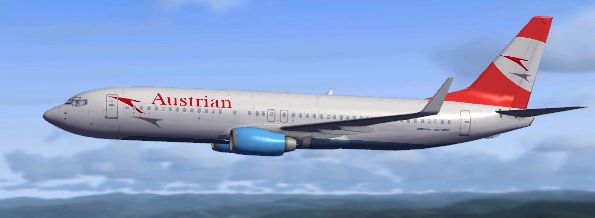
Enhance your virtual hangar with an in-depth recreation of Austrian Airlines’ signature red-white livery, meticulously crafted for the default Boeing 737-800 in Microsoft Flight Simulator X. Developed by Anthony Smith, this freeware repaint adds a realistic touch to short and medium-haul operations within your simulator, reflecting the national carrier of Austria’s real-world colors.
Austrian Airlines, recognized for its bold tail fin and eye-catching fuselage design, connects destinations across Europe and beyond. Known as the primary airline of Austria, it operates diverse routes using reliable airframes such as the Boeing 737-800 (a twin-engine narrow-body series created by Boeing to serve both short and medium-range flights). This repaint showcases the airline’s trademark color scheme, capturing essential details while preserving the aerodynamics of the default 737-800 model.
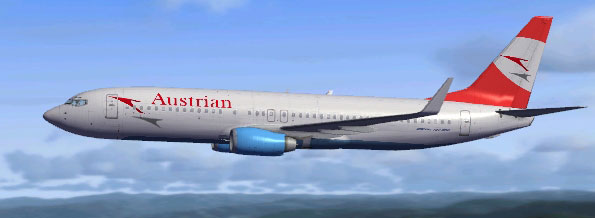
Austrian Airlines Boeing 737-800 in flight.
This repaint requires the default B737-800 already installed in your Microsoft Flight Simulator X directory. If needed, you can locate the freeware base model in the Fly Away Simulation library. In your main simulator folder, navigate to:
You will find a variety of subfolders corresponding to installed liveries. Make sure to back up any important files before applying this new texture.
[fltsim.x] entries until you reach the last numbered entry. Increment the preceding figure by 1 for the new entry. For example, if the last entry reads [fltsim.5], your added section should use [fltsim.6].Paste the below block just above the [General] section, adjusting the XX to the next available number:
[fltsim.XX]
title=Boeing 737-800 Austrian Airlines
sim=Boeing737-800
model=
panel=
sound=
texture=Austrian Airlines
kb_checklists=Boeing737-800_check
kb_reference=Boeing737-800_ref
atc_id=
atc_airline=Austrian
atc_flight_number=
ui_manufacturer=Boeing
ui_type=737-800
ui_variation=Austrian Airlines
ui_typerole=Commercial Airliner
ui_createdby=Microsoft Corporation
description=
After saving the modified aircraft.cfg, start your simulator and the Austrian Airlines livery will be listed among the available variations for the default Boeing 737-800.
This repaint faithfully represents the Austrian Airlines scheme, reflecting the airline’s direct yet distinguished presence in the European aviation scene. The aircraft, originally introduced by Boeing to service popular Mid-Range routes, stands out with high-frequency flight capabilities and an ergonomic cockpit layout.
All credit for this free texture goes to Anthony Smith for designing and providing the livery files. Make sure to confirm you have the complete base model beforehand from the Fly Away Simulation files if you have not already done so. For any technical support, check that the aircraft.cfg file entries are set up correctly to ensure the repaint appears. Enjoy a realistic simulation of Austrian Airlines operations as you explore your desired routes around Europe and beyond.
Free for all simmers · 8.47 MB · Scanned clean Oct 2026
Download speed: Free tier is capped at 0.5 Mbps (this file takes approximately 2 mins at the cap). PRO members download at full line speed.
texture.{airline}) inside FSX\SimObjects\Airplanes\{base-aircraft}\.aircraft.cfg in Notepad. Add a new [fltsim.X] section per the readme.readme.txt or README file. It tells you exactly where files go, what dependencies are needed, and any quirks specific to this add-on.The archive austrianairlines_b738.zip has 30 files and directories contained within it.
This list displays the first 500 files in the package. If the package has more, you will need to download it to view them.
| Filename/Directory | File Date | File Size |
|---|---|---|
| INSTALL.txt | 06.27.11 | 1.69 kB |
| texture.Austrian Airlines | 06.27.11 | 0 B |
| 737_Refection.dds | 09.04.06 | 170.79 kB |
| B737_800_1_C.dds | 09.04.06 | 682.79 kB |
| b737_800_1_LM.dds | 06.22.11 | 256.12 kB |
| B737_800_1_night_C.dds | 09.04.06 | 682.79 kB |
| b737_800_1_T.dds | 06.27.11 | 1.00 MB |
| b737_800_1_T_Bump.dds | 09.04.06 | 1.00 MB |
| b737_800_1_T_Specular.dds | 09.04.06 | 1.33 MB |
| B737_800_2_C.dds | 09.04.06 | 682.79 kB |
| B737_800_2_night_C.dds | 09.04.06 | 682.79 kB |
| b737_800_2_T.dds | 09.04.06 | 1.33 MB |
| b737_800_2_T_Bump.dds | 09.04.06 | 1.00 MB |
| b737_800_2_T_Specular.dds | 09.04.06 | 1.33 MB |
| B737_800_3_C.dds | 09.04.06 | 682.79 kB |
| B737_800_3_night_C.dds | 09.04.06 | 682.79 kB |
| B737_800_4_C.dds | 09.04.06 | 682.79 kB |
| B737_800_4_night_C.dds | 09.04.06 | 682.79 kB |
| B737_800_5_C.dds | 09.04.06 | 170.79 kB |
| B737_800_5_night_C.dds | 09.04.06 | 170.79 kB |
| B737_800_C.bmp | 05.12.06 | 682.74 kB |
| B737_800_Interior.dds | 09.04.06 | 170.79 kB |
| Fresnel_Ramp.dds | 09.04.06 | 640 B |
| Pilots_737.dds | 09.04.06 | 42.79 kB |
| texture.cfg | 08.14.06 | 137 B |
| thumbnail.JPG | 06.27.11 | 73.93 kB |
| Thumbs.db | 01.15.11 | 5.00 kB |
| thumbnail.JPG | 06.27.11 | 73.93 kB |
| flyawaysimulation.txt | 10.29.13 | 959 B |
| Go to Fly Away Simulation.url | 01.22.16 | 52 B |
Only PRO members can place votes.
More FSX & P3D add-ons hand-picked based on this download.
FSX Civil Aircraft
FSX Austrian Special Boeing 737-800, registration OE-FTT. Textures only for t…
 FSX Civil Aircraft
Austrian Boeing 737-600.A repaint for the ProjectOpen Sky B737-600. Repaint b…
 FSX Civil Aircraft
Explore a finely tuned freeware simulation of Austrian Airlines’ Boeing 777-2…
 FSX Civil Aircraft
Austrian Airlines Airbus A321, registration OE-LBA. Textures only for the def…
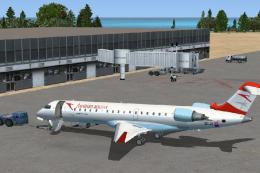 FSX Civil Aircraft
Austrian Airlines ( Austrian Arrows ) / Tyrolean Airways CRJ 700. A repaint o…
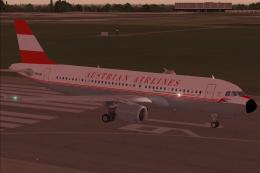 FSX Civil Aircraft
This carefully crafted Airbus A320-214 freeware package brings the distinctiv…
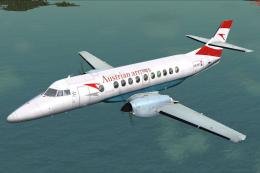 FSX Civil Aircraft
Experience the BAe Jetstream 4100 in Austrian Arrows colors with this freewar…
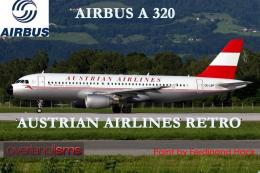 FSX Civil Aircraft
FSX Austrian Airbus A320-200, registration OE-LBP, retro livery. Textures onl…
Be the first to leave a comment on this download.
Be the first to share your thoughts on this download.