

 FSX General Aviation Aircraft
Robin DR400-140B D-EMTF
This freeware repaint for the Aerosoft Robin DR 400 X introduces a fictional …
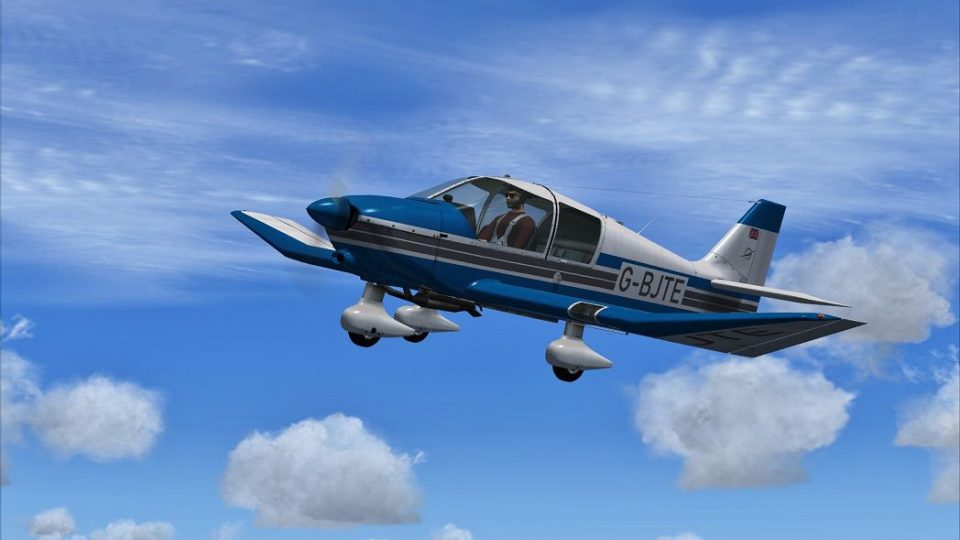
Robin DR400-140B G-BJTE brings a fictional British-registered repaint to the Aerosoft DR 400 X, sharpening the wooden-airframe tourer with crisp color accents and custom markings while keeping the original flight model, systems, and virtual cockpit intact. Built for Microsoft Flight Simulator X, it requires the Aerosoft payware base aircraft.
 Rate
Rate
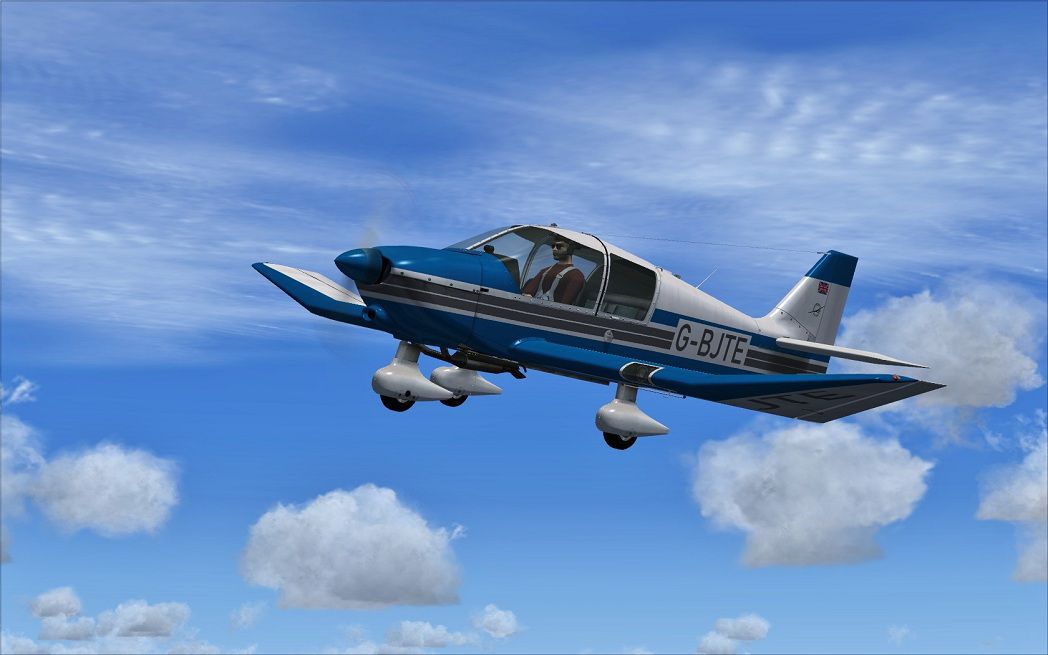
This repaint provides a specialized visual update for the Aerosoft Robin DR 400 X payware model, showcasing a pretend British registry for virtual pilots looking to add variety to their light aircraft library. Created by Dirk Hueschelrath, this package preserves stock functionality while introducing a unique touch to the famed single-engine touring platform commonly seen in flight schools worldwide. Designed for Microsoft Flight Simulator X enthusiasts, the files integrate seamlessly with the base payware product (purchased separately), so installation is straightforward and quick.
The Robin DR400-140B model is especially admired for its wooden airframe and distinctive dihedral wing, and this repaint highlights those design nuances through crisp color accents and a custom registration detail (G-BJTE). The realistic texture set emphasizes the aircraft’s gentle handling characteristics and familiar cockpit ergonomics. Aerosoft’s payware base complements this livery, offering a complete systems simulation that suits both training operations and scenic flights. Developer Dirk Hueschelrath has balanced color contrast to retain the aircraft’s historically inspired lines while giving it a fresh British flair.
The real-world Robin DR 400 series boasts a 140-horsepower powerplant, a stable low-wing configuration, and roomy cabin seating for four. These attributes enable comfortable touring flights with reliable performance, so refinements to the exterior texture will instantly resonate with users seeking both aesthetic and operational authenticity. The fictional registration number included here further tailors the airplane for UK-themed virtual adventures.

View of the updated Robin DR400-140B textures in flight.
Upon unzipping the package, transfer the relevant texture folder into the directory for the Aerosoft DR400-140B, typically found at: Flight Simulator X/SimObjects/Airplanes/Aerosoft_DR400-140b. Once the texture folder is in place, open the aircraft.cfg file in your DR400-140B folder and insert the below block. Replace “XX” with the next available number in your sequence.
[fltsim.XX]

title=DR.400-140 G-BJTE

sim=DR400-140

model=adf

panel=adfgps

sound=

texture=GBJTE

kb_checklists=

kb_reference=

description=Avions Pierre Robin DR400-140B \nDeveloper: Joachim Schweigler / specific-3d-design \Variant: G-BJTE by D.Hueschelrath

ui_manufacturer=Avions Pierre Robin

ui_type=DR.400-140B

ui_typerole="Single Engine Prop"

ui_createdby="Aerosoft / SPECIFIC - 3D - DESIGN"

ui_variation=G-BJTE

visual_damage=1

atc_heavy=0

atc_id=D-EMTH

atc_model=

ATC_type=DR40

atc_airline=

atc_flight_number=
This texture set only applies to the Aerosoft payware edition of the Robin DR400-140B, not included here. You may obtain the base package from a reputable store, such as SimShack, before integrating this repaint by Dirk Hueschelrath. Once installed, you can enjoy an immersive flying experience in a CAA-style environment or even incorporate it into training sessions within the robust framework of Microsoft Flight Simulator X. The balanced look and authentic British markings blend nicely with the aircraft’s well-simulated flight characteristics, ensuring a rewarding venture for those who appreciate detailed GA touring planes.
Free for all simmers · 5.95 MB · Scanned clean Oct 2026
Download speed: Free tier is capped at 0.5 Mbps (this file takes approximately 2 mins at the cap). PRO members download at full line speed.
texture.{airline}) inside FSX\SimObjects\Airplanes\{base-aircraft}\.aircraft.cfg in Notepad. Add a new [fltsim.X] section per the readme.readme.txt or README file. It tells you exactly where files go, what dependencies are needed, and any quirks specific to this add-on.The archive as_robindr400x_gbjte.zip has 7 files and directories contained within it.
This list displays the first 500 files in the package. If the package has more, you will need to download it to view them.
| Filename/Directory | File Date | File Size |
|---|---|---|
| AS_RobinDR400X_GBJTE | 02.26.13 | 0 B |
| G-BJTE.jpg | 02.26.13 | 151.59 kB |
| Read me.txt | 02.26.13 | 1.35 kB |
| texture.GBJTE.zip | 02.26.13 | 5.81 MB |
| Thumbs.db | 02.26.13 | 79.50 kB |
| flyawaysimulation.txt | 10.29.13 | 959 B |
| Go to Fly Away Simulation.url | 01.22.16 | 52 B |
Only PRO members can place votes.
More FSX & P3D add-ons hand-picked based on this download.
FSX General Aviation Aircraft
This freeware repaint for the Aerosoft Robin DR 400 X introduces a fictional …
 FSX General Aviation Aircraft
This repaint brings a distinctive Swiss flavor to the Aerosoft Robin DR400 X …
 FSX General Aviation Aircraft
This highly detailed repaint introduces a fictitious Austrian registration (O…
 FSX General Aviation Aircraft
DR400 Robin, OO-VMS. Textures only; requires DR400V1.ZIP. Model by Yannick La…
 FSX General Aviation Aircraft
DR400 Robin, G-BZIJ. Textures only; requires DR400V1.ZIP. Model by Yannick La…
 FSX General Aviation Aircraft
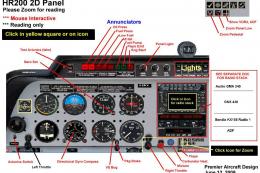
Robin R2160/Alpha 160A. The Robin R2160 and Alpha 160A are identical, all met…
 FSX General Aviation Aircraft
Robin 135 CDI with TAE-Centurion 1.7 motor. Original model is the DR400 by Ya…
 FSX General Aviation Aircraft
Robin R2160. This is a repaint of the Robin R2160/Alpha 160A Package by Premi…
Be the first to leave a comment on this download.
Be the first to share your thoughts on this download.