


 Gibraltar
  FSX Scenery
Gibraltar X
This rendition of the stunning airport of Gibraltar gives you the road runni…
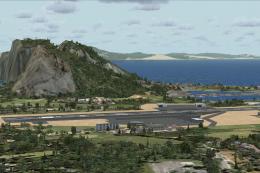
Gibraltar AB (LXGB) scenery refreshes the airfield with added fuel trucks, expanded parking and gate options, plus refinements to the apron, taxiways and runway for smoother ground operations and a more convincing layout. Built for Microsoft Flight Simulator X, it focuses on practical ramp detail and day-to-day usability.
Gibraltar AB (LXGB). Adds fuel trucks, parking and changes to apron, taxiways and runway.
This file includes Gibraltar AB, for Flight Simulator X only! I added a few fuel truck's, more parkings/gates and a few changes at the apron, taxiway's and runway. The airport does not include blast fences, the reason for that is because it doesn't look very good in FSX.
Installation:
Just put the **Gibraltar AB LXGB** file in you're FSX Addon Scenery/scenery folder. Normally it should be like this: Program Files/Microsoft Games/Microsoft Flight Simulator X/Addon Scenery/scenery.
Happy Landings!
Free for all simmers · 3.91 KB · Scanned clean Oct 2026
Download speed: Free tier is capped at 0.5 Mbps. PRO members download at full line speed.
FSX\Addon Scenery\ containing scenery and texture sub-folders.readme.txt or README file. It tells you exactly where files go, what dependencies are needed, and any quirks specific to this add-on.Use these coordinates to fly directly to this location once the mod is installed.
36.15120000,-5.34970000
Launch FSX or Prepar3D and use Flights → Load to open the downloaded .pln file. Your aircraft will be positioned at this location.
The archive gibrlxgb.zip has 4 files and directories contained within it.
This list displays the first 500 files in the package. If the package has more, you will need to download it to view them.
| Filename/Directory | File Date | File Size |
|---|---|---|
| Gibraltar AB LXGB.BGL | 11.25.07 | 5.47 kB |
| Readme.txt | 11.25.07 | 972 B |
| flyawaysimulation.txt | 10.29.13 | 959 B |
| Go to Fly Away Simulation.url | 01.22.16 | 52 B |
Only PRO members can place votes.
More FSX & P3D add-ons hand-picked based on this download.
FSX Scenery
This rendition of the stunning airport of Gibraltar gives you the road runni…
 FSX Scenery
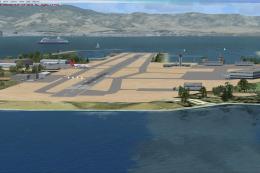
Gibraltar Scenery. This is an upgrade from the stock airport with added termi…
 FSX Scenery
Scenery Gibraltar Airport. Requires Rwy12 object libraries. By Roger Leupold.…
 FSX Scenery
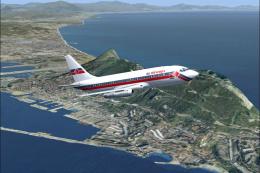
Gibraltar version 2. Upgraded with better textures and made with SBuilderX at…
 FSX Scenery
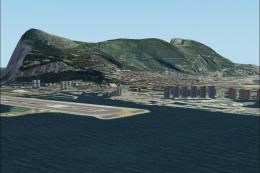
Scenery Gibraltar Buildings. This puts buildings into the previous release of…
 FSX Scenery
Gibraltar (LXGB). A basic upgrade to the default scenery. Adds some new gates…
 FSX Scenery
Kadena AB And Okinawa Islands airstrips, southern Japan. This package contain…
 FSX Scenery
Z11L Leipheim AB v1. Leipheim Air Base (Z11L, earlier also known as EDSD) is …
Be the first to leave a comment on this download.
Be the first to share your thoughts on this download.