


 Malaysia
  FSX Scenery
Kuala Lumpur International Airport (WMKK)
Scenery Kuala Lumpur International Airport (WMKK), Malaysia. An upgrade of th…
Kuala Lumpur International Airport (WMKK) receives a refreshed layout for FSX, rebuilding the default field with an added terminal to expand parking capacity for busy AI schedules. Updated gate assignments include airline codes across most stands, while dedicated service-vehicle roadways keep ground traffic off taxiways for smoother airport flow.
Scenery Kuala Lumpur International Airport (WMKK), Malaysia. A makeover of the default airport, now with an added terminal to allow more space for AI traffic. Also adds support vehicle roadways.
A total make over of Kulala Lumpur International airport (WMKK). Using the latest in airport design ADE-9X_V1.45. I added Another terminal so now u have more space for ur Ai traffic to park and at least that empty space is no-longer there and I added roadways for the vehicles to use instead of using the taxi-ways and causing back-up. Hope you people enjoy and there will be many more default airports I will be fixing up.
+ Assign airline codes to almost all of the gates.
KNOWN ISSUES:
- RWY holding short points: The HS points in this scenery are closer to the RWY than in reality. This is due to the fact that HS points in FS(X) have to be closer than 225 ft to the RWY edge. Otherwise ATC won't give waiting aircraft (AI also) a clearance.
- Since almost all parking positions are assigned to airlines, AI traffic cannot dock to it.
CONTENT:
The package contains two file:
- AFX_WMKK.bgl (Airport design)
- WMKK_README_107.txt (this file)
DISCLAIMER:
This WMKK addon scenery for FSX is delivered as is.
The author does not grant any warranty and won't be responsible for any hardware or software damages on the user's system.
The user does apply this addon on his/her own responsibility.
SETUP:
ADD the WMKK.BGL file into the \Microsoft Games\Microsoft Flight Simulator X\Addon Scenery\Scenery folder.
Free for all simmers · 31.5 KB · Scanned clean Oct 2026
Download speed: Free tier is capped at 0.5 Mbps. PRO members download at full line speed.
FSX\Addon Scenery\ containing scenery and texture sub-folders.readme.txt or README file. It tells you exactly where files go, what dependencies are needed, and any quirks specific to this add-on.Use these coordinates to fly directly to this location once the mod is installed.
2.74560000,101.70720000
Launch FSX or Prepar3D and use Flights → Load to open the downloaded .pln file. Your aircraft will be positioned at this location.
The archive fsx-scenery.zip has 4 files and directories contained within it.
This list displays the first 500 files in the package. If the package has more, you will need to download it to view them.
| Filename/Directory | File Date | File Size |
|---|---|---|
| AFX_WMKK.BGL | 03.02.10 | 78.39 kB |
| Kuala Lumpur (WMKK).txt | 03.02.10 | 1.76 kB |
| flyawaysimulation.txt | 10.29.13 | 959 B |
| Go to Fly Away Simulation.url | 01.22.16 | 52 B |
Only PRO members can place votes.
More FSX & P3D add-ons hand-picked based on this download.
FSX Scenery
Scenery Kuala Lumpur International Airport (WMKK), Malaysia. An upgrade of th…
 FSX Scenery
Kuala Lumpur (Sepang) International, Malaysia (WMKK). Includes added gates, c…
 FSX Scenery
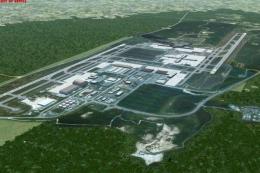
(WMKK), Malaysia. This file includes photoscenery, generic buildings and defa…
 FSX Scenery
Princess Juliana International Airport (TNCM) in Saint Marteen, Netherlands A…
 FSX Scenery
Barbados International Airport (TBPB). Grantley Adams International Airport f…
 FSX Scenery
Dubai International Airport (OMDB), Dubai. Includes a new passenger terminal …
 FSX Scenery
Soekarno-Hatta International Airport (WIII), Jakarta, Indonesia. An update to…
 FSX Scenery
San Diego International Airport, California (CA), USA. This photoreal scenery…
Be the first to leave a comment on this download.
Be the first to share your thoughts on this download.