


 United States of America
  FSX Scenery
Sheppard AFB/Wichita Falls
Sheppard AFB/Wichita Falls Municipal Airport (KSPS), Texas (TX). This is an i…
Wichita Mid-Continent Airport (KICT) scenery refreshes the Kansas hub with a redesigned AFCAD, realistic gate and parking assignments, added taxiways aligned to current diagrams, perimeter fencing, and carefully placed “eye candy” alongside select custom buildings. Built for Microsoft Flight Simulator X, it enhances ground operations while keeping the default airport footprint familiar.
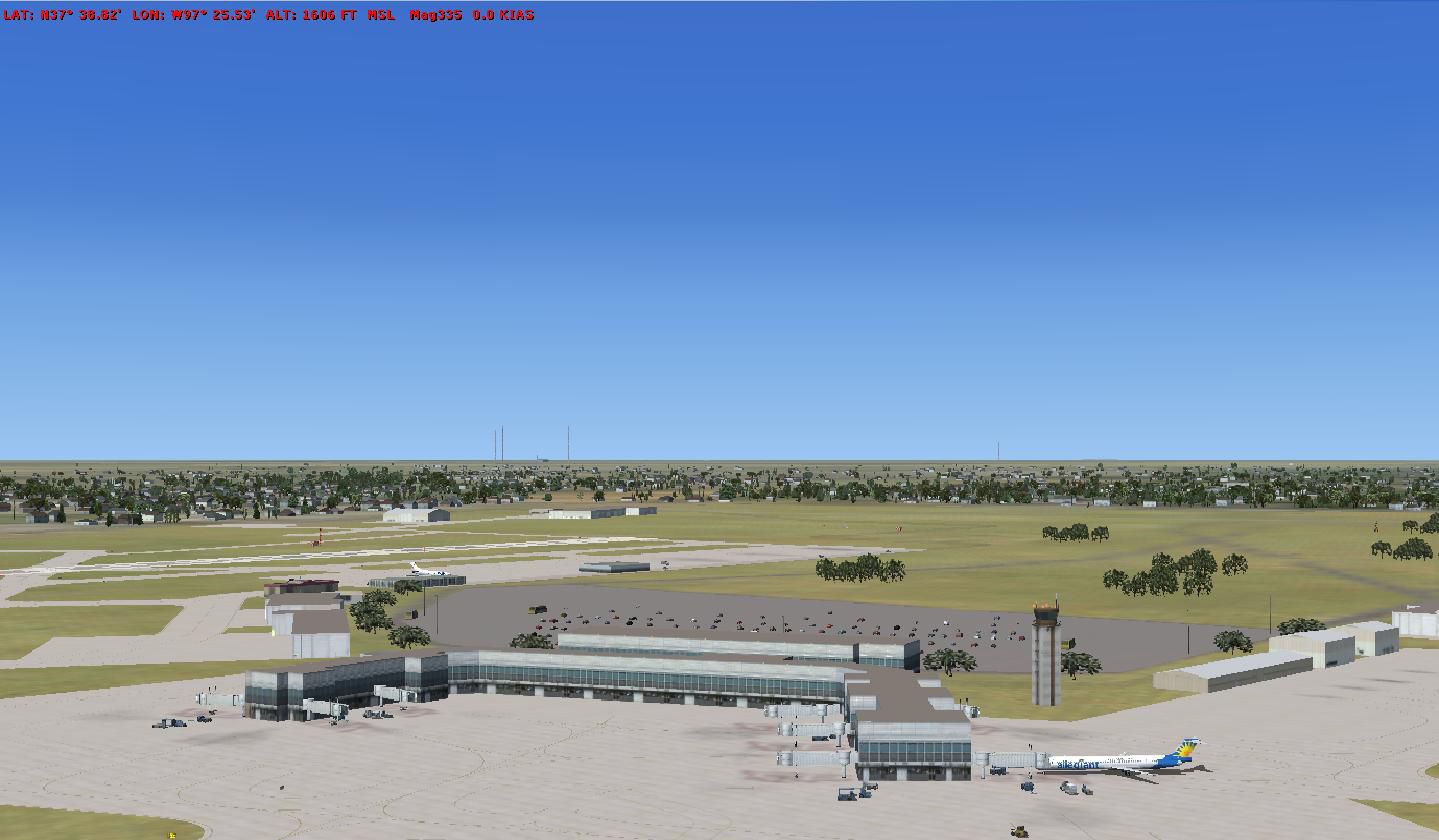

Scenery Wichita Mid-Continent Airport (KICT), Kansas (KS). Re-designed AFCAD to include fences, assigned parking, additional taxiways, and some eye candy. By Scott Peterson.
Wichita Mid-Continent Airport Scenery.
Here is my first attempt on re-designing an airport. Most of the taxiways are in accordance with airport diagrams. I used some satellite imagery as a reference for the airport and surrounding areas. I tried to place the gates as they are in real life. Some of the scenery remains default and other buildings were added. The last time I stopped by this airport was in 1984 when Frontier was operating their 737-200's. The airport but it is in the center of the continental US. I fly here in FSX and just decided to make it a little better.
To install:
Add the two bgl files to you add-on scenery folder. In most instances it should look like this -
C:\Program Files\Microsoft Games\Microsoft Flight Simulator X\Addon Scenery\scenery
Please let me know how it turned out. I beta tested it but may have missed some things.
Cheers!!!
Pete aka MadDog80.
This scenery should run fine on FSX. Not tested with FS2004. Designed with ADE utility ver 1.46
Free for all simmers · 173.8 KB · Scanned clean Oct 2026
Download speed: Free tier is capped at 0.5 Mbps. PRO members download at full line speed.
FSX\Addon Scenery\ containing scenery and texture sub-folders.readme.txt or README file. It tells you exactly where files go, what dependencies are needed, and any quirks specific to this add-on.Use these coordinates to fly directly to this location once the mod is installed.
37.64990000,-97.43310000
Launch FSX or Prepar3D and use Flights → Load to open the downloaded .pln file. Your aircraft will be positioned at this location.
The archive kict_ver1.zip has 8 files and directories contained within it.
This list displays the first 500 files in the package. If the package has more, you will need to download it to view them.
| Filename/Directory | File Date | File Size |
|---|---|---|
| KICT_ADEX_SWP_CVX.bgl | 03.07.10 | 1.00 kB |
| readme.txt | 03.07.10 | 1.17 kB |
| KICT_ADEX_SWP.BGL | 03.07.10 | 66.12 kB |
| kict.jpg | 03.07.10 | 52.15 kB |
| KICT TERMINAL VIEW.jpg | 03.07.10 | 113.15 kB |
| FILE_ID.DIZ | 03.07.10 | 196 B |
| flyawaysimulation.txt | 10.29.13 | 959 B |
| Go to Fly Away Simulation.url | 01.22.16 | 52 B |
Only PRO members can place votes.
More FSX & P3D add-ons hand-picked based on this download.
FSX Scenery
Sheppard AFB/Wichita Falls Municipal Airport (KSPS), Texas (TX). This is an i…
 FSX Scenery
Princess Juliana International Airport (TNCM) in Saint Marteen, Netherlands A…
 FSX Scenery
Los Angeles Airport Scenery v3, California (CA). This photoreal scenery is a …
 FSX Scenery
Barbados International Airport (TBPB). Grantley Adams International Airport f…
 FSX Scenery
Paris Charles de Gaulle Airport (CDG, LFPG), France. The entire airport has b…
 FSX Scenery
John F. Kennedy Airport (KJFK), New York, NYU. This is a photoreal scenery re…
 FSX Scenery
Dubai International Airport (OMDB), Dubai. Includes a new passenger terminal …
 FSX Scenery
Soekarno-Hatta International Airport (WIII), Jakarta, Indonesia. An update to…
Be the first to leave a comment on this download.
Be the first to share your thoughts on this download.