

 FSX Scenery
Sheppard Air Force Base
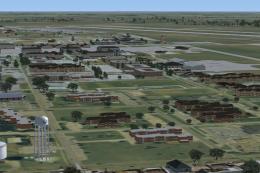
Sheppard Air Force Base (KSPS), Wichita Falls, Texas (TX). So you want to be …
Sheppard AFB/Wichita Falls Municipal Airport (KSPS) gets a sharper, more accurate layout with taxiways and ramps repositioned to match current satellite imagery, plus added buildings, static aircraft, service vehicles, and dedicated military and civil parking. Corrected taxiway signs, closed-area markings, relocated tower, and active crosswind runways enhance operations in FSX; requires FSX Acceleration for all objects.
 Rate
Rate
 United States of America
Sheppard AFB/Wichita Falls Municipal Airport (KSPS), Texas (TX). This is an improved version of the default KSPS airport. All taxiways and ramp areas moved and resized according to the latest Google Earth satellite image. Buildings, static aircraft, fire hall and vehicles along with other filler objects added. Parking positions for military and civil aircraft added. All taxiway signs corrected and X's placed on closed areas. Control tower moved to correct position. Crosswind runways activated. These modifications made using ADE 1.37 and stock FSX and FSX Acceleration Expansion Pack library objects. If you do not have the Expansion Pack installed some library objects will not display. By Robert Catherall.
INSTALLATION:
Place the two extracted BGL files (KSPS_ADE_RWC.BGL & KSPS_ADE_RWC_CVX.BGL} in your Addon Scenery/Scenery folder restart FSX go to the airport and take a look around.
Acknowledgements
ADE Utility (freeware) Jon Masterson.
Please visit here for more information.
Last but not least I must thank Ray Smith for the help he has given me on this my first project.
Bob Catherall
Free for all simmers · 177.79 KB · Scanned clean Oct 2026
Download speed: Free tier is capped at 0.5 Mbps. PRO members download at full line speed.
FSX\Addon Scenery\ containing scenery and texture sub-folders.readme.txt or README file. It tells you exactly where files go, what dependencies are needed, and any quirks specific to this add-on.Use these coordinates to fly directly to this location once the mod is installed.
33.98900000,-98.49200000
Launch FSX or Prepar3D and use Flights → Load to open the downloaded .pln file. Your aircraft will be positioned at this location.
The archive ksps-1.zip has 6 files and directories contained within it.
This list displays the first 500 files in the package. If the package has more, you will need to download it to view them.
| Filename/Directory | File Date | File Size |
|---|---|---|
| KSPS.pdf | 02.25.09 | 140.57 kB |
| ReadMe.txt | 03.18.09 | 1.34 kB |
| KSPS_ADE_RWC.BGL | 03.18.09 | 105.83 kB |
| KSPS_ADE_RWC_CVX.bgl | 03.12.09 | 228 B |
| flyawaysimulation.txt | 10.29.13 | 959 B |
| Go to Fly Away Simulation.url | 01.22.16 | 52 B |
Only PRO members can place votes.
More FSX & P3D add-ons hand-picked based on this download.
FSX Scenery
Sheppard Air Force Base (KSPS), Wichita Falls, Texas (TX). So you want to be …
 FSX Scenery
Scenery Wichita Mid-Continent Airport (KICT), Kansas (KS). Re-designed AFCAD …
 FSX Scenery
Iguassu Falls - Save The Planet. The Iguassu Falls, Itaipu Hydroelectric Powe…
 FSX Scenery
Victoria Falls, Lambert's Bay and Marromeu, Southern Africa. The scenery cons…
 FSX Scenery
Victoria Falls Airport, Zimbabwe (FVFA); improved ultimate edition. This is V…
 FSX Scenery
Victoria Falls Airport (FVFA), Zimbabwe. Victoria Falls Airport serves the to…
 FSX Scenery
Scenery Angel Falls Venezuela. Angel Falls, Canaima National Park, Venezuela.…
 FSX Scenery
Located in the foothills of the Adirondack Mountains in upstate New York (NY)…
Be the first to leave a comment on this download.
Be the first to share your thoughts on this download.