


 United States of America
  FSX Scenery
Table Mountain
This freeware upgrade refines the iconic shape of Table Mountain in Cape Town…
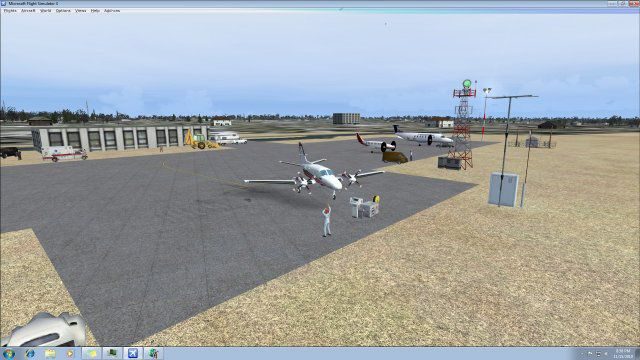
Mountain View Airport (KMNF) in Missouri comes to life with detailed scenery enhancements for FSX, adding custom airport objects, ramp lighting, and animated people to give the small-field environment more character. The package also includes a two-light PAPI system for more authentic approaches and a richer sense of place on arrival.
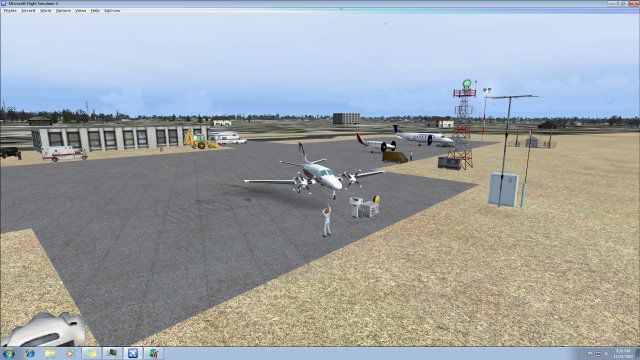
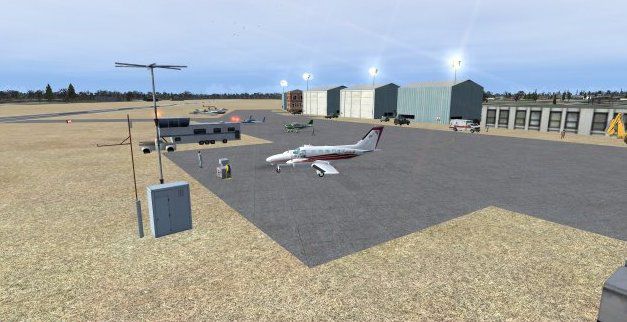

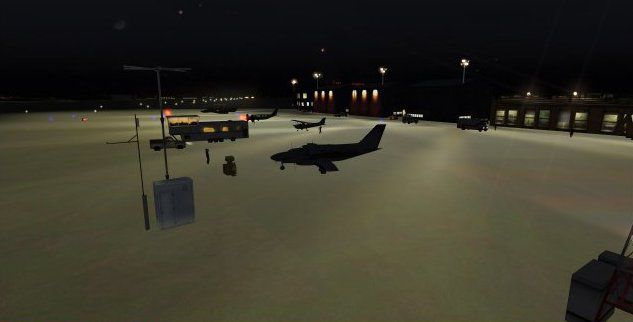
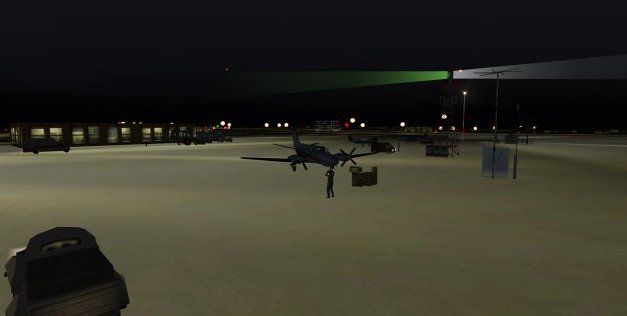
Mountain View Airport (KMNF), Missouri (MO). Lots of memories with this airport--stories included. Adds airport objects and people. By Jimmy R. Martin.
Screenshot of Mountain View Airport Scenery.
INSTALLATION:
Install the folders (scenery & texture) into your addon scenery folder.
The readme for the ramplights is for information only. The files are included in the above folders.
THE STORIES EXPERIENCE WITH THIS AIRPORT...
When I worked for Mark Aero aviation in St Charles, MO in the mid 60's I had the opportunity to fly a company Cessna 172 on the weekends and only pay for the gas. My wife and baby flew with me on these trips to Mountain View on a monthly basis (my manager in my music lived there and my Grand Ole Opra friends lived just a short distance away). One foggy morning the engine would not turn over. I asked my wife to hold the toe brakes hard. Within two tries of spinning the prop by hand the engine kicked in and the aircraft moved forward. I immediately, as trained, had moved off to the side. I ran for the door and stopped the airplane only to find out she had been pushing on the rudder peddles! That same trip the radios had gone out on the navigation and I had to dead reckon the whole trip.
On another occasion, in the same aircraft, the flight went smoothly. One afternoon "Pop" Smith and I had to meet a business contact at KSGF. There had been some thunderstorms in the area around noon so we were late for takeoff but made it down to KSGF with no problem. We took off at dark to go back to KMNF. The clouds from earlier in the day and the resulting humidity gave us a solid haze layer on climb out. At about 3,500' all the lights went out in the cockpit! "Pop" and I immediately grabbed our flashlights. I continued to fly the airplane as Pop Smith fiddled with the circuit breakers. Finally the lights came on. THEN: after arriving over KMNF there was a thin cloud haze deck over the airport. We prayed for a clearing as I was not about to try to land in a non-instrument airport. A small opening opened up right over the airport...I put the aircraft into a controlled slip and dropped like a rock through that opening then made a normal landing. At that time slips were illegal although today they are normal procedures. (Dip your wing into the wind and give opposite rudder) forcing the aircraft down.
I had the opportunity to test their brand new PAPI two light system and do a writeup for their news and newspaper. A lot of fond memories from Mountain View, MO.
Jmmy R Martin
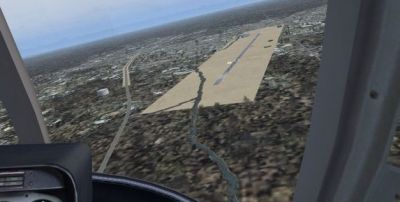
Aerial view of Mountain View Airport Scenery.
Free for all simmers · 341.18 KB · Scanned clean Oct 2026
Download speed: Free tier is capped at 0.5 Mbps. PRO members download at full line speed.
FSX\Addon Scenery\ containing scenery and texture sub-folders.readme.txt or README file. It tells you exactly where files go, what dependencies are needed, and any quirks specific to this add-on.Use these coordinates to fly directly to this location once the mod is installed.
36.99547300,-91.71469500
Launch FSX or Prepar3D and use Flights → Load to open the downloaded .pln file. Your aircraft will be positioned at this location.
The archive kmnfmtnviewmo_jrm.zip has 25 files and directories contained within it.
This list displays the first 500 files in the package. If the package has more, you will need to download it to view them.
| Filename/Directory | File Date | File Size |
|---|---|---|
| 02442.jpg | 11.15.10 | 13.07 kB |
| 02442as.jpg | 11.15.10 | 18.21 kB |
| AirNav KMNF - Mountain View Airport.url | 11.15.10 | 180 B |
| AirNav photo.jpg | 11.15.10 | 13.07 kB |
| file_id.diz | 11.16.10 | 162 B |
| PS0035.jpg | 11.15.10 | 17.42 kB |
| PS0036.jpg | 11.15.10 | 19.75 kB |
| PS0037.jpg | 11.15.10 | 50.06 kB |
| PS0038.jpg | 11.15.10 | 53.16 kB |
| PS0039.jpg | 11.15.10 | 38.80 kB |
| ramplight.txt | 11.16.10 | 1.04 kB |
| read me INSTALLATION.txt | 11.16.10 | 2.55 kB |
| scenery | 11.16.10 | 0 B |
| KMNF_ADEX_JRM.ad2.ad2 | 11.15.10 | 87.51 kB |
| KMNF_ADEX_JRM.BGL | 11.15.10 | 6.21 kB |
| KMNF_MtnViewMO_jrm.bgl | 11.15.10 | 1.78 kB |
| RampLight_Library.bgl | 01.11.05 | 30.63 kB |
| Thumbs.db | 05.27.08 | 6.00 kB |
| texture | 11.16.10 | 0 B |
| ESDG_ramp.BMP | 01.09.05 | 32.07 kB |
| ESDG_ramp_lm.BMP | 01.09.05 | 32.07 kB |
| web gif.gif | 11.16.10 | 7.86 kB |
| KMNF MtnView MO_JRM | 11.16.10 | 0 B |
| flyawaysimulation.txt | 10.29.13 | 959 B |
| Go to Fly Away Simulation.url | 01.22.16 | 52 B |
Only PRO members can place votes.
More FSX & P3D add-ons hand-picked based on this download.
FSX Scenery
This freeware upgrade refines the iconic shape of Table Mountain in Cape Town…
 FSX Scenery
Mountain Home AFB (KMUO), Idaho (ID). The Air Force has been consolidating ai…
 FSX Scenery
Scenery Mountain Air (2NC0), NC. Nestled away in the Appalachian Mountains of…
 FSX Scenery
Alaska Mountain Scenery. Alaska scenery (AK) for your hops through the great …
 FSX Scenery
Dangerous Airfields Of The Andes Mountain. An FSX FSadventureSky Flight. Avia…
 FSX Scenery
Vignettes And Trient Mountain Hut. Two mountain huts of the Swiss Alps with p…
 FSX Scenery
Mountain Top (CYMN) is a fictional, high-altitude airport located on the bord…
 FSX Scenery
W91 And Smith Mountain Lake, Virginia. This is a wishful interpretation of th…
Be the first to leave a comment on this download.
Be the first to share your thoughts on this download.