

 FSX Scenery
NL2000 V4.03 Library Package
This library add-on brings vital models, effect files, and AI traffic compone…
NL2000 V4 Library Package supplies the core 3D object libraries, textures, and effect files needed to render many Dutch airports with consistent detail, plus tailored AI traffic to bring aprons and circuits to life in Microsoft Flight Simulator X. It requires the NL2000 v4.0.20 installer and integrates cleanly across the wider NL2000 v4 scenery series.
 Rate
Rate
 Netherlands
This freeware package supplies essential libraries and objects across many Dutch airports within Microsoft Flight Simulator X. It includes a specialized assortment of effect files and AI traffic that collectively enhance flight realism throughout the Netherlands. Created by The Netherlands 2000 Scenery Design Team, this module integrates seamlessly with the broader NL2000 v4 series, providing a robust foundation for numerous airport layouts and geographic details.
These libraries contain mandatory 3D models, textures, and effect files required for accurate representations of airport structures and surrounding areas. The files incorporate dynamic elements, such as AI airplanes (short for “Artificial Intelligence airplanes,” which simulate additional traffic), to enliven runways and aprons throughout the region. This approach improves both visual depth and traffic density for virtual pilots.
To integrate this library package, you must use the NL2000 v4.0.20 installer application. This ensures proper file structure and version compatibility. After the installation completes, the elements merge with your existing NL2000 modules, resulting in a cohesive Dutch environment. Fans of short-haul flights appreciate the ability to explore mid-sized airports with a high level of immersion.
The NL2000 v4 series is designed in segments, allowing for selective installation of airports or photo-realistic areas across the Netherlands. These modular components work best when combined with this library package, ensuring that key objects, buildings, and effect files communicate properly within Microsoft Flight Simulator X. The Netherlands’ geography—known for its extensive coastlines, flat landscapes, and iconic dikes—offers a unique VFR experience when combined with photoreal sceneries.
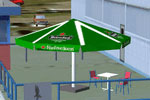
Preview of essential 3D objects from the NL2000 V4 package.
The Netherlands 2000 Scenery Design Team has carefully crafted these libraries to ensure broad compatibility with frequently used Dutch airports. Although it supplements other packages, it remains a fundamental component of the overall NL2000 v4 scheme. Additional packages, also created by the same team, can be obtained through their official channels for a more comprehensive and integrated representation of the Netherlands. All resources remain free of charge, reflecting the team's commitment to enriching the virtual aviation community.
Free for all simmers · 131.13 MB · Scanned clean Oct 2026
Download speed: Free tier is capped at 0.5 Mbps (this file takes approximately 37 mins at the cap). PRO members download at full line speed.
SimObjects\Airplanes\, Addon Scenery\, Effects\, or Gauges\.readme.txt or README file. It tells you exactly where files go, what dependencies are needed, and any quirks specific to this add-on.Use these coordinates to fly directly to this location once the mod is installed.
52.36760000,4.90410000
Launch FSX or Prepar3D and use Flights → Load to open the downloaded .pln file. Your aircraft will be positioned at this location.
The archive nl2k_v4_01_libraries.zip has 8 files and directories contained within it.
This list displays the first 500 files in the package. If the package has more, you will need to download it to view them.
| Filename/Directory | File Date | File Size |
|---|---|---|
| nl2k_v4.01_libraries.txt | 05.12.11 | 440 B |
| auteursrecht.txt | 05.24.10 | 5.06 kB |
| copyright.txt | 05.24.10 | 4.43 kB |
| FILE_ID.DIZ | 05.12.11 | 440 B |
| nl2k_v4.01_libraries.gif | 05.12.11 | 9.43 kB |
| nl2k_v4.01_libraries.nl2 | 05.05.11 | 131.98 MB |
| flyawaysimulation.txt | 10.29.13 | 959 B |
| Go to Fly Away Simulation.url | 01.22.16 | 52 B |
Only PRO members can place votes.
More FSX & P3D add-ons hand-picked based on this download.
FSX Scenery
This library add-on brings vital models, effect files, and AI traffic compone…
 FSX Scenery
This package provides a dedicated set of core libraries intended to enhance a…
 FSX Scenery
Scenery NL2000 V4.0. This is the NL2000 v4.0 Traffic package for the NL2000 s…
 FSX Scenery
This comprehensive libraries collection integrates foundational objects, enha…
 FSX Scenery
This freeware release introduces a high-fidelity rendition of EHAL Ameland fo…
 FSX Scenery
This freeware scenery expansion focuses on enhancing FSX with detailed covera…
 FSX Scenery
Scenery NL2000 V4.0. This is the NL2000 v4.0 Education package for the NL2000…
 FSX Scenery
Enhance your simulator’s portrayal of one of the Netherlands’ busiest regiona…
Be the first to leave a comment on this download.
Be the first to share your thoughts on this download.