
 FSX Scenery
NL2000 V4.02 Valkenburg Air Base
NL2000 V4. This is the NL2000 v4.02 EHVB Valkenburg Air Base package for the …
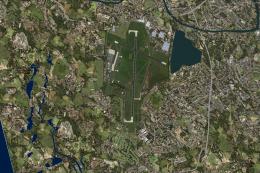
Valkenburg Airport (EHVB) returns as a richly modeled, historically faithful naval air base near Katwijk, with accurate terrain, crisp surface textures, and detailed runways, taxiways, and structures that match the original layout. Built for Microsoft Flight Simulator X, it integrates seamlessly into the NL2000 v4 environment and requires the NL2000 v4.0.20 installer.
 Rate
Rate
 Netherlands
Immerse yourself in a detailed digital rendering of the now-retired Valkenburg Airport, fully integrated with the NL2000 v4 ecology and designed specifically for FSX flyers. This comprehensive scenery mod, brought to you by The Netherlands 2000 Scenery Design Team, leverages modular functionality that covers the Dutch landscape in striking detail, ensuring an authentic representation of the airport’s historical layout and surroundings.
Valkenburg (EHVB) once served as a naval air base in South Holland, near the coastal town of Katwijk. Although it ceased active operations years ago, it remains a significant fixture in the area’s aviation history. To replicate that legacy, this package introduces:
The scenery incorporates crisp ground textures to reproduce the once-bustling ramps and adjacent areas. Flight simulator users will notice refined markings, runway edges, and apron detailing to capture realistic wear patterns. This ensures a thorough immersion from every aerial vantage point.
The broader NL2000 v4 environment encompasses a modular approach, flawlessly covering the Netherlands with photoreal base imagery, structured autogen, and precisely modeled buildings. Valkenburg’s airfield is one of many specialized airport or airfield packages created to complete the nationwide coverage, offering a consistent visual standard across different Dutch regions.
For smooth deployment, verify that you have the NL2000 v4.0.20 installer handy and then follow the standard procedure guided by The Netherlands 2000 Scenery Design Team. Each step ensures that Valkenburg’s digital rendition synchronizes with the rest of your NL2000 library.
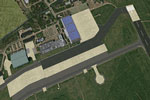
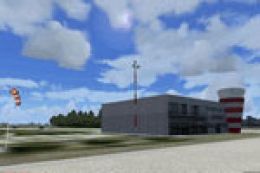
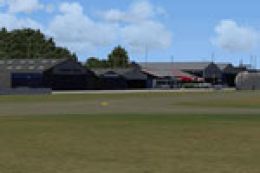
Screenshot of Valkenburg Airport Scenery.
Pilots are encouraged to explore low-altitude passes for a closer look at the historically significant airfield structures. Whether you fly VFR along the Dutch coastline or practice IFR approach procedures, you will find this closed airport site an engaging addition to your virtual journeys.
Ultimately, this freeware add-on underscores the diligence and expertise delivered by The Netherlands 2000 Scenery Design Team, presenting a well-rounded depiction of Valkenburg’s airfield heritage in FSX. By integrating it within the full NL2000 environment, simmers gain a more comprehensive Dutch flight experience with rich geographical references and memorable visuals.
Free for all simmers · 126.69 MB · Scanned clean Oct 2026
Download speed: Free tier is capped at 0.5 Mbps (this file takes approximately 35 mins at the cap). PRO members download at full line speed.
FSX\Addon Scenery\ containing scenery and texture sub-folders.readme.txt or README file. It tells you exactly where files go, what dependencies are needed, and any quirks specific to this add-on.Use these coordinates to fly directly to this location once the mod is installed.
52.16617000,4.41722000
Launch FSX or Prepar3D and use Flights → Load to open the downloaded .pln file. Your aircraft will be positioned at this location.
The archive nl2k_v4_02_ehvb_closed.zip has 8 files and directories contained within it.
This list displays the first 500 files in the package. If the package has more, you will need to download it to view them.
| Filename/Directory | File Date | File Size |
|---|---|---|
| copyright.txt | 05.24.10 | 4.43 kB |
| FILE_ID.DIZ | 12.22.11 | 367 B |
| nl2k_v4.02_ehvb_closed.gif | 05.12.11 | 13.38 kB |
| nl2k_v4.02_ehvb_closed.nl2 | 12.14.11 | 126.70 MB |
| nl2k_v4.02_ehvb_closed.txt | 12.22.11 | 367 B |
| auteursrecht.txt | 05.24.10 | 5.06 kB |
| flyawaysimulation.txt | 10.29.13 | 959 B |
| Go to Fly Away Simulation.url | 01.22.16 | 52 B |
Only PRO members can place votes.
More FSX & P3D add-ons hand-picked based on this download.
FSX Scenery
NL2000 V4. This is the NL2000 v4.02 EHVB Valkenburg Air Base package for the …
 FSX Scenery
Enhance your simulator’s portrayal of one of the Netherlands’ busiest regiona…
 FSX Scenery
This free add-on offers a precisely modeled depiction of EHEH Eindhoven Airpo…
 FSX Scenery
This comprehensive package brings an updated rendition of Maastricht Aachen A…
 FSX Scenery
This airport enhancement transforms Groningen Airport Eelde (EHGG) within Mic…
 FSX Scenery
Experience the intricacies of Den Helder Airport (EHKD) with this free FSX sc…
 FSX Scenery
This add-on enhances Microsoft Flight Simulator X with a finely detailed rend…
 FSX Scenery
This freeware add-on brings a fully updated rendition of Teuge Airport (EHTE)…
Be the first to leave a comment on this download.
Be the first to share your thoughts on this download.