

 FSX Scenery
NL2000 V4.02 EHVK Volkel Air Base
This freeware package enhances the Volkel Air Base environment within FSX by …
Volkel Air Base (EHVK) comes to life with the NL2000 v4.03 scenery package, delivering precise building placement, chart-aligned runways and taxiways, upgraded ground polygons, photoreal terrain, and realistic night lighting for an authentic Royal Netherlands Air Force environment in FSX. Requires the NL2000 v4.0.32 installer for seamless modular integration.
 Rate
Rate
 Netherlands
Immerse yourself in a detailed representation of Volkel Air Base with this specialized NL2000 v4.03 EHVK package. Designed by The Netherlands 2000 Scenery Design Team, it offers a refined update for enthusiasts who want to expand their flight simulation experience in the Dutch landscape. This modular freeware scenery integrates seamlessly with FSX, providing precise ground details, accurate building placements, and an authentic depiction of the airfield.
Every hangar and support facility follows carefully modeled dimensions based on real-world data. The layout incorporates the full spectrum of Volkel Air Base’s infrastructure, ensuring that taxiways align with exact coordinates and that each structure reflects its true location. Users will notice that runways, aprons, and maintenance areas replicate the real air base’s design features, further enhancing immersion.
To install this EHVK Volkel Air Base package, you will need the NL2000 v4.0.32 installer. The modular architecture of the Netherlands 2000 scenery allows select customization, so you can integrate additional packages without overwriting core elements. This approach keeps installation straightforward and ensures compatibility with other expansions in the NL2000 suite.
Capturing the distinct features of North Brabant, the ground textures match actual terrain imagery. This specialized layer preserves important landmarks and regional details, eliminating any guesswork for pilots navigating or practicing procedures. Such photoreal enhancements improve situational awareness when comparing the virtual environment with real charts.
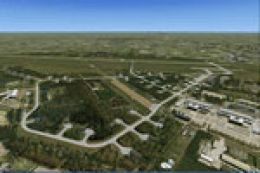
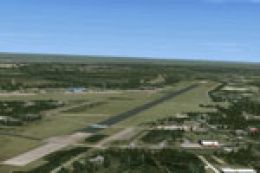
Aerial view of Volkel Air Base.
This add-on forms part of the broader Netherlands 2000 v4 initiative, which covers the entire country in modular segments. The approach allows simmers to focus on specific regions without compromising performance. Users can install complementary packages for different airports or urban areas, confident that each matches the rigorous standards set by The Netherlands 2000 Scenery Design Team.
As a fully freeware offering, the NL2000 v4.03 EHVK Volkel Air Base package speaks to the team’s dedication to quality and accuracy. Enhancements at this air base underscore the extensive planning and care that goes into each release, benefiting those who desire in-depth coverage of Dutch aviation facilities.
Free for all simmers · 65.48 MB · Scanned clean Oct 2026
Download speed: Free tier is capped at 0.5 Mbps (this file takes approximately 18 mins at the cap). PRO members download at full line speed.
SimObjects\Airplanes\, Addon Scenery\, Effects\, or Gauges\.readme.txt or README file. It tells you exactly where files go, what dependencies are needed, and any quirks specific to this add-on.Use these coordinates to fly directly to this location once the mod is installed.
51.65720000,5.70670000
Launch FSX or Prepar3D and use Flights → Load to open the downloaded .pln file. Your aircraft will be positioned at this location.
The archive nl2k_v4_03_ehvk.zip has 8 files and directories contained within it.
This list displays the first 500 files in the package. If the package has more, you will need to download it to view them.
| Filename/Directory | File Date | File Size |
|---|---|---|
| auteursrecht.txt | 05.24.10 | 5.06 kB |
| copyright.txt | 05.24.10 | 4.43 kB |
| FILE_ID.DIZ | 10.06.12 | 358 B |
| nl2k_v4.03_ehvk.gif | 05.12.11 | 13.27 kB |
| nl2k_v4.03_ehvk.nl2 | 10.06.12 | 65.65 MB |
| nl2k_v4.03_ehvk.txt | 10.06.12 | 357 B |
| flyawaysimulation.txt | 10.29.13 | 959 B |
| Go to Fly Away Simulation.url | 01.22.16 | 52 B |
Only PRO members can place votes.
More FSX & P3D add-ons hand-picked based on this download.
FSX Scenery
This freeware package enhances the Volkel Air Base environment within FSX by …
 FSX Scenery
This package delivers a focused improvement to Volkel Air Base (EHVK) as part…
 FSX Scenery
Experience an authentic recreation of EHLW Leeuwarden Air Base through this N…
 FSX Scenery
This freeware release brings an accurate rendition of EHWO Woensdrecht Air Ba…
 FSX Scenery
This freeware add-on traces the unique heritage of Soesterberg Air Base as it…
 FSX Scenery
This comprehensive package enhances Gilze Rijen Air Base (EHGR) for Microsoft…
 FSX Scenery
This comprehensive add-on furnishes a detailed rendition of Deelen Air Base (…
 FSX Scenery
This comprehensive freeware package brings Soesterberg Air Base (EHSB) to lif…
Be the first to leave a comment on this download.
Be the first to share your thoughts on this download.