


FSX Expanded Dundee Airport Scenery
Expanded Dundee (Riverside) Airport EGPN scenery brings a fictional upgrade to Scotland’s gateway in FSX, featuring a 6,000-foot runway 09/27 with ILS on both ends. Refined parking layouts and adjusted landclass and coastlines add trees north of the runway and parkland around the airfield for a more natural setting.
 United Kingdom
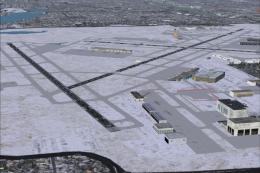
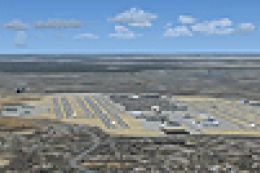
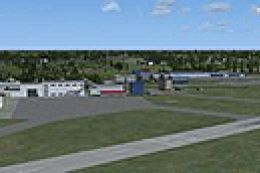
 Expanded Dundee Airport. Fictional expansion of stock FSX scenery for Dundee Airport. Airport now has a 6000 foot / 1830m runway 09/27 with ILS both ends. Parking areas tidied up and landclass and coastlines around the airport altered to a more realistic look with trees to the north of the runway and parkland around airfield. By John Ball.
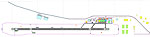
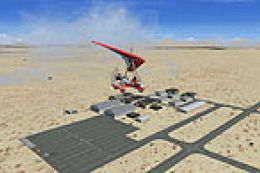
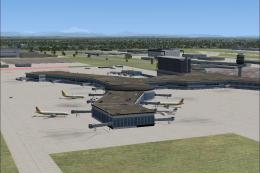
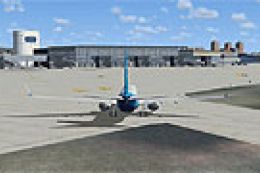
Overview of Expanded Dundee Airport.
EGPN Dundee (Riverside) Scotland, UK.
FICTIONAL Expansion of stock FSX scenery for Dundee Airport.
INSTALLATION:
Paste all EGPN_ADEX files (4 in total) into your main FSX\Addon Scenery\Scenery folder.
Run FSX and go to airport EGPN - UK, Dundee
This works fine with my system. I don't see any reason why it should not work for you if installed as above. Hope it works fine and you enjoy the scenery.
Ready to download Expanded Dundee Airport Scenery?
Free for all simmers · 612.65 KB · Scanned clean
File information
Download speed: Free tier is capped at 0.5 Mbps. PRO members download at full line speed.
How to install this mod
FSX / P3D
scenery
How to install this mod
-
Extract the downloaded archive
Use 7-Zip (free) or WinRAR to extract the ZIP to a temporary folder. Don't install while still zipped — the simulator can't read inside ZIP files. -
Place scenery in Addon Scenery
Create a folder underFSX\Addon Scenery\containingsceneryandtexturesub-folders. -
Activate in Scenery Library
In FSX, go to Settings → Scenery Library → Add Area. Higher priority means it overrides lower entries for the same location. -
Always read the included readme
Every mod ships with areadme.txtorREADMEfile. It tells you exactly where files go, what dependencies are needed, and any quirks specific to this add-on.
Finding the scenery
Use these coordinates to fly directly to this location once the mod is installed.
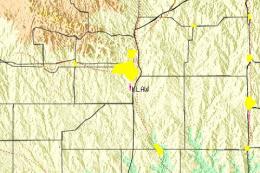
56.45250000,-3.02580000
Launch FSX or Prepar3D and use Flights → Load to open the downloaded .pln file. Your aircraft will be positioned at this location.
What’s inside this archive
The archive dundeeairportfsx.zip has 8 files and directories contained within it.
File Contents
This list displays the first 500 files in the package. If the package has more, you will need to download it to view them.
| Filename/Directory | File Date | File Size |
|---|---|---|
| EGPN 31.Bmp | 11.18.10 | 6.37 MB |
| EGPN_ADE_JB.ad2 | 11.18.10 | 500.47 kB |
| EGPN_ADEX_JB.xml | 11.18.10 | 167.09 kB |
| EGPN_ADEX_JB.BGL | 11.18.10 | 20.44 kB |
| EGPN_ADEX_JB_CVX.bgl | 11.18.10 | 4.00 kB |
| DUNDEE README.txt | 11.18.10 | 1.03 kB |
| flyawaysimulation.txt | 10.29.13 | 959 B |
| Go to Fly Away Simulation.url | 01.22.16 | 52 B |
1 comments
Leave a ResponseThe content of the comments below are entirely the opinions of the individual posting the comment and do not always reflect the views of Fly Away Simulation. We moderate all comments manually before they are approved.
Dundee only has ILS for 09