


FS2004 AFCAD2 For Winnipeg Int'l Airport (CYWG)
Winnipeg International Airport (CYWG) gets a detailed AFCAD2 rebuild for FS2004, with extended runway lengths, refined runway lighting, VASI and approach systems, and updated taxiways, aprons, helipads, and night lighting. Accurate airline and cargo parking plus GA and military areas support realistic traffic, and the crosswind setup enables simultaneous runway use; requires CYWGV101.ZIP scenery.
Images & Screenshots
1 total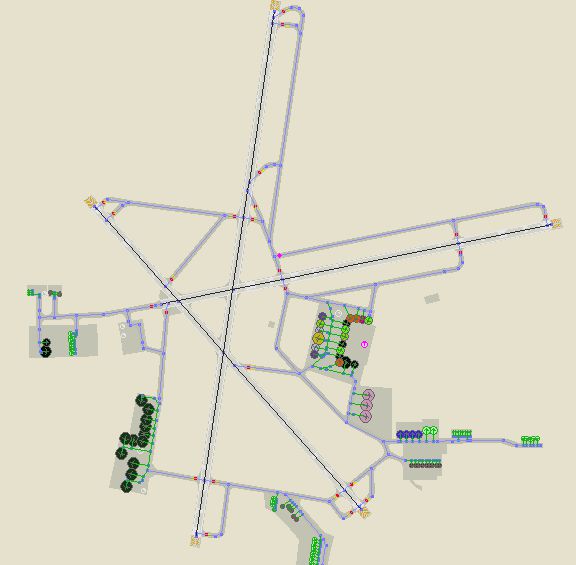
A high quality AFCAD2 file for Winnipeg Int'l Airport, Manitoba, Canada. This file has been built from scratch using information from the Internet. This AFCAD2 will extend the runways as follows - 07/25 is now 9000 feet, 13/31 is now 9100 feet and 18/36 is now 12000 feet long.
-fs9-1.jpg)
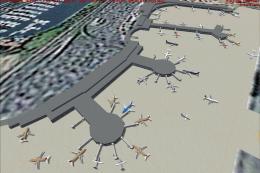
Overview of Winnipeg Int'l Airport.
In addition, improvements have been made to runway lighting, VASI and approach lighting. Assigned parking is provided for all commercial airlines that serve YWG and also for the following companies - FedEx, UPS, Perimiter Aviation, Esso, Shell, Skyward Aviation and the Canadian Armed Forces. This airport also features extensive GA parking, helicopter pads, Air Canada maintenance area, new taxiways and improved apron and taxiway night lighting.
Using the crosswind runway technique, all three runways can also now be used simultaneously. There are two versions included here - (1) Concrete taxiways and runways, (2) Asphalt Taxiways and runways. This file is only for use with the add-on scenery by Adam Bentley and David Madge (CYWGV101.ZIP) and has not been tested with the default airport. By Lee Brompton.
To install, simply place the 'AF2_xxxx' file into your 'Flight Simulator 9\Addon Scenery\Scenery' folder.
Ready to download AFCAD2 For Winnipeg Int'l Airport (CYWG)?
Free for all simmers · 57.3 KB · Scanned clean
File information
Download speed: Free tier is capped at 0.5 Mbps. PRO members download at full line speed.
How to install this mod
FS2004
scenery
How to install this mod
-
Extract the downloaded archive
Use 7-Zip (free) or WinRAR to extract the ZIP to a temporary folder. Don't install while still zipped — the simulator can't read inside ZIP files. -
Place files per readme
FS2004 add-ons go intoFS9\Aircraft\,FS9\Addon Scenery\,FS9\Gauges\, orFS9\Effects\. -
Always read the included readme
Every mod ships with areadme.txtorREADMEfile. It tells you exactly where files go, what dependencies are needed, and any quirks specific to this add-on.
What’s inside this archive
The archive lb_cywg.zip has 10 files and directories contained within it.
File Contents
This list displays the first 500 files in the package. If the package has more, you will need to download it to view them.
| Filename/Directory | File Date | File Size |
|---|---|---|
| File_id.diz | 02.28.05 | 1.09 kB |
| CYWG_s.PNG | 02.28.05 | 11.19 kB |
| CYWG.PNG | 02.28.05 | 25.85 kB |
| General Installation Instructions.txt | 02.27.05 | 105 B |
| Asphalt Version | 02.28.05 | 0 B |
| AF2_CYWG.bgl | 02.28.05 | 21.78 kB |
| Concrete Version | 02.28.05 | 0 B |
| AF2_CYWG.bgl | 02.28.05 | 21.96 kB |
| flyawaysimulation.txt | 10.29.13 | 959 B |
| Go to Fly Away Simulation.url | 01.22.16 | 52 B |



0 comments
Leave a Response