

 FS2004 AFCAD Files
AFCAD2 For Belfast City Airport (EGAC), UK
The airport has been completely reconfigured to provide as many parking spots…
Belfast/Aldergrove Airport (EGAA) gets a full AFCAD overhaul for FS2004, rebuilding real-world taxiways and gate layouts while adding extra parking to ease traffic flow. Slight runway extensions, updated approach lighting, crosswind runway operation for simultaneous use, and airline plus UK military assigned stands bring the default airport closer to today’s operations.
 Rate
Rate
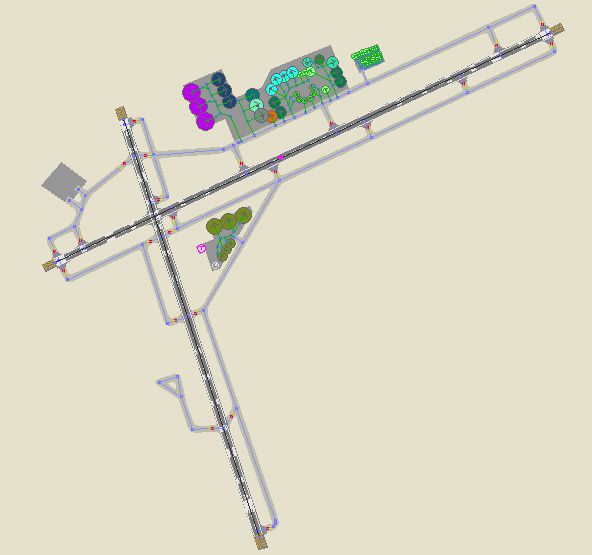
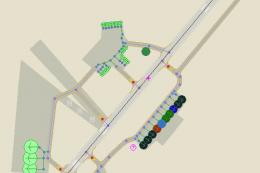
The airport has been completely reconfigured to provide as many parking spots as possible. It features all current real life taxiways and near real parking. Additional taxiways and parking positions have also been added to the airport. Both runways have been slightly extended, new approach lighting has been added and by using the crosswind runway technique, both runways are now available for simultaneous use. Assigned parking for all airlines serving this airport, including UK Air Force and Army military transports, is included. This is for the default FS2004 airport only. By Lee Brompton.
-Airport%2C-UK-fs9-1.jpg)
Overview of Belfast/Aldergrove (EGAA) Airport.
To install, simply place the 'AF2_xxxx' file into your 'Flight Simulator 9\Addon Scenery\Scenery' folder.
Free for all simmers · 29.67 KB · Scanned clean Oct 2026
Download speed: Free tier is capped at 0.5 Mbps. PRO members download at full line speed.
FS9\Aircraft\, FS9\Addon Scenery\, FS9\Gauges\, or FS9\Effects\.readme.txt or README file. It tells you exactly where files go, what dependencies are needed, and any quirks specific to this add-on.The archive lb_egaa.zip has 7 files and directories contained within it.
This list displays the first 500 files in the package. If the package has more, you will need to download it to view them.
| Filename/Directory | File Date | File Size |
|---|---|---|
| parking | 02.27.05 | 0 B |
| AF2_EGAA.bgl | 02.27.05 | 12.89 kB |
| General Installation Instructions.txt | 02.27.05 | 105 B |
| EGAA.PNG | 02.27.05 | 22.99 kB |
| File_id.diz | 02.27.05 | 694 B |
| flyawaysimulation.txt | 10.29.13 | 959 B |
| Go to Fly Away Simulation.url | 01.22.16 | 52 B |
Only PRO members can place votes.
More FS2004 add-ons hand-picked based on this download.
FS2004 AFCAD Files
The airport has been completely reconfigured to provide as many parking spots…
 FS2004 AFCAD Files
Shannon/Belfast City, Ireland. Improves both EINN and EGAC airports. By Rene …
FS2004 AFCAD Files
I've added parking to the following UK air bases: EGDM Boscombe Down EGVN Bri…
 FS2004 AFCAD Files
Tokyo Narita Airport (RJAA), Japan (not for the default FS2004 airport; detai…
 FS2004 AFCAD Files
An AFCAD2 file for Soekarno-Hatta Airport, Jakarta, Indonesia (WIII) for use …
 FS2004 AFCAD Files
An AFCAD2 file for Ngurah Rai Int'l Airport, Denpasar Bali, Indonesia (WRRR),…
 FS2004 AFCAD Files
NAHA (ROAH). Gates and taxiways for Naha Airport (Japan military and civilian…
 FS2004 AFCAD Files
Schiphol Airport, Amsterdam, the Netherlands (EHAM). Includes landclass and A…
Be the first to leave a comment on this download.
Be the first to share your thoughts on this download.