


 FSX General Aviation Aircraft
Cessna 172
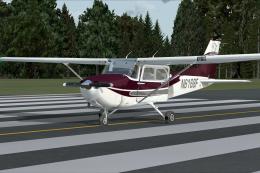
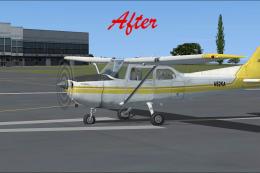
Cessna 172. This repaints the default Cessna to a modern Cessna paint stripe …
Cessna 172 repaint template delivers a layered PSD workflow for creating crisp custom liveries, with shading set to multiply to preserve rivets and panel detail plus masking to keep artwork on the visible surfaces. Built for FSX, it requires Adobe Photoshop familiarity with layers and palettes for best results.

Cessna 172 Repaint Template in PSD (Photoshop) format with layers and palettes. By Tyler Miller.
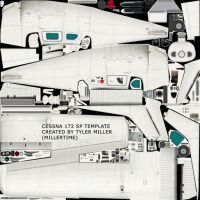
Cessna 172 Repaint Template.
NOTE: Basic knowledge about photoshop reguarding layers and palettes is required in order to use the template and create paintschemems. Its not hard, you can learn, and im going to create a tutorial about painting aircraft in FSX sometime soon. I created this template because I have never been able to find one that someone else made to download. I figured if I wante it, I have to make it myself. I figured I would share it with everyone else, I think alot of creative people could start turning out neat schemes and enrichen FSX experience. I was thinking along the lines of custom schemes for airlines, or acrobatic teams etc... Feel free to redistribute this file but please give credit. Thanks!
Here are some general notes - - How to use the file effectively: Photoshop PSD file containing layers for ease of use. Red highlighted layers shouldnt be changed, all layers created by you should be below the layers highlighted in red. What I mean by highlighted in red is the actual layer in the layers palette is red. The shading layer is set to multiply what you paint to retain detail and rivets etc... The mask layer lets you know when your design runs off of the viewable surface that would be shown in the game. The layer (invisible by default) when visible shows you where most of the parts are, so you know what your painting. For begginers - Click the eye next to the layer that says "Credit" to make it invisible so you can get rid of it.
Reccomendations:
-I would reccomend keeping your design at least a few millimeters within the edge of the paintable surface just to be sure your design can be seen. Although, color and basic shapes can run off, I meant logos, numbers, etc...(graphics wise) -Learn more about photoshop by going to various websites. www.good-tutorials.com is a good site. Search google for others. -If your an advanced photoshop user, in case your reading this, go and edit and do whatever you want, you know how to get the look you want. Im just trying to make this usable for everyone. -Paint schemes that are inspired by pictures you have seen and real life schemes. Custom/fantasy paintschemes are fine for you and your friends, but other people will probably not download them. (Mainly directed toward people who want alot of people to download thier scheme) -Read my tutorial (once its out, might be a while) its 10/25/06 now. Spice FSX up and have a good time! A note from me: If you are multi lingual, and you can translate this readme file to any language, let me know because I think it would benefit those who can't read english. - PS: I am going to be working on other aircraft templates, they are pretty time consuming so it may be a while for the next ones, considering most of them are more complex.
Free for all simmers · 5.1 MB · Scanned clean
Download speed: Free tier is capped at 0.5 Mbps (this file takes approximately 1 min at the cap). PRO members download at full line speed.
texture.{airline}) inside FSX\SimObjects\Airplanes\{base-aircraft}\.aircraft.cfg in Notepad. Add a new [fltsim.X] section per the readme.readme.txt or README file. It tells you exactly where files go, what dependencies are needed, and any quirks specific to this add-on.The archive c172sptm.zip has 8 files and directories contained within it.
This list displays the first 500 files in the package. If the package has more, you will need to download it to view them.
| Filename/Directory | File Date | File Size |
|---|---|---|
| Cessna 172 SP Template | 10.28.06 | 0 B |
| C172SPScreenshot.jpg | 10.28.06 | 244.32 kB |
| Cessna 172 SP PSD Template.psd | 10.28.06 | 9.13 MB |
| Created by Tyler Miller.txt | 10.28.06 | 54 B |
| PLEASE Readme!.txt | 10.28.06 | 6.93 kB |
| Thumbs.db | 10.28.06 | 43.00 kB |
| flyawaysimulation.txt | 10.29.13 | 959 B |
| Go to Fly Away Simulation.url | 01.22.16 | 52 B |
More FSX & P3D add-ons hand-picked based on this download.
FSX General Aviation Aircraft
Cessna 172. This repaints the default Cessna to a modern Cessna paint stripe …
 FSX General Aviation Aircraft
A huge selection of liveries created by various freeware repaint developers c…
 FSX General Aviation Aircraft
Cessna 172 Trainer. This is the standard FSX Cessna 172 with a custom panel t…
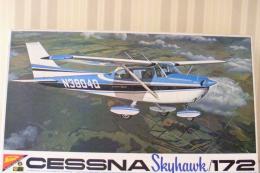 FSX General Aviation Aircraft
Blue And White Cessna 172. Default Cessna 172SP Skyhawk repaint textures for …
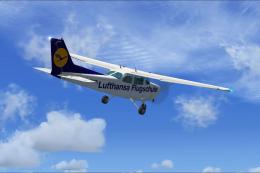 FSX General Aviation Aircraft
Experience a detailed Lufthansa training environment with this freeware repai…
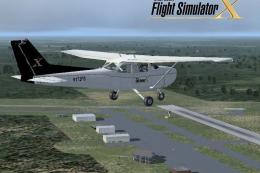 FSX General Aviation Aircraft
Cessna 172 Skyhawk. This livery is from the tribute for Microsoft Flight Simu…
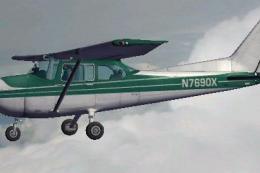 FSX General Aviation Aircraft
FSX Cessna 172 SP Skyhawk registration N7690X. Textures only for the default …
 FSX General Aviation Aircraft
This freeware patch upgrades the default Cessna 172 in Microsoft Flight Simul…
Be the first to leave a comment on this download.
Be the first to share your thoughts on this download.