

 FSX General Aviation Aircraft
Cessna 172N Repaint Pack
Textures only for the payware Carenado Cessna 172 model. By Michael Mannschre…
Hungarian-registered Cessna 172N repaint HA-SJF adds authentic private markings and a crisp color scheme to the default Skyhawk for Microsoft Flight Simulator X, inspired by a real aircraft used for sightseeing and PPL training around LHDK. High-resolution textures complement the familiar external model and virtual cockpit, and it requires the default Cessna 172SP.
 Rate
Rate
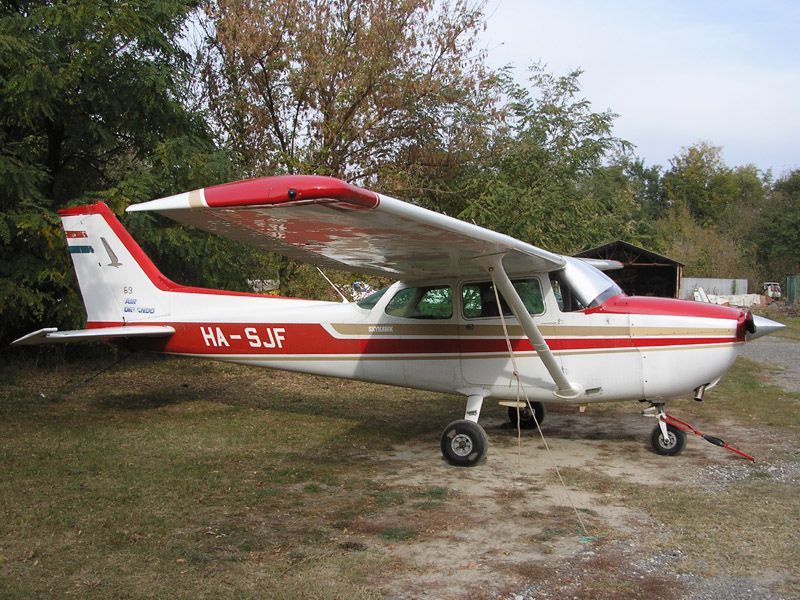
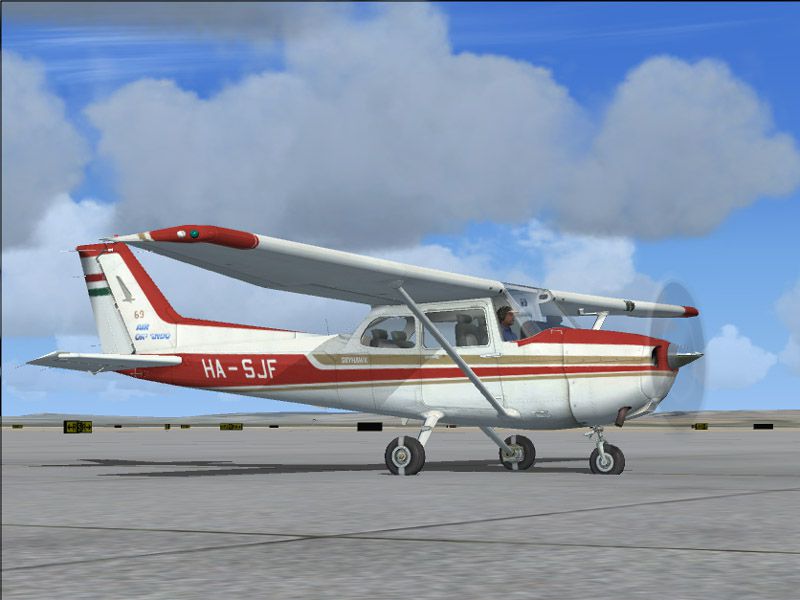
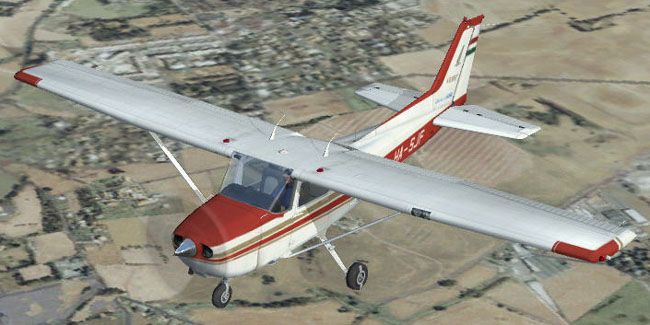
This repaint brings a Hungarian registration and color scheme to the default Microsoft Flight Simulator X Cessna 172, adding a distinct private livery to an already iconic training airframe. Created by Tibor Kókai, the package features detailed external markings inspired by the real-world aircraft flown by Géza Merka—regularly used for sightseeing trips and private pilot license sessions around LHDK. Due to a known texture limitation in the lower left wing (caused by mirrored bitmap mapping), users should be aware that the registration cannot be perfectly rendered underneath that wing surface. Nevertheless, the overall finish delivers authenticity for flight sim enthusiasts looking to explore Hungarian skies in this popular single-engine performer.
The base Cessna 172, often referred to by the “Skyhawk” designation, is globally recognized for its stability and reliability. First taking flight in the mid-1950s, it served as one of Cessna’s earliest tricycle-gear aircraft—eventually dominating flight schools and rental fleets worldwide. With thousands produced across numerous variants, the C172 stands out for its versatile performance profile, ease of control, and proven structural enhancements. This repaint recreates the N-series variant’s unique external features and registration specifics within Microsoft Flight Simulator X.
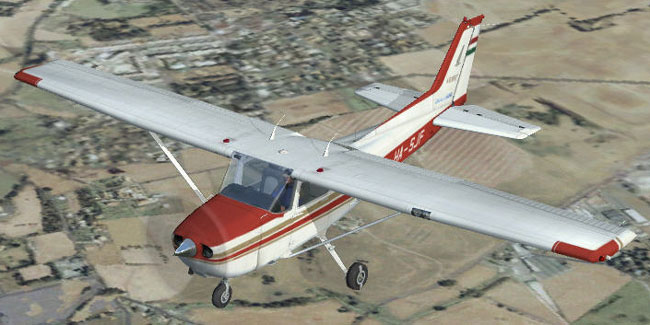
Hungarian Cessna C-172N in flight.
This customization requires the default FSX Cessna 172SP. Only the liveries are included here, so ensure that the base model is installed from the Fly Away Simulation library. Follow these procedural steps to get the textures in place:
C172 texture directory.[fltsim.7]
title=Cessna Skyhawk Paint6
sim=Cessna172SP
model=
panel=
sound=
texture=6
kb_checklists=Cessna172SP_check
kb_reference=Cessna172SP_ref
atc_id=HA-SJF
ui_manufacturer="Cessna"
ui_type="C172N Skyhawk"
ui_variation="Private"
ui_typerole="Single Engine Prop"
ui_createdby="Tibor Kókai"
description="A stable and trustworthy plane, most pilots have logged at least a few hours in a Cessna 172, since it's the most widely available aircraft in the rental fleet, and is used by most flight schools. Since the first prototype was completed in 1955, more than 35,000 C172s have been produced, making it the world's most popular single-engine plane. One of Cessna's first tricycle-gear airplanes, the 172 quickly became the favorite of a growing class of business pilots. Its reliability and easy handling (along with thoughtful engineering and structural updates) have ensured its continued popularity for decades."
Show Tail Numberoption if you wish to hide the default black registration overlay.
Once these steps are complete, you can load into Microsoft Flight Simulator X and enjoy the Hungarian interpretation of this venerable training aircraft for personal enjoyment or mission-based scenarios.
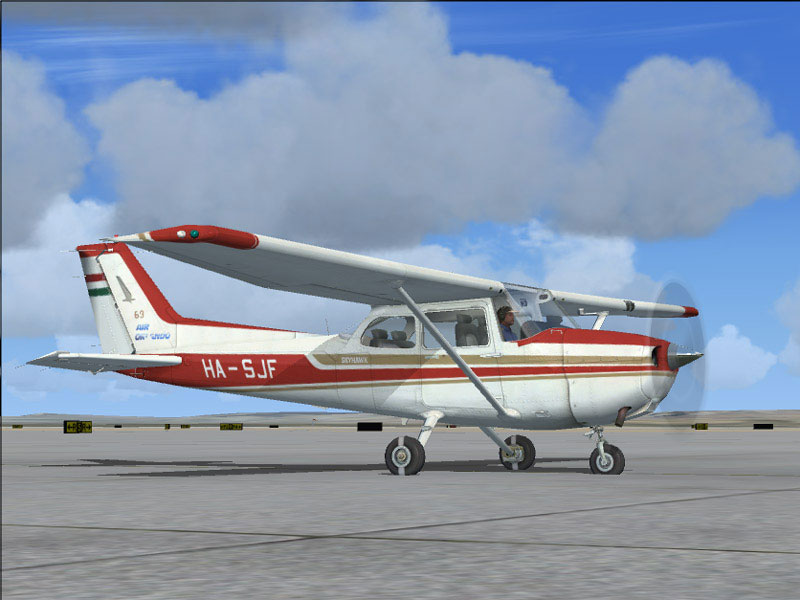
Hungarian Cessna C-172N on tarmac.
Enjoy your flights and many safe landings!
Free for all simmers · 2.19 MB · Scanned clean Oct 2026
Download speed: Free tier is capped at 0.5 Mbps. PRO members download at full line speed.
texture.{airline}) inside FSX\SimObjects\Airplanes\{base-aircraft}\.aircraft.cfg in Notepad. Add a new [fltsim.X] section per the readme.readme.txt or README file. It tells you exactly where files go, what dependencies are needed, and any quirks specific to this add-on.The archive c172prvx.zip has 12 files and directories contained within it.
This list displays the first 500 files in the package. If the package has more, you will need to download it to view them.
| Filename/Directory | File Date | File Size |
|---|---|---|
| Texture.6 | 10.28.06 | 0 B |
| C172_T.dds | 10.28.06 | 1.33 MB |
| c172_t_spec.dds | 10.28.06 | 1.33 MB |
| fresnel_ramp.dds | 09.04.06 | 640 B |
| Prop_C172.dds | 09.04.06 | 85.46 kB |
| texture.cfg | 08.14.06 | 137 B |
| thumbnail.jpg | 10.28.06 | 68.48 kB |
| HA-SJF.jpg | 10.28.06 | 100.04 kB |
| readme.txt | 10.28.06 | 2.11 kB |
| HA-SJF real.jpg | 10.28.06 | 225.32 kB |
| flyawaysimulation.txt | 10.29.13 | 959 B |
| Go to Fly Away Simulation.url | 01.22.16 | 52 B |
Only PRO members can place votes.
More FSX & P3D add-ons hand-picked based on this download.
FSX General Aviation Aircraft
Textures only for the payware Carenado Cessna 172 model. By Michael Mannschre…
 FSX General Aviation Aircraft
Cessna 172N for the Carenado 172N. On Monday April 6th, 2009 a troubled perso…
 FSX General Aviation Aircraft
This repaint, designed by creator Tibor Kókai, brings the Malev Pilot School’…
 FSX General Aviation Aircraft
Austrian Cessna 172N. A fictional Austrian repaint of Carenado's Cessna 172. …
 FSX General Aviation Aircraft
Zlin Z-50 In Hungarian Liveries. Two fully photoreal paint schemes in five di…
 FSX General Aviation Aircraft
A Hungarian livery for the PWDT Zlin Z142 model. By Andras Bereczki. Screensh…
 FSX General Aviation Aircraft
After publishing my FSX AI Carrier package, I had several people contact me a…
 FSX General Aviation Aircraft
Cessna 182 Skylane. This is the default Flight Simulator 2004 Cessna 182 Skyl…
Be the first to leave a comment on this download.
Be the first to share your thoughts on this download.