

 FSX General Aviation Aircraft
Default Beech Baron 58 Blurred Texture Fix
This modification offers a refined texture set that eliminates the fuzzy exte…
Cessna 172 Skyhawk exterior textures snap back into crisp focus with this freeware replacement set for Microsoft Flight Simulator X, removing the common blur while keeping the default model’s familiar lines and paint layout. Updated DDS files sharpen panel lines, gradients, and markings for clearer close-up views and more convincing ramp and in-flight visuals.
 Rate
Rate
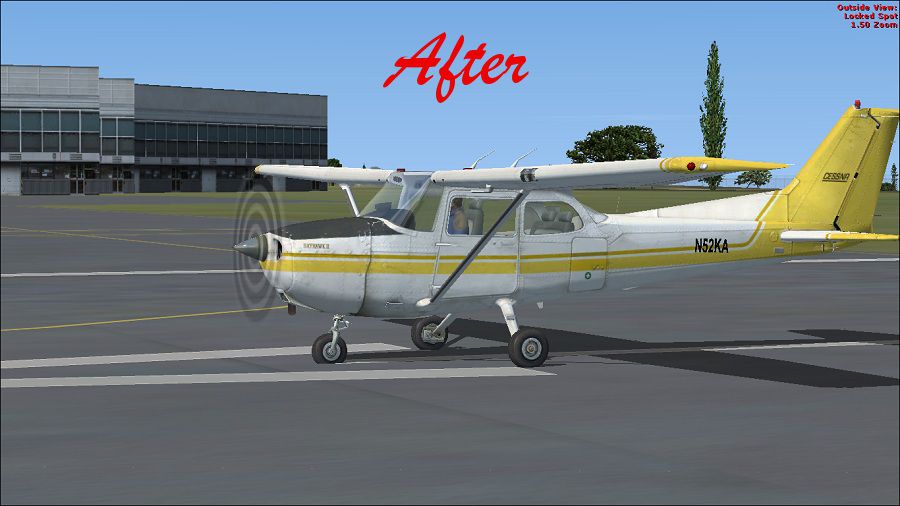
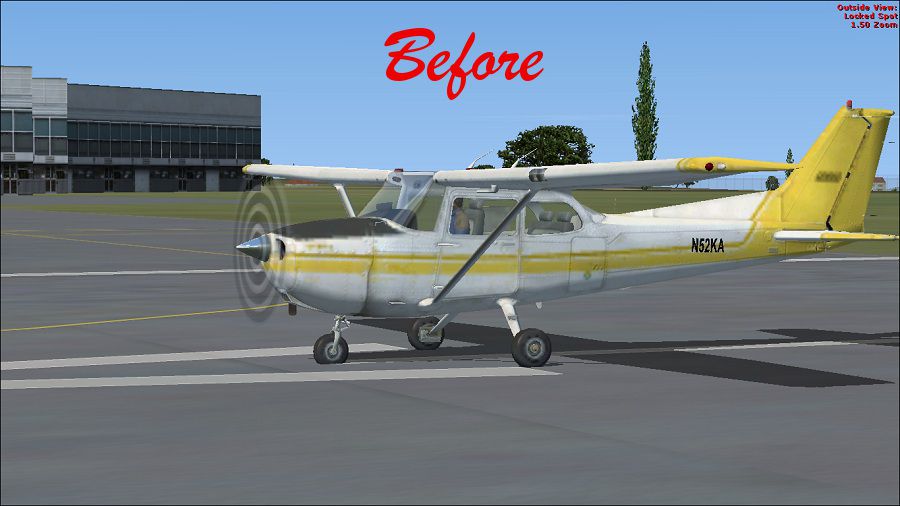
This freeware patch upgrades the default Cessna 172 in Microsoft Flight Simulator X to eliminate fuzzy textures and restore clarity to the exterior. It retains the same shape and layout as the original aircraft but replaces the primary texture files, ensuring the visual details remain crisp during flight. Created and shared by Paul Craig, this fix targets issues with the standard FSX Cessna, one of the most popular single-engine piston machines in real-world aviation—often celebrated for its reliability and extensive use in pilot training.
The fix introduces sharper resolution for the aircraft’s outer skin, eliminating the blur effect that some pilots might have experienced during close-up external views. By supplying improved dds files, it enhances the color gradients and panel lines while preserving the recognized Cessna 172 Skyhawk appearance. This update maintains the fundamental layout of the default model, focusing primarily on elevating the texture fidelity.
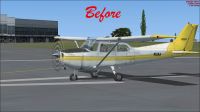
(Before) Default Cessna 172 on runway.
OS (C)/Program Files(x86)/Microsoft Games/Microsoft Flight Simulator X/SimObjects/Airplanes/C172 in most default installations.C172_T.dds from the corresponding “Texture #” folder in the patch. Approve overwrites when prompted.Once these steps are complete, load Microsoft Flight Simulator X and enjoy the sharper, more faithful replication of this well-loved aircraft.
Although the texture replacement has been tested successfully, please exercise discretion. Use these files at your own risk, as neither the developer nor the community can assume responsibility for potential complications. This fix has operated flawlessly for Paul Craig during his testing.
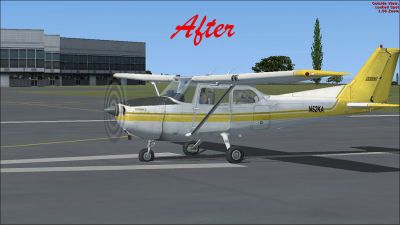
(After) Default Cessna 172 on runway.
This expanded texture set was conceived by Paul Craig. By addressing the blurring issue, users worldwide can further appreciate the sights and sensations of one of the aviation industry’s most iconic training and touring platforms.
Free for all simmers · 2.96 MB · Scanned clean Oct 2026
Download speed: Free tier is capped at 0.5 Mbps. PRO members download at full line speed.
FSX\SimObjects\Airplanes\. The folder must contain an aircraft.cfg file. Effects go into FSX\Effects\; gauges go into FSX\Gauges\.readme.txt or README file. It tells you exactly where files go, what dependencies are needed, and any quirks specific to this add-on.The archive no_blur_default_172.zip has 14 files and directories contained within it.
This list displays the first 500 files in the package. If the package has more, you will need to download it to view them.
| Filename/Directory | File Date | File Size |
|---|---|---|
| After- Cessna 172.jpg | 03.14.11 | 111.81 kB |
| Before- Cessna 172.jpg | 03.14.11 | 107.58 kB |
| FILE_ID.DIZ | 03.14.11 | 192 B |
| Readme.txt | 03.14.11 | 922 B |
| Texture 1 | 03.14.11 | 0 B |
| C172_T.dds | 03.14.11 | 1.00 MB |
| Texture 2 | 03.14.11 | 0 B |
| C172_T.dds | 03.14.11 | 1.00 MB |
| Texture 3 | 03.14.11 | 0 B |
| C172_T.dds | 03.14.11 | 1.00 MB |
| Texture 4 | 03.14.11 | 0 B |
| C172_T.dds | 03.14.11 | 1.00 MB |
| flyawaysimulation.txt | 10.29.13 | 959 B |
| Go to Fly Away Simulation.url | 01.22.16 | 52 B |
Only PRO members can place votes.
More FSX & P3D add-ons hand-picked based on this download.
FSX General Aviation Aircraft
This modification offers a refined texture set that eliminates the fuzzy exte…
 FSX General Aviation Aircraft
This update refines the default De Havilland Beaver DHC2 texture set for Micr…
 FSX General Aviation Aircraft
Default Mooney Bravo Blurred Texture Fix. Replacement main texture files for …
 FSX General Aviation Aircraft
This patch resolves the blurred external textures on the default Maule M-7 26…
 FSX General Aviation Aircraft
This package introduces refined graphics for the default Extra 300 in Microso…
 FSX General Aviation Aircraft
Green And White Cessna 172 Fix, for use with Cessna_172_N2878T.ZIP">FSX_DEFAU…
 FSX General Aviation Aircraft
Fix for use with TEXTURBY.ZIP. By Chris Tuinstra. Screenshot of Cessna 172 in…
 FSX General Aviation Aircraft
Enhance visual fidelity by applying this refined texture package specifically…
Be the first to leave a comment on this download.
Be the first to share your thoughts on this download.