


 FSX Military Aircraft
RAF 2004 Display Hawk
This add-on provides a new livery replicating an RAF Hawk T1A that performed …
RAF 19 Squadron’s 2004 Hawk T1A display livery brings vivid airshow markings and authentic RAF Valley styling to the Sky Sim front-seat model, with crisp high-resolution textures tuned for jet trainer realism in Microsoft Flight Simulator X. Repaint only, requires the Sky Sim Hawk T1A package.
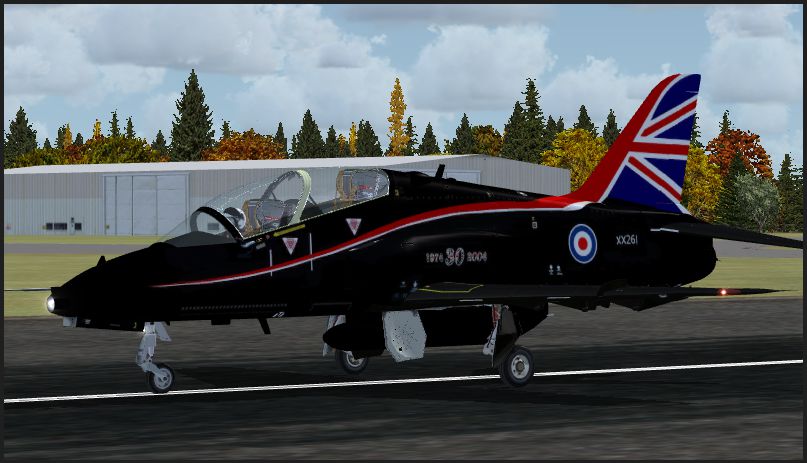
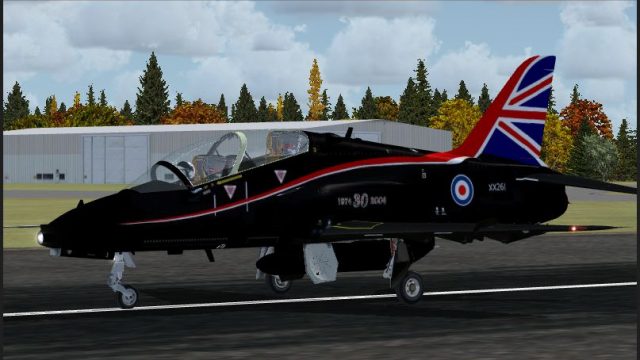
This repaint replicates an iconic 2004 Royal Air Force Hawk T1A used by 19 Squadron for UK aerial demonstrations. Intended for Microsoft Flight Simulator X, it focuses on the front seat variant of the Sky Sim Hawk T1A. Developed by Gordon Barnes, this freeware add-on showcases the vivid markings carried by the actual RAF aircraft based at RAF Valley during the 2004 display season. It is a repaint only, so owners need the separate payware Hawk T1A package from Sky Sim to fully experience this texture set.
The BAe Hawk T1A is a single-engine advanced jet trainer widely recognized in the Royal Air Force for its agility and reliable performance. Number 19 Squadron deployed this particular Hawk to captivate audiences at airshows throughout the UK in 2004, operating from RAF Valley in Anglesey. Those real-world displays demonstrated the aircraft’s rapid acceleration, precision maneuvers, and robust design, features that translate well into the simulation with the correct payware model.

RAF 2004 Hawk on runway.
[fltsim.xx]
title=BAe Hawk T1 2004 Display Hawk
sim=HawkT1
model=frontseat
panel=
sound=
texture=XX261
kb_checklists=HawkT1_check
kb_reference=HawkT1_ref
ui_manufacturer="BAe"
ui_type="Hawk T.Mk1"
ui_variation="2004 Display Hawk"
ui_typerole="Single Engine Jet Trainer"
ui_createdby="Gordon Barnes"
atc_id=XX261
atc_airline=AIRFORCE
atc_flight_number=XX261
description=2004 Display Hawk based at RAF Valley.
© 2008 Rick Piper & Skysim
Once you finalize these steps, the 2004 display textures will be readily accessible in your simulator’s aircraft selection menu. By following 19 Squadron’s vibrant livery, this repaint gives enthusiasts a snapshot of an authentic RAF airshow highlight.
Gordy - RAF
Free for all simmers · 1.46 MB · Scanned clean
Download speed: Free tier is capped at 0.5 Mbps. PRO members download at full line speed.
SimObjects\Airplanes\, Addon Scenery\, Effects\, or Gauges\.readme.txt or README file. It tells you exactly where files go, what dependencies are needed, and any quirks specific to this add-on.The archive 2004_hawk_display.zip has 10 files and directories contained within it.
This list displays the first 500 files in the package. If the package has more, you will need to download it to view them.
| Filename/Directory | File Date | File Size |
|---|---|---|
| texture.xx261 | 10.10.09 | 0 B |
| fuselage_t.dds | 10.10.09 | 2.67 MB |
| Hawkpilots.bmp | 09.25.09 | 85.42 kB |
| Readme1st.txt | 10.08.09 | 931 B |
| texture.cfg | 05.16.08 | 127 B |
| thumbnail.jpg | 10.10.09 | 293.70 kB |
| Thumbs.db | 05.09.09 | 18.00 kB |
| wing_t.bmp | 10.10.09 | 21.33 MB |
| flyawaysimulation.txt | 10.29.13 | 959 B |
| Go to Fly Away Simulation.url | 01.22.16 | 52 B |
More FSX & P3D add-ons hand-picked based on this download.
FSX Military Aircraft
This add-on provides a new livery replicating an RAF Hawk T1A that performed …
 FSX Military Aircraft
This is a repaint pack of the Royal Air Force 2012 display Hawk T1. Includes …
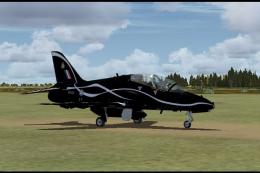 FSX Military Aircraft
This freeware repaint, created by Gordon Barnes, brings the 2001 RAF demonstr…
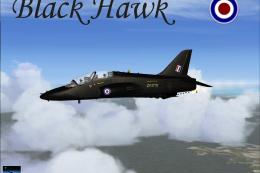 FSX Military Aircraft
FSX RAF Black BAE Hawk FTS. A repaint of David Brice and David Friswell's T45…
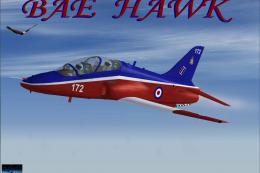 FSX Military Aircraft
FSX Hawk T1 RAF 4th FTS A repaint of David Brice and David Friswell's T45 Gos…
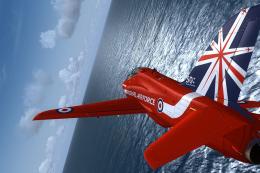 FSX Military Aircraft
This is a repaint for the Skysim Hawk T.1 in the new Red Arrows 50th Annivers…
 FSX Military Aircraft
RAF Hawk T1a Red Arrows in special 50th anniversary textures. These textures …
 FSX Military Aircraft
RAF Hawk T1A. A repaint for the Sky Sim Hawk T1A - front seat only. A livery …
Read what other simmers think, or add your own.

Many thanks for ALL of the Hawk repaints, they're superb. I have dumped all of the originals (except Red1) and use these instead.
Thanks Gordy Pontius Flt Lt RAFVR Ret'd