FSX Blue Angels Lockheed P-80
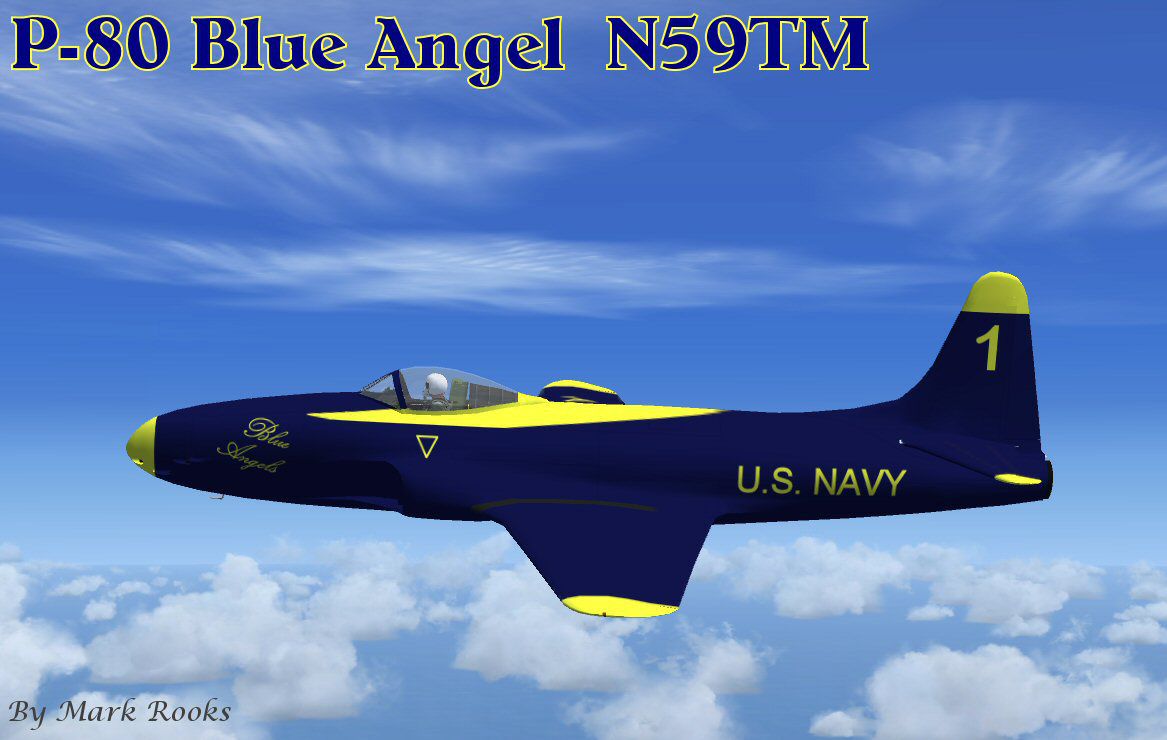
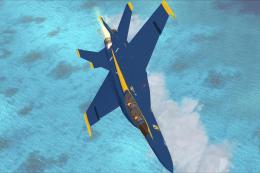
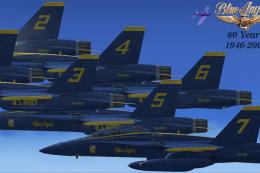
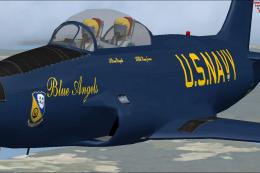
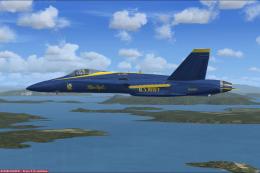
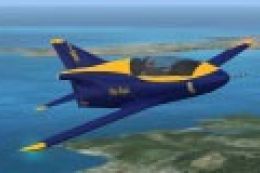
 Blue Angels Lockheed P-80. This is Alphasim's P80 Shooting Star for Flight Simulator X. This is civil registration number N59TM owned by Vincent T. Borst, flown in Blue Angels paint scheme. Package includes history and pictures. Textures and updates by Mark Rooks of RDG Aircraft.
- Download hits
- 186
- Compatibility
- Microsoft Flight Simulator X (FSX) including Steam Edition & Prepar3D (P3D)
- Filename
- p-80ba.zip
- File size
- 2.84 MB
- Virus Scan
- Scanned 8 days ago (clean)
- Access to file
- Free (Freeware)
- Content Rating
- Everyone


Blue Angels Lockheed P-80. This is Alphasim's P80 Shooting Star for Flight Simulator X. This is civil registration number N59TM owned by Vincent T. Borst, flown in Blue Angels paint scheme. Package includes history and pictures. Textures and updates by Mark Rooks of RDG Aircraft.
Blue Angels Lockheed P-80 in flight.
P-80 Shooting Star Blue Angels ..... Support a Mercy Flight near you
Mark Rooks
To install this aircraft:
As always back up any original files.
1.Unzip downloaded folders to your desktop or temporary directory of your choice.
2.Copy the " P-80 Shooting Star Blue Angels ' and paste it in the main aircraft folder.
By default the main aircraft folder is located at:
"C:Program FilesMicrosoft GamesFSXSIM Objects /Aircraft .
3. Be sure to completely unzip all files the aircraft file when complete will Cotain 6 files the Following 6 files goes in the aircraft folder CFG Airfile Model Sound Panel Textures
4. Unzip the gauges folder and put the gauges in the FSX gauges folder located at "C:Program FilesMicrosoft GamesFSXGauges "
5. Unzip the Effects folder and put the files in the FSX Effects folder located at "C:Program FilesMicrosoft GamesFSXEffects "
Made Simpler
Make sure all files are unzipped the New Plane folder should contain 6 files unzipped they are CFG Airfile Sound Model Texture Panel the New Plane folder with the 6 files goes in the game aircraft folder found at C:Program FilesMicrosoft GamesMicrosoft Flight Simulator XSimObjectsAirplanes follow the path ie open the c drive then open program files then open Microsoft Games then open Microsoft Flight Simulator X then open SimObjects then open Airplanes folder the New Plane goes in that folder.
Mark Rooks
Textures and FSX updates created by Mark "Fire Ball" Rooks.
DISCLAIMER:
WE CONNOT BE CHARGED FOR ANY DAMAGES/PROBLEMS/ERRORS CAUSED TO YOUR EQUIPMENT THROUGH USE OF RDG FILES!
USE ALL FILES AT YOUR OWN RISK!
BY INSTALLING OUR FILES ON YOUR EQUIPMENT YOU ARE AGREEING TO THIS DISCLAIMER.
ALL FILES VIRUS FREE AT TIME OF UPLOAD
Enjoy your new repaint
Thanks for downloading,
The Bmp for the panel is originally Mel Mutter's .. I Repainted the bmp to fit the gauge package and panel CFG I created for the F-4 Phantom II
"Fire Ball"
Images & Screenshots

The archive p-80ba.zip has 7 files and directories contained within it.
File Contents
This list displays the first 500 files in the package. If the package has more, you will need to download it to view them.
| Filename/Directory | File Date | File Size |
|---|---|---|
| P-80 Blue Angels.zip | 03.23.10 | 487.34 kB |
| P-80 Shooting Star Blue Angels.zip | 03.23.10 | 2.27 MB |
| Read Me First.txt | 03.23.10 | 3.19 kB |
| Screen P-80 BA.jpg | 03.23.10 | 95.00 kB |
| Text.txt | 03.23.10 | 281 B |
| flyawaysimulation.txt | 10.29.13 | 959 B |
| Go to Fly Away Simulation.url | 01.22.16 | 52 B |

Installation Instructions
Most of the freeware add-on aircraft and scenery packages in our file library come with easy installation instructions which you can read above in the file description. For further installation help, please see our Flight School for our full range of tutorials or view the README file contained within the download. If in doubt, you may also ask a question or view existing answers in our dedicated Q&A forum.


0 comments
Leave a Response