

 FSX Military Aircraft
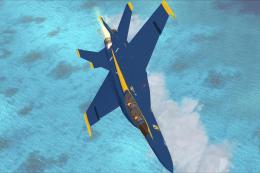
F-18 Super Hornet Blue Angels
This is Daisuke Yamamoto's F-18 Super Hornet modified and repainted for FSX p…
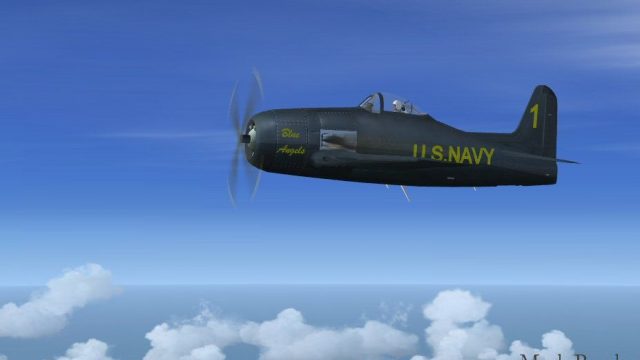
Alpha Bleu Ciel’s Grumman F8F-1 Bearcat brings the 1946–47 Blue Angels era to life in FSX with a two-ship set: Blue Angel Ship #1 and the adversary “Beetle Bomb.” Enjoy polished high-gloss textures, updated flight dynamics, airshow smoke, and fully functional 2D and 3D virtual cockpit, plus included photos and history.
 Rate
Rate

This is Alpha Bleu Ciel's Grumman F-8 Bearcat updated For Flight Simulator X. In August 1946 the Blue Angels upgraded their aircraft to the F8F-1 Bearcat. In May 1947, flight leader Lt. Cmdr. Bob Clarke, replaced Butch Voris as the leader of the team, he introduced the famous Diamond Formation, now considered the Blue Angels' trademark. This aircraft is Blue Angel Ship #1 and its enemy adversary Beetle Bomb in a two ship package. Aircraft has a fully function 2D and 3D cockpit. New flight dynamics, airshow smoke, Textures are created in a high gloss just the way the Blue Angels kept their ships. Package includes pictures and history. Textures and updates by Mark Rooks.
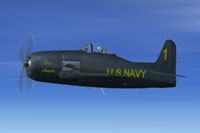
Screenshot of Blue Angel aircraft in flight.
Installation:
Free for all simmers · 6.23 MB · Scanned clean Oct 2026
Download speed: Free tier is capped at 0.5 Mbps (this file takes approximately 2 mins at the cap). PRO members download at full line speed.
SimObjects\Airplanes\, Addon Scenery\, Effects\, or Gauges\.readme.txt or README file. It tells you exactly where files go, what dependencies are needed, and any quirks specific to this add-on.The archive f-8_blue_angels_fsx.zip has 7 files and directories contained within it.
This list displays the first 500 files in the package. If the package has more, you will need to download it to view them.
| Filename/Directory | File Date | File Size |
|---|---|---|
| Blue Angels F-8 Screen 2.jpg | 02.17.13 | 64.60 kB |
| Blue Angels History.zip | 02.17.13 | 885.53 kB |
| Grumman F-8 Bearcat Blue Angles.zip | 02.17.13 | 5.31 MB |
| Read Me First.txt | 02.17.13 | 2.41 kB |
| Text.txt | 02.17.13 | 683 B |
| flyawaysimulation.txt | 10.29.13 | 959 B |
| Go to Fly Away Simulation.url | 01.22.16 | 52 B |
Only PRO members can place votes.
More FSX & P3D add-ons hand-picked based on this download.
FSX Military Aircraft
This is Daisuke Yamamoto's F-18 Super Hornet modified and repainted for FSX p…
 FSX Military Aircraft
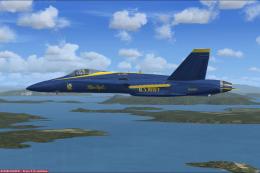
FSX Acceleration Blue Angels F/A-18. These textures are a complete set for th…
 FSX Military Aircraft
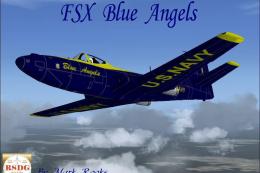
US Navy Blue Angels 2011 F/A-18. These textures will only work for FSX and re…
 FSX Military Aircraft
This is Kazunori Ito's FH1 Phantom Modified and Repainted for FSX.. The Unite…
 FSX Military Aircraft
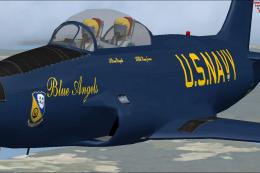
US Navy Blue Angels T-33. =Textures only for the revised T-33 by Ed Wells, ut…
 FSX Military Aircraft
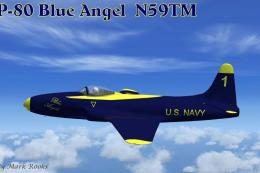
Blue Angels Lockheed P-80. This is Alphasim's P80 Shooting Star for Flight Si…
 FSX Military Aircraft
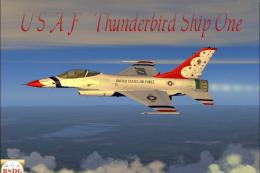
A repaint of Kirk Olsson's F16 Viper (Fighting Falcon), using updated flight …
 FSX Military Aircraft
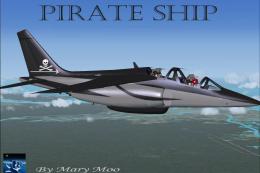
FSX Pirate Ship. A modified version of JP Bourgeois' Alpha Jet model for Flig…
Be the first to leave a comment on this download.
Be the first to share your thoughts on this download.