

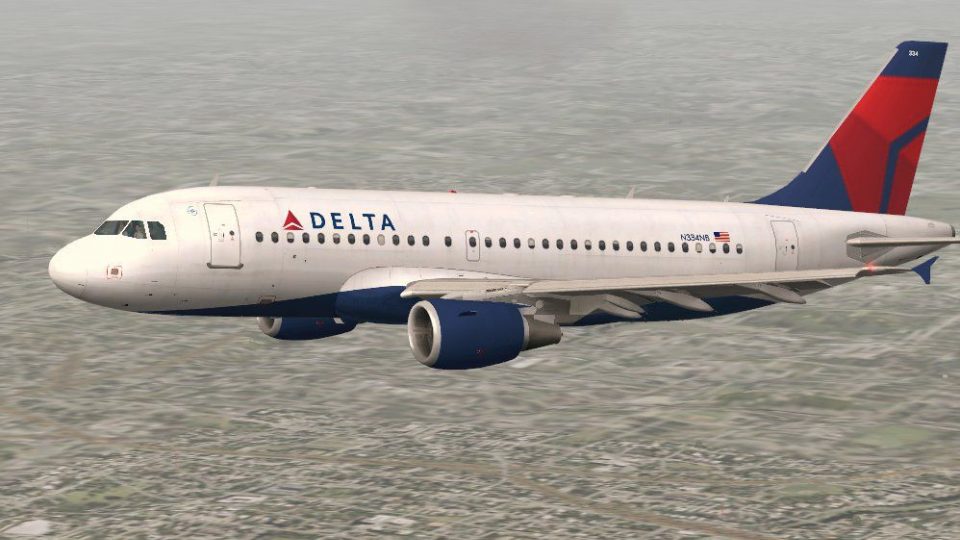
 FSX Civil Aircraft
Lufthansa Airbus A319-114
This is a repaint of the Project Airbus A319-114, in Lufthansa "2018 livery" …
Delta Air Lines Airbus A319-114 brings a polished short-haul jet to FSX with tuned handling based on the default A321 configuration, fresh camera angles, and immersive wing views. It includes the default A321 virtual cockpit, realistic sounds, and dependable flight dynamics for convincing day-to-day airline operations.
 Rate
Rate
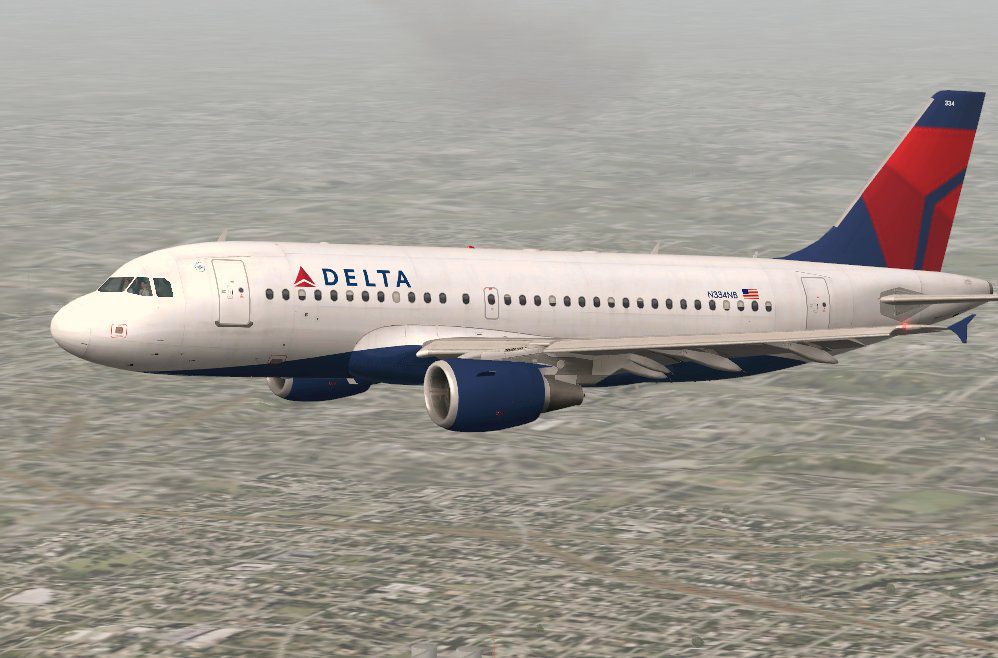

It has the config from the default Microsoft Airbus A321. The aircraft has new views. By Travis Smith.
Screenshot of Delta Airlines Airbus A319-114 in flight.
This plane includes:
Free for all simmers · 68.73 MB · Scanned clean Oct 2026
Download speed: Free tier is capped at 0.5 Mbps (this file takes approximately 19 mins at the cap). PRO members download at full line speed.
FSX\SimObjects\Airplanes\. The folder must contain an aircraft.cfg file. Effects go into FSX\Effects\; gauges go into FSX\Gauges\.readme.txt or README file. It tells you exactly where files go, what dependencies are needed, and any quirks specific to this add-on.The archive delta_airbus_a319-114.zip has 162 files and directories contained within it.
This list displays the first 500 files in the package. If the package has more, you will need to download it to view them.
| Filename/Directory | File Date | File Size |
|---|---|---|
| A321_1_T.dds | 03.10.13 | 1.33 MB |
| A321_1_T_Bump.dds | 03.10.13 | 1.00 MB |
| A321_1_T_LM.dds | 03.10.13 | 170.79 kB |
| A321_1_T_spec.dds | 03.10.13 | 1.33 MB |
| A321_2_T.dds | 03.10.13 | 1.33 MB |
| A321_2_T_Bump.dds | 03.10.13 | 1.00 MB |
| A321_2_T_LM.dds | 03.10.13 | 170.79 kB |
| A321_2_T_spec.dds | 03.10.13 | 1.33 MB |
| A321_Interior_T.dds | 03.10.13 | 341.45 kB |
| A321_reflection.dds | 03.10.13 | 170.79 kB |
| Airbus_A321_1_C.dds | 03.10.13 | 682.79 kB |
| Airbus_A321_1_night_C.dds | 03.10.13 | 682.79 kB |
| Airbus_A321_2_C.dds | 03.10.13 | 682.79 kB |
| Airbus_A321_2_night_C.dds | 03.10.13 | 682.79 kB |
| Airbus_A321_3_C.dds | 03.10.13 | 682.79 kB |
| Airbus_A321_3_night_C.dds | 03.10.13 | 682.79 kB |
| Airbus_A321_4_C.dds | 03.10.13 | 682.79 kB |
| Airbus_A321_4_night_C.dds | 03.10.13 | 682.79 kB |
| Airbus_Pilots.dds | 03.10.13 | 42.79 kB |
| Fresnel_Ramp.dds | 03.10.13 | 640 B |
| texture.cfg | 03.10.13 | 137 B |
| A319_1_l.bmp | 03.10.13 | 1.00 MB |
| A319_1_t.bmp | 03.10.13 | 1.00 MB |
| A319_2_l.bmp | 03.10.13 | 256.07 kB |
| A319_2_t.bmp | 03.10.13 | 1.00 MB |
| A319_fuse_1_l.bmp | 03.10.13 | 1.00 MB |
| A319_fuse_1_t.bmp | 03.10.13 | 1.00 MB |
| A319_fuse_2_l.bmp | 03.10.13 | 1.00 MB |
| A319_fuse_2_t.bmp | 03.10.13 | 1.00 MB |
| A319_fuse_3_l.bmp | 03.10.13 | 1.00 MB |
| A319_fuse_3_t.bmp | 03.10.13 | 1.00 MB |
| A319_misc_1.bmp | 03.10.13 | 128.07 kB |
| A319_misc_2.bmp | 03.10.13 | 4.00 MB |
| A319_wing_1_l.bmp | 03.10.13 | 256.07 kB |
| A319_wing_1_t.bmp | 03.10.13 | 1.00 MB |
| A319_wing_2_l.bmp | 03.10.13 | 256.07 kB |
| A319_wing_2_t.bmp | 03.10.13 | 1.00 MB |
| A321_1_T.dds | 03.10.13 | 1.33 MB |
| A321_1_T_Bump.dds | 03.10.13 | 1.00 MB |
| A321_1_T_LM.dds | 03.10.13 | 170.79 kB |
| A321_1_T_spec.dds | 03.10.13 | 1.33 MB |
| A321_2_T.dds | 03.10.13 | 1.33 MB |
| A321_2_T_Bump.dds | 03.10.13 | 1.00 MB |
| A321_2_T_LM.dds | 03.10.13 | 170.79 kB |
| A321_2_T_spec.dds | 03.10.13 | 1.33 MB |
| A321_Interior_T.dds | 03.10.13 | 341.45 kB |
| A321_reflection.dds | 03.10.13 | 170.79 kB |
| Airbus_A321_1_C.dds | 03.10.13 | 682.79 kB |
| Airbus_A321_1_night_C.dds | 03.10.13 | 682.79 kB |
| Airbus_A321_2_C.dds | 03.10.13 | 682.79 kB |
| Airbus_A321_2_night_C.dds | 03.10.13 | 682.79 kB |
| Airbus_A321_3_C.dds | 03.10.13 | 682.79 kB |
| Airbus_A321_3_night_C.dds | 03.10.13 | 682.79 kB |
| Airbus_A321_4_C.dds | 03.10.13 | 682.79 kB |
| Airbus_A321_4_night_C.dds | 03.10.13 | 682.79 kB |
| Airbus_Pilots.dds | 03.10.13 | 42.79 kB |
| Fresnel_Ramp.dds | 03.10.13 | 640 B |
| Jetheat_t.bmp | 03.10.13 | 16.07 kB |
| texture.cfg | 03.10.13 | 137 B |
| thumbnail.jpg | 03.10.13 | 113.17 kB |
| Thumbs.db | 03.10.13 | 12.50 kB |
| 334small.gif | 03.10.13 | 8.97 kB |
| Aircraft.cfg | 03.10.13 | 21.16 kB |
| pa319-cfm56.air | 03.10.13 | 8.71 kB |
| readme.txt | 03.10.13 | 383 B |
| A319_100_CFM_NoVC.mdl | 03.10.13 | 2.15 MB |
| Airbus_A321_interior.mdl | 03.10.13 | 3.56 MB |
| Model.cfg | 03.10.13 | 65 B |
| readme.txt | 03.10.13 | 441 B |
| Airbus_A321.cab | 03.10.13 | 2.72 MB |
| airbus_a321_panel_background.bmp | 03.10.13 | 769.05 kB |
| airbus_a321_panel_background_night.bmp | 03.10.13 | 769.05 kB |
| panel.cfg | 03.10.13 | 5.81 kB |
| RADAR.bmp | 03.10.13 | 288.58 kB |
| Thumbs.db | 03.10.13 | 14.50 kB |
| A_CMB_0.wav | 03.10.13 | 90.64 kB |
| A_CMB_1.wav | 03.10.13 | 144.15 kB |
| A_CMB_2.wav | 03.10.13 | 98.16 kB |
| A_CMB_3.wav | 03.10.13 | 81.86 kB |
| A_REVRS.wav | 03.10.13 | 1.27 MB |
| A_WHN_0.wav | 03.10.13 | 1.51 MB |
| A_WHN_1.wav | 03.10.13 | 244.81 kB |
| A_WHN_2.wav | 03.10.13 | 1.18 MB |
| A_WHN_3.wav | 03.10.13 | 1.45 MB |
| A320_APU.wav | 03.10.13 | 689.18 kB |
| A320_APU_INT.WAV | 03.10.13 | 316.38 kB |
| A320_COCKPIT.wav | 03.10.13 | 1.04 MB |
| A320_FLAPS.WAV | 03.10.13 | 269.30 kB |
| A320_GEAR_DN.WAV | 03.10.13 | 591.38 kB |
| A320_GEAR_UP.WAV | 03.10.13 | 554.53 kB |
| A320_ROLL.wav | 03.10.13 | 584.76 kB |
| A320_ROLL2.wav | 03.10.13 | 584.76 kB |
| A320_TOUCH_C.wav | 03.10.13 | 111.74 kB |
| A320_TOUCH_L.wav | 03.10.13 | 111.74 kB |
| A320_TOUCH_R.wav | 03.10.13 | 111.74 kB |
| A320_WIND.wav | 03.10.13 | 1.19 MB |
| B_CMB_0.wav | 03.10.13 | 90.64 kB |
| B_CMB_1.wav | 03.10.13 | 144.27 kB |
| B_CMB_2.wav | 03.10.13 | 98.75 kB |
| B_CMB_3.wav | 03.10.13 | 81.72 kB |
| B_REVRS.wav | 03.10.13 | 1.27 MB |
| B_WHN_0.wav | 03.10.13 | 1.51 MB |
| B_WHN_1.wav | 03.10.13 | 244.81 kB |
| B_WHN_2.wav | 03.10.13 | 1.18 MB |
| B_WHN_3.wav | 03.10.13 | 1.45 MB |
| IAE_AP_DISENGAGE.wav | 03.10.13 | 223.08 kB |
| IAE_COCKPIT.wav | 03.10.13 | 586.98 kB |
| IAE_EXT_1.wav | 03.10.13 | 1010.56 kB |
| IAE_EXT_2.wav | 03.10.13 | 1.30 MB |
| IAE_EXT_3.wav | 03.10.13 | 904.53 kB |
| IAE_EXT_4.wav | 03.10.13 | 1.92 MB |
| IAE_EXT_5.wav | 03.10.13 | 602.41 kB |
| IAE_EXT_A.wav | 03.10.13 | 835.13 kB |
| IAE_EXT_APU.wav | 03.10.13 | 645.06 kB |
| IAE_EXT_REVERS.wav | 03.10.13 | 871.05 kB |
| IAE_EXT_SHUT.wav | 03.10.13 | 757.79 kB |
| IAE_EXT_START.wav | 03.10.13 | 1.38 MB |
| IAE_EXT_START2.wav | 03.10.13 | 549.89 kB |
| IAE_FLAPS.wav | 03.10.13 | 356.21 kB |
| IAE_GEAR_DN.WAV | 03.10.13 | 1.15 MB |
| IAE_GEAR_UP.WAV | 03.10.13 | 1.08 MB |
| IAE_INT_1.wav | 03.10.13 | 665.27 kB |
| IAE_INT_2.wav | 03.10.13 | 979.06 kB |
| IAE_INT_3.wav | 03.10.13 | 843.03 kB |
| IAE_INT_4.wav | 03.10.13 | 837.58 kB |
| IAE_INT_APU.WAV | 03.10.13 | 316.38 kB |
| IAE_INT_REVERS.wav | 03.10.13 | 1.27 MB |
| IAE_INT_SHUT.wav | 03.10.13 | 1.53 MB |
| IAE_INT_START.wav | 03.10.13 | 2.51 MB |
| IAE_INT_START2.wav | 03.10.13 | 553.48 kB |
| IAE_ROLL.wav | 03.10.13 | 491.41 kB |
| IAE_TOUCH_C.wav | 03.10.13 | 192.43 kB |
| IAE_TOUCH_L.wav | 03.10.13 | 199.42 kB |
| IAE_TOUCH_R.wav | 03.10.13 | 199.42 kB |
| IAE_WIND.wav | 03.10.13 | 1.01 MB |
| sound.cfg | 03.10.13 | 14.19 kB |
| T_COMB_SHUT.wav | 03.10.13 | 397.09 kB |
| T_COMB_START.wav | 03.10.13 | 194.23 kB |
| T_START.wav | 03.10.13 | 1.26 MB |
| X_A_COMB_1.wav | 03.10.13 | 1.69 MB |
| X_A_COMB_2.wav | 03.10.13 | 97.27 kB |
| X_A_COMB_3.wav | 03.10.13 | 168.11 kB |
| X_A_COMB_4.wav | 03.10.13 | 74.67 kB |
| X_A_REVRS.wav | 03.10.13 | 876.21 kB |
| X_B_COMB_1.wav | 03.10.13 | 1.69 MB |
| X_B_COMB_2.WAV | 03.10.13 | 143.93 kB |
| X_B_COMB_3.WAV | 03.10.13 | 225.74 kB |
| X_B_COMB_4.WAV | 03.10.13 | 171.74 kB |
| X_B_REVRS.wav | 03.10.13 | 876.21 kB |
| X_B_WHN_0.wav | 03.10.13 | 2.86 MB |
| X_B_WHN_1.wav | 03.10.13 | 521.66 kB |
| X_B_WHN_2.wav | 03.10.13 | 1.36 MB |
| X_T_COMB_SHUT.wav | 03.10.13 | 863.55 kB |
| X_T_COMB_START.wav | 03.10.13 | 194.23 kB |
| X_T_START.wav | 03.10.13 | 357.09 kB |
| X_T_WHN_0.wav | 03.10.13 | 2.86 MB |
| X_T_WHN_1.wav | 03.10.13 | 521.66 kB |
| X_T_WHN_2.wav | 03.10.13 | 4.21 MB |
| soundai.cfg | 03.10.13 | 34 B |
| 2013-3-10_17-47-29-69-BMP.jpg | 03.11.13 | 110.29 kB |
| flyawaysimulation.txt | 10.29.13 | 959 B |
| Go to Fly Away Simulation.url | 01.22.16 | 52 B |
Only PRO members can place votes.
More FSX & P3D add-ons hand-picked based on this download.
FSX Civil Aircraft
This is a repaint of the Project Airbus A319-114, in Lufthansa "2018 livery" …
 FSX Civil Aircraft
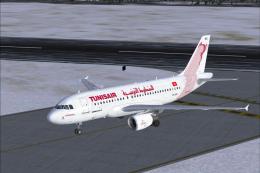
The Tunis Air Airbus A319-114 showcased here represents registration TS-IMO, …
 FSX Civil Aircraft
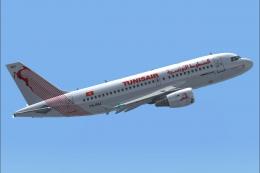
FSX Tunisair Airbus A319-114, registration TS-IMJ. Textures only for the payw…
 FSX Civil Aircraft
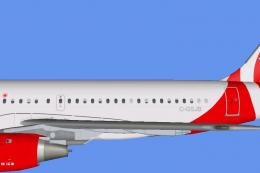
This freeware livery for the FAIB A319-200 model showcases Air Canada Rouge’s…
 FSX Civil Aircraft
FS2004/FSX/P3D Delta Airlines Skyteam Airbus A350-900, registration F-WZTW. M…
 FSX Civil Aircraft
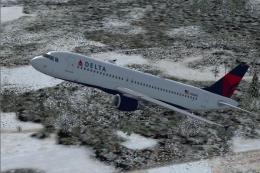
The freeware Delta Airlines Airbus A320 rendition showcased here brings the r…
 FSX Civil Aircraft
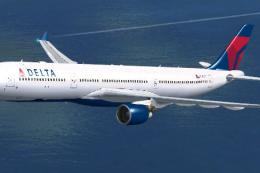
Delta Airlines Airbus A330-300. Textures only for Thomas Ruth's A330-300, reg…
 FSX Civil Aircraft
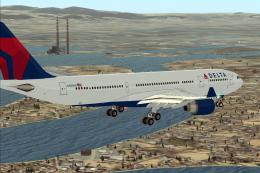
Delta Airlines Airbus A330-223. Textures only of Delta Air Lines with registr…
Read what other simmers think, or add your own.

Guys, just adjust your contact points in your Aircraft .cfg.
point.0 = 1, -20.0, 0.0, -10.0, 1000, 0, 0.8, 80.0, 0.2, 2.5, 0.9, 0.0, 0.0, 0.
Increase the 3rd value -10.0 slightly until the wheels are on the runway.

[contact_points]
point.0=1,  80.00,   0.00, -11.5, 1600, 0, 1.442, 55.92, 0.6, 2.5, 0.9, 4.0, 4.0, 0, 220.0, 250.0
point.1=1, -11.20, -12.45, -13.0, 1600, 1, 1.442,  0.00, 1.0, 2.5, 0.9, 6.9, 6.9, 2, 220.0, 250.0
point.2=1, -11.20,  12.45, -13.0 , 1600, 2, 1.442,  0.00, 1.0, 2.5, 0.9, 7.1, 7.1, 3, 220.0, 250.0
point.3=2, -19.00, -55.00,  4.00,  1000, 0, 0.000,  0.00, 0.0, 0.0, 0.0, 0.0, 0.0, 5, 0.0, 0.0
point.4=2, -19.00,  55.00,  4.00,  1000, 0, 0.000,  0.00, 0.0, 0.0, 0.0, 0.0, 0.0, 6, 0.0, 0.0
point.5=2, -51.00,   0.00, -2.00,  1000, 0, 0.000,  0.00, 0.0, 0.0, 0.0, 0.0, 0.0, 9, 0.0, 0.0
point.6=2,  54.00,   0.00, -2.00,  1000, 0, 0.000,  0.00, 0.0, 0.0, 0.0, 0.0, 0.0, 4, 0.0, 0.0
point.7=2, -75.00,   0.00, 31.00,  1000, 0, 0.000,  0.00, 0.0, 0.0, 0.0, 0.0, 0.0, 9, 0.0, 0.0
Ditto the above comments, worse even that the Air Berlin 737. At least that add-on left most of the tyres showing!

Pretty straight forward until you are ready to fly. Then you find you are mired in the runway, buried nearly covering the landing gear.