

 FSX Historic & Vintage Aircraft
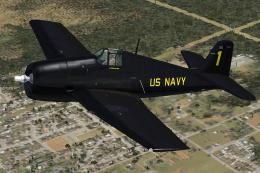
Blue Angels Grumman F6F Hellcat
A repaint of the RealFlight Simulations F6F Hellcat. These textures represent…
Blue Angels-themed BD-5J brings a crisp soloist jet experience to FSX with authentic Blue Angel textures and a reworked glass cockpit panel that adds a distinctive, modern feel. It includes both virtual cockpit and 2D panel options, plus kneeboard reference and checklist guidance for procedures and performance; requires the “FSX BD-5 Collection” (BD5COLLE.ZIP).
 Rate
Rate
Blue Angels BD-5j. FSX panel and Blue Angel textures for Jez G's DB-5j. It requires the "FSX BD-5 Collection" BD5COLLE.ZIP file. The author thought a BD-5j soloist for the Blue Angels would add to their mystique. With the plane flying, the panel needed reworking to a more unique look and feel. Also includes 2D panels if anyone still flys with it. By Mark J. S. Macaluso.
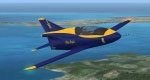
Screenshot of Blue Angels BD-5j in flight.
This is an FSX version to Jez G's DB-5j. It requires the "FSX BD-5 Collection" bd5colle.zip file.
I always thought a BD-5j soloist for the Blue Angels would add to their mystique. Once I saw the plane flying, the panel needed reworking to a more unique look and feel. To that end I foresee, in the near future, multiple IPhone style gauges replacing the current "all in one" rectangular glass cockpit gauge and this panel is a modest attempt to that end. I also included a 2D panels if anyone still wishes to fly with it.
The "Reference" tab of the Kneeboard contains an abbreviated Reference Manual for the Glass Panel. It includes: a short history of the BD-5j; Aircraft performance, weights and recommended airspeed specs; a quick tour of the instruments.
Further Glass Panel Procedures for the BD-5j Blue Angel can be found in the "Checklist" tab of the Kneeboard.
Installation:
Install the original bd5colle.zip file per the readme.txt file in bd5colle.zip.
Un-zip the file BD-5j-BA.zip to the same FSX program folder "Using Folder Names" as above (should be {Drive Letter}:\Program Files\Microsoft Games\Microsoft Flight Simulator X).
Add the following to to Aircraft.cfg file immediately after the [fltsim.1] section and before the [General] line:
[fltsim.2]

title=BD-5J Blue Angel

sim=BD-5J

model=

panel=Glass

sound=

texture=Blue_Angel

kb_checklists=BD-5J_Checklist_Glass

kb_reference=BD-5J_Ref_Glass

atc_id=N112BA

ui_manufacturer="Bede-Homebuild"

ui_type="BD-5J"

ui_variation="Blue Angel"

ui_typerole="Single Engine Jet"

ui_createdby="Bede"

description="BD-5 Experimental Home Built Jet."
Side Note:
The beacon does not work with the default installation. To make it work, edit the Aircraft.cfg file and change the last line of the {Lights] section:
[Lights]

//Types: 1=beacon, 2=strobe, 3=navigation, 4=cockpit

light.0 = 3, 0.40, -9.00, -0.75, fx_navred

light.1 = 3, 0.40, 9.00, -0.75, fx_navgre

light.2 = 2, 0.40, -9.00, -0.75, fx_strobe

light.3 = 2, 0.40, 9.00, -0.75, fx_strobe

light.4 = 4, 2.01, 0.0, 0.806, fx_vclight

//light.5 = 1, 1.90, 0.00, 1.25, fx_beacon
//remove slashes for beacon
To look like this:
light.5 = 1, -2.50, 0.00, -1.25, fx_beacon,
I change the location of the beacon to be under the fuselage. I did not see the beacon blinking in the original location.
Special Thanks:
Special thanks to Jez G for building a fun model to fly and giving me permission to enhance it.
Karol Chlebowski gave me permission to use the Pitch Trim gauge in a modified form and emailing tips on programming in XML that were invaluable. A very special thanks to Karol for the help.
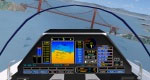
Virtual cockpit of Blue Angels BD-5j in flight.
Free for all simmers · 1.94 MB · Scanned clean Oct 2026
Download speed: Free tier is capped at 0.5 Mbps. PRO members download at full line speed.
This file is a repaint — the package below is the base model it paints onto. Install it first, or the textures will have nothing to load onto.
texture.{airline}) inside FSX\SimObjects\Airplanes\{base-aircraft}\.aircraft.cfg in Notepad. Add a new [fltsim.X] section per the readme.readme.txt or README file. It tells you exactly where files go, what dependencies are needed, and any quirks specific to this add-on.The archive fsx-bd5j.zip has 7 files and directories contained within it.
This list displays the first 500 files in the package. If the package has more, you will need to download it to view them.
| Filename/Directory | File Date | File Size |
|---|---|---|
| BD-5j-BA.zip | 12.18.11 | 1.92 MB |
| BD-5J_Blue Angel_readme.txt | 12.12.11 | 3.33 kB |
| BD5j-BA1.jpg | 12.18.11 | 6.10 kB |
| BD5j-BA2.jpg | 12.18.11 | 8.49 kB |
| FILE_ID.DIZ | 12.12.11 | 383 B |
| flyawaysimulation.txt | 10.29.13 | 959 B |
| Go to Fly Away Simulation.url | 01.22.16 | 52 B |
Only PRO members can place votes.
More FSX & P3D add-ons hand-picked based on this download.
FSX Historic & Vintage Aircraft
A repaint of the RealFlight Simulations F6F Hellcat. These textures represent…
 FSX Historic & Vintage Aircraft
Included are some historical pictures and history of the AVC aircraft this is…
 FSX Historic & Vintage Aircraft
An updated P40B Warhawk. The paint scheme is the AVC Flying Tigers 3rd Squadr…
 FSX Historic & Vintage Aircraft
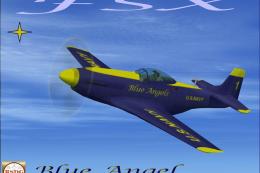
This is a Repaint of Roger Dial's P51 Mustang D Modified For Flight Simulator…
 FSX Historic & Vintage Aircraft
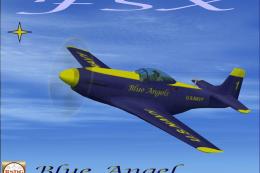
A repaint of Roger Dial's North American P-51 Mustang D, modified for Flight …
 FSX Historic & Vintage Aircraft
Now version 3.14 (V3.1406). This package includes the latest Douglas C-47 Sky…
 FSX Historic & Vintage Aircraft
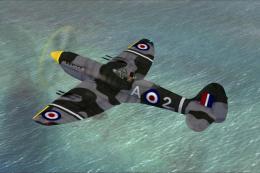
This is A.F. Scrub's Submarine MK-22 Spitfire Updated For Flight Simulator X.…
 FSX Historic & Vintage Aircraft
Note this aircraft originally was made by Gary Herbert due to the fact that h…
Be the first to leave a comment on this download.
Be the first to share your thoughts on this download.