


 FSX Military Aircraft
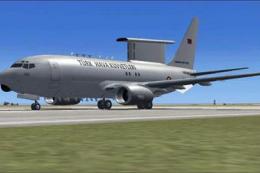
Turkish Air Force AWACS Boeing 737-700
FSX Turkish Air Force AWACS Boeing 737-700 "Peace Eagle" (Baris Kartali). Mod…
Boeing E-3D Sentry AWACS brings the iconic 707-based airborne early warning jet to FSX/SP2, complete with the signature rotodome and RAF-style CFM56-powered Sentry AEW 1 variant. The package includes custom 2D and virtual cockpit panels plus an integrated sound set for immersive surveillance and command flying.
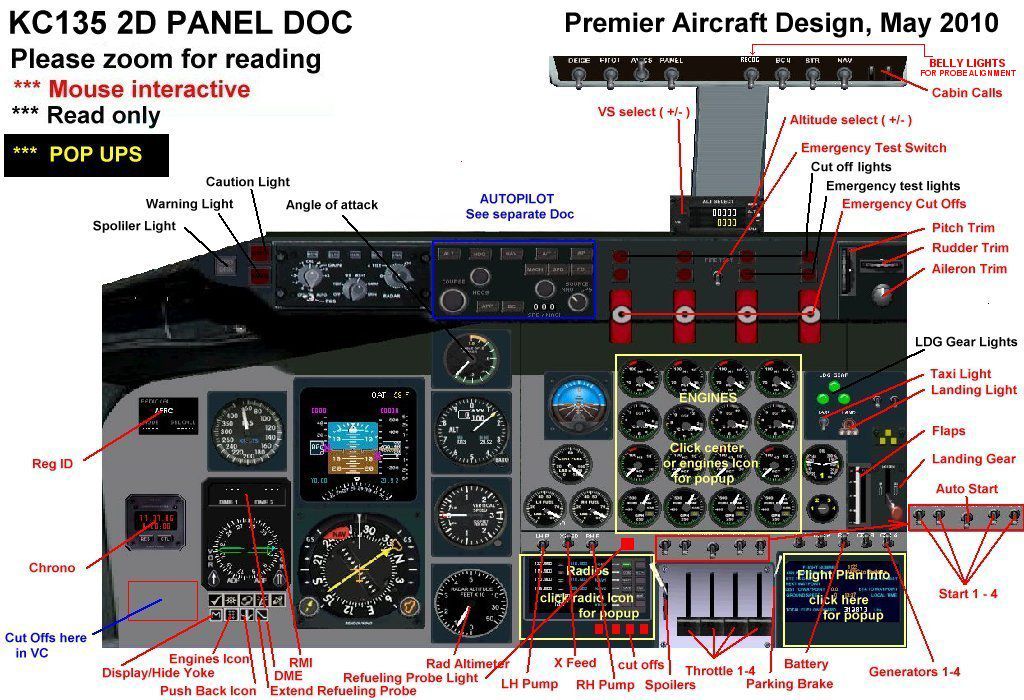
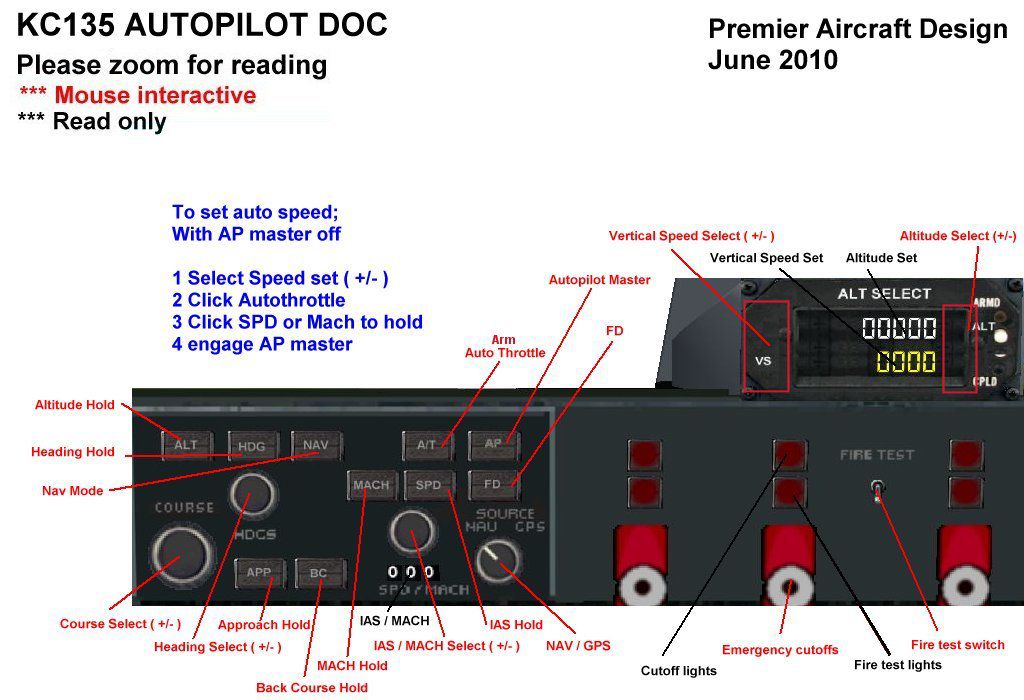
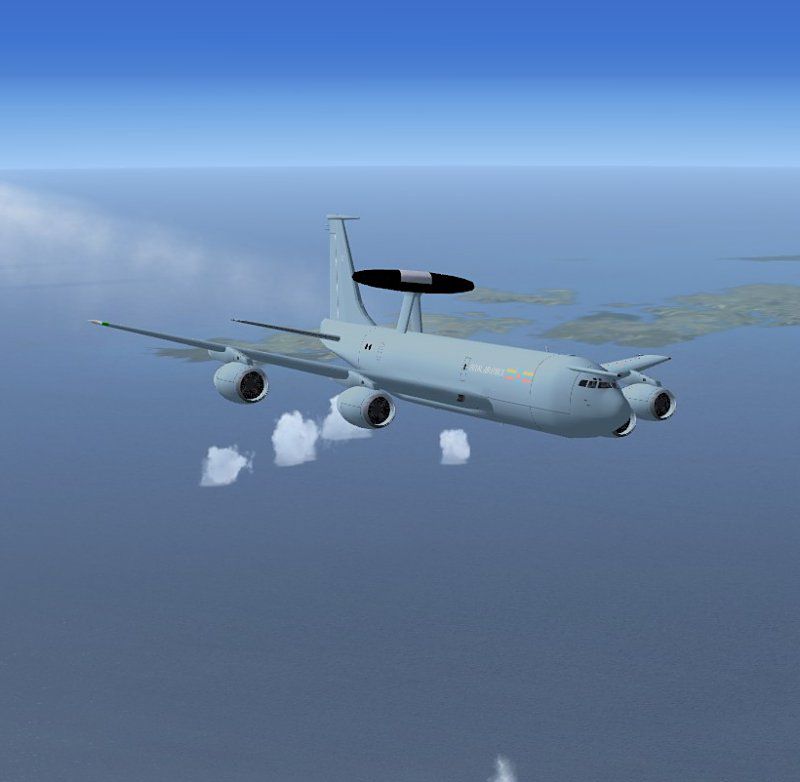

Boeing E-3D Sentry AWACS. The Boeing E3 Sentry is a US military airborne warning and control system (AWACS) aircraft based on the Boeing 707 that provides all-weather surveillance, command, control and communications. It is used by countries such as the United States, the United Kingdom, France, Saudi Arabia and NATO air defence forces. It is distinguished by the disc-shaped rotodome above the fuselage. Production ended in 1992 after 68 had been built. The Royal Air Force operates seven E-3D's, with CFM56 engines, designated Sentry AEW 1. Complete package for FSX/SP2 with custom 2D and VC panels, sound package by Aaron Swindle. By Jean-Pierre Brisard and Bob May - Premier Aircraft Design.
Boeing E-3D Sentry AWACS in flight.
Installation:
*Extract ALL the files in the zip to the main FSX folder*
Do not extract to the aircraft folder, simobjects folder or any other folder.
The zip file will automatically create new sub folders and populate them.
If you extract the zip to a temporary folder and then move the files some functions will not work.
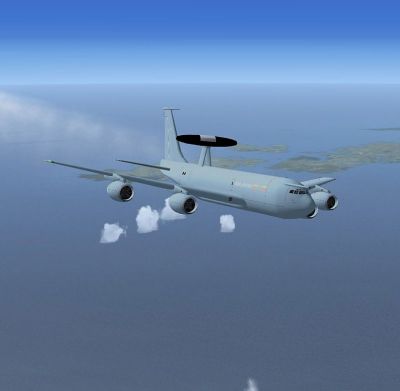
Boeing E-3D Sentry AWACS in flight.
Free for all simmers · 8.53 MB · Scanned clean
Download speed: Free tier is capped at 0.5 Mbps (this file takes approximately 2 mins at the cap). PRO members download at full line speed.
FSX\SimObjects\Airplanes\. The folder must contain an aircraft.cfg file. Effects go into FSX\Effects\; gauges go into FSX\Gauges\.readme.txt or README file. It tells you exactly where files go, what dependencies are needed, and any quirks specific to this add-on.The archive e-3d_sentry_x.zip has 125 files and directories contained within it.
This list displays the first 500 files in the package. If the package has more, you will need to download it to view them.
| Filename/Directory | File Date | File Size |
|---|---|---|
| airplanes | 07.03.11 | 0 B |
| E-3D_sentry_x | 07.03.11 | 0 B |
| aircraft.cfg | 06.29.11 | 14.84 kB |
| boeing_KC-135_check.htm | 06.07.10 | 53.00 kB |
| E-3D_Installation.txt | 06.27.11 | 401 B |
| E-3D_RAF_384.jpg | 07.03.11 | 15.06 kB |
| E-3D_RAF_800.jpg | 07.03.11 | 42.45 kB |
| E-3D_Sentry_readme_FSX.pdf | 06.27.11 | 123.18 kB |
| File_ID.diz | 06.27.11 | 729 B |
| kc135.air | 06.29.11 | 12.96 kB |
| kc135.zip | 06.29.11 | 6.31 kB |
| MANUALS_FSX | 07.03.11 | 0 B |
| E-3 2D PANEL DOC.jpg | 06.18.10 | 196.63 kB |
| E-3 AUTOPILOT DOC.jpg | 06.12.10 | 119.92 kB |
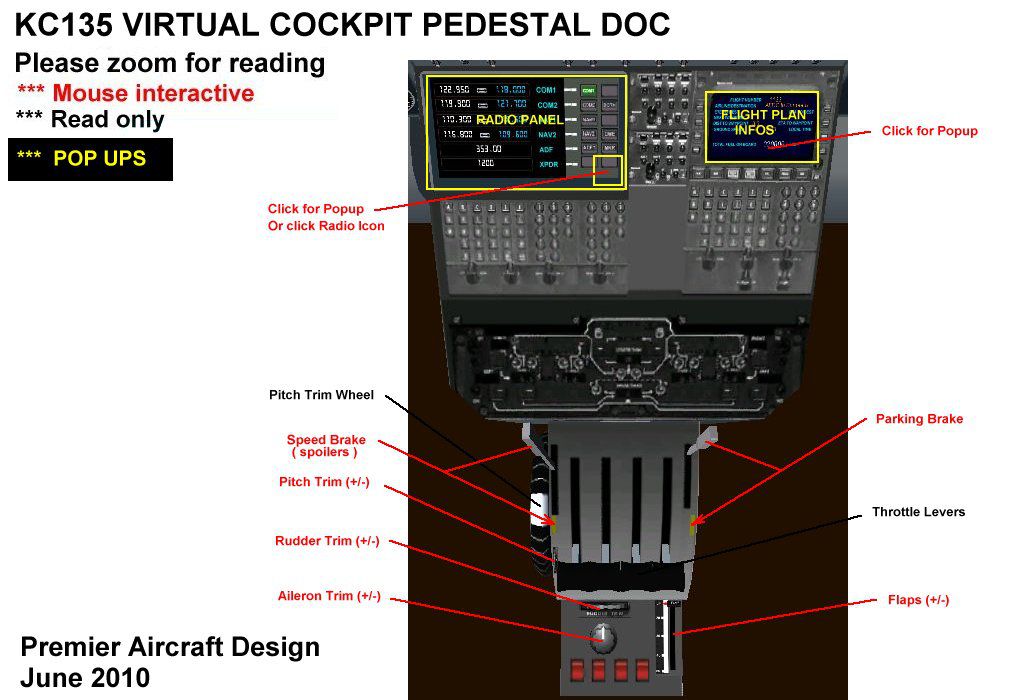
| E-3 VIRTUAL COCKPIT PEDESTAL DOC.jpg | 05.29.10 | 107.48 kB |
| Flying_Tips.txt | 06.19.10 | 2.69 kB |
| README Groundhandling5_01.txt | 06.27.11 | 21.02 kB |
| model | 07.03.11 | 0 B |
| ec-3d_probe.mdl | 06.28.11 | 2.11 MB |
| model.cfg | 06.29.11 | 30 B |
| panel.KC135x | 07.03.11 | 0 B |
| GH_Sound.gau | 04.15.05 | 80.00 kB |
| GPWS_Sound.gau | 01.03.05 | 76.00 kB |
| kc135.CAB | 06.15.10 | 293.19 kB |
| kc135_autopilot.CAB | 05.08.10 | 155.98 kB |
| kc135_clock.CAB | 05.08.10 | 13.23 kB |
| kc135_engines.CAB | 06.21.10 | 141.46 kB |
| kc135_inst.CAB | 05.29.10 | 495.73 kB |
| kc135_PFD.CAB | 06.08.08 | 496.34 kB |
| kc135_quadrant.CAB | 06.08.10 | 25.03 kB |
| kc135_radios.CAB | 05.05.10 | 43.48 kB |
| kc135_sw.CAB | 06.19.10 | 831.44 kB |
| overhd.bmp | 05.01.10 | 126.62 kB |
| Panel.cfg | 06.28.11 | 19.50 kB |
| panel_main.bmp | 06.29.11 | 2.25 MB |
| Quadrant.bmp | 12.29.09 | 73.83 kB |
| rcb-gauges.CAB | 12.05.07 | 27.06 kB |
| RCB_Groundhandling5.CAB | 10.20.06 | 26.63 kB |
| RCB_Groundhandling5_Sound.dll | 10.19.06 | 96.80 kB |
| README Groundhandling5_01.txt | 10.22.06 | 20.75 kB |
| Thumbs.db | 04.30.10 | 9.00 kB |
| Xfs9gps.cab | 06.12.03 | 296.71 kB |
| sound.AS | 07.03.11 | 0 B |
| aircond.wav | 10.31.03 | 98.09 kB |
| amb1.wav | 10.31.03 | 125.09 kB |
| amb2.wav | 10.31.03 | 106.09 kB |
| amb3.wav | 10.31.03 | 91.09 kB |
| amb4.wav | 10.31.03 | 127.09 kB |
| cfm1.wav | 10.31.03 | 102.09 kB |
| cfm2.wav | 10.31.03 | 96.09 kB |
| cfm2strt.wav | 09.08.03 | 140.09 kB |
| cfm3.wav | 10.31.03 | 58.59 kB |
| cfm4.wav | 10.31.03 | 66.59 kB |
| cfmapdisc.wav | 09.13.03 | 11.19 kB |
| cfmdoorclose.wav | 10.26.03 | 116.65 kB |
| cfmdooropen.wav | 10.26.03 | 119.65 kB |
| cfmflaps.wav | 10.29.03 | 71.09 kB |
| cfmgrdn.wav | 10.26.03 | 86.09 kB |
| cfmgrup.wav | 10.26.03 | 83.09 kB |
| cfmgrwrn.wav | 09.07.03 | 39.09 kB |
| cfmroll.wav | 10.26.03 | 46.59 kB |
| cfmshut.wav | 09.08.03 | 429.09 kB |
| cfmstall.wav | 09.08.03 | 13.82 kB |
| cfmstrt.wav | 09.07.03 | 630.09 kB |
| cfmtouchc.wav | 09.08.03 | 27.65 kB |
| cfmtouchl.wav | 09.08.03 | 5.51 kB |
| cfmtouchr.wav | 09.08.03 | 5.51 kB |
| cfmwind.wav | 10.31.03 | 66.59 kB |
| file_id.diz | 10.31.03 | 378 B |
| logo.jpg | 10.31.03 | 41.47 kB |
| PLEASEREAD.txt | 10.31.03 | 263 B |
| sound.cfg | 06.18.10 | 12.84 kB |
| xamb1.wav | 10.31.03 | 125.09 kB |
| xamb2.wav | 10.31.03 | 119.09 kB |
| xamb3.wav | 10.31.03 | 114.09 kB |
| xamb4.wav | 10.31.03 | 119.09 kB |
| xcfm1.wav | 10.31.03 | 125.13 kB |
| xcfm2.wav | 10.31.03 | 112.13 kB |
| xcfm2strt.wav | 09.08.03 | 140.09 kB |
| xcfm3.wav | 10.31.03 | 111.13 kB |
| xcfm4.wav | 10.31.03 | 135.17 kB |
| xcfmcomb4.wav | 10.31.03 | 167.09 kB |
| xcfmshut.wav | 09.08.03 | 325.09 kB |
| xcfmstrt.wav | 09.07.03 | 575.09 kB |
| texture.RAF | 07.03.11 | 0 B |
| cockpit_kc135.bmp | 06.12.10 | 1.00 MB |
| DiskRad.bmp | 06.27.11 | 256.07 kB |
| Elevator.bmp | 06.27.11 | 256.07 kB |
| engines.bmp | 06.27.11 | 256.07 kB |
| Fuse_kc135.bmp | 06.27.11 | 1.00 MB |
| interiors_kc135.bmp | 05.10.10 | 512.07 kB |
| kc135_cabin.bmp | 06.08.10 | 512.07 kB |
| lights.bmp | 11.17.07 | 32.07 kB |
| lights_L.bmp | 05.16.08 | 65.05 kB |
| Overhead.bmp | 06.11.10 | 1.00 MB |
| panelL_VC1.bmp | 06.08.10 | 512.07 kB |
| panelR_VC1.bmp | 05.30.10 | 512.07 kB |
| pilots.bmp | 06.08.10 | 257.05 kB |
| pilots_L.bmp | 10.06.05 | 257.05 kB |
| roueC130.bmp | 08.13.07 | 65.05 kB |
| thumbnail.jpg | 06.27.11 | 7.04 kB |
| Thumbs.db | 06.12.10 | 189.00 kB |
| wingL.bmp | 06.27.11 | 1.00 MB |
| wingR.bmp | 06.27.11 | 1.00 MB |
| yoke.bmp | 05.31.10 | 128.07 kB |
| Simobjects | 12.22.09 | 0 B |
| Groundhandling | 10.08.09 | 0 B |
| Groundhandling5 | 10.08.09 | 0 B |
| GH01_Conversation1.wav | 10.26.03 | 188.92 kB |
| GH02_Conversation2.wav | 10.30.03 | 76.44 kB |
| GH03_Conversation3.wav | 11.04.03 | 55.39 kB |
| GH04_Conversation4A.wav | 10.14.06 | 114.56 kB |
| GH05_Conversation5.wav | 10.30.03 | 134.51 kB |
| GH06_SoftClick.wav | 03.07.05 | 551 B |
| GH07_Error.wav | 10.26.03 | 8.75 kB |
| GH08_PushbackRoll.wav | 05.11.05 | 44.58 kB |
| GH09_Conversation4B.wav | 10.14.06 | 67.76 kB |
| GH10_Attention.wav | 10.14.06 | 21.57 kB |
| GH11_Brakes.wav | 11.06.03 | 29.74 kB |
| Sound.ini | 03.20.07 | 925 B |
| sound | 06.19.10 | 0 B |
| fx_PADbeaconh.fx | 09.02.06 | 4.75 kB |
| effects | 01.06.11 | 0 B |
| flyawaysimulation.txt | 10.29.13 | 959 B |
| Go to Fly Away Simulation.url | 01.22.16 | 52 B |
More FSX & P3D add-ons hand-picked based on this download.
FSX Military Aircraft
FSX Turkish Air Force AWACS Boeing 737-700 "Peace Eagle" (Baris Kartali). Mod…
 FSX Military Aircraft
EDCA 00-36 squadron fictional texture for French E3 Sentry of Captain Sim. Re…
 FSX Military Aircraft
Please run the installer. for more infomation, please read 'UKMIL UKFS FSUK S…
 FSX Military Aircraft
P-3C Orion FSX is required in order to use this model. Two kinds of paint wer…
 FSX Military Aircraft
US Navy Lockheed NP-3D Orion, former color and present color. This is a nativ…
 FSX Military Aircraft
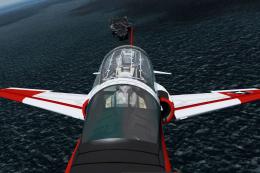
Now, v2.83. This file is compatible with FSX with the Acceleration Pack insta…
 FSX Military Aircraft
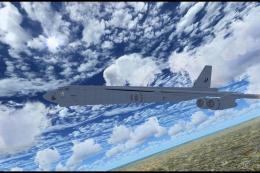
FSX USAF Boeing B-52. US Air Force B-52H models 60-042 and 60-047 (two aircra…
 FSX Military Aircraft
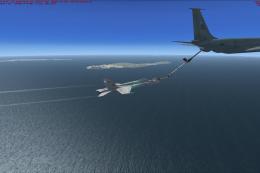
US Navy Boeing KC-135T Drogue Tanker. This is a KC-135 tanker with navy drogu…
Read what other simmers think, or add your own.

How exactly does AWACS work? This aircraft is supposed to have radar or something otherwise it can't inform others about what's going on over the battlefield. I've heard of TacPack but I can't find a single payware nor freeware version of the E-3 Sentry that is TacPack powered, how are flight simulator pilots going to receive combat updates, single or multiplayer?