


 FSX Civil Aircraft
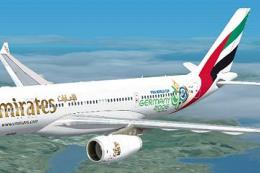
Emirates Airbus A330-200 World Cup 2006 Livery
This repaint provides a customized Emirates Airbus A330-200 "World Cup 2006" …
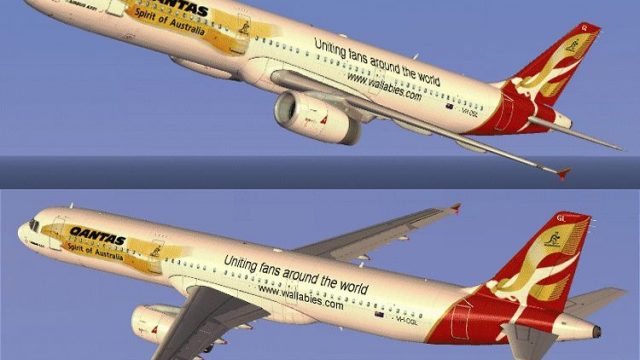
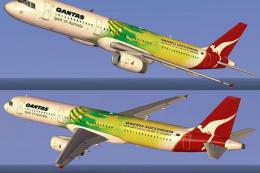
Qantas Airbus A321 World Cup livery brings tournament-inspired artwork and accurate airline branding to the default Airbus A321 in FSX, with crisp, performance-friendly textures that hold up across lighting and weather. Requires the freeware base model already installed, and adds a distinctive Australian look to the exterior while matching the airframe’s lines.

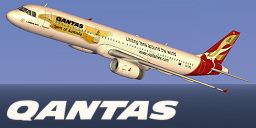
Step into an immersive environment featuring the Qantas Airbus A321 adorned in a striking World Cup-themed paint scheme. This freeware enhancement offers carefully refined textures designed to integrate seamlessly with the default FSX A321, delivering an authentic Australian airline experience. The repaint has been crafted by Jon Murchison, ensuring expert attention to detail throughout the exterior design.
The fuselage of this Airbus A321 showcases distinctive graphics that celebrate a global football tournament, complete with color blends representing Qantas’s signature style. Qantas, Australia’s prominent flag carrier, is recognized for its kangaroo-inspired tail emblem and long history of operating reliable passenger services. This custom repaint leverages the aircraft’s narrow-body architecture to highlight the World Cup imagery along the fuselage, giving virtual pilots a unique flight simulation perspective.
This package contains textures only for the standard FSX Airbus A321. In order to use this repaint, you must already have the freeware base model installed. That base model is available through the Fly Away Simulation mod library—make sure to acquire it before applying these files.
To enable the repaint, simply drop the included texture folder into the correct FSX directory and update your aircraft configuration file as required. After configuring it properly, you can load the Qantas World Cup A321 from the simulator’s aircraft selection menu.
The talented Jon Murchison created this stunning repaint, capturing the spirit of international sporting events and merging it with Qantas’s iconic style. This project stands as a testament to the dedication of the flight sim community toward delivering high-quality, freeware content.

Free for all simmers · 1.57 MB · Scanned clean
Download speed: Free tier is capped at 0.5 Mbps. PRO members download at full line speed.
texture.{airline}) inside FSX\SimObjects\Airplanes\{base-aircraft}\.aircraft.cfg in Notepad. Add a new [fltsim.X] section per the readme.readme.txt or README file. It tells you exactly where files go, what dependencies are needed, and any quirks specific to this add-on.The archive wc321.zip has 10 files and directories contained within it.
This list displays the first 500 files in the package. If the package has more, you will need to download it to view them.
| Filename/Directory | File Date | File Size |
|---|---|---|
| WORLDCUP_321.gif | 09.06.07 | 170.15 kB |
| A321_1_T.dds | 09.05.07 | 1.00 MB |
| A321_1_T_spec.dds | 09.04.06 | 1.33 MB |
| Fresnel_Ramp.dds | 09.04.06 | 640 B |
| texture.cfg | 08.14.06 | 137 B |
| thumbnail.jpg | 09.05.07 | 24.04 kB |
| Texture.WC | 09.06.07 | 0 B |
| README _INSTALL.txt | 09.07.07 | 1.89 kB |
| flyawaysimulation.txt | 10.29.13 | 959 B |
| Go to Fly Away Simulation.url | 01.22.16 | 52 B |
More FSX & P3D add-ons hand-picked based on this download.
FSX Civil Aircraft
This repaint provides a customized Emirates Airbus A330-200 "World Cup 2006" …
 FSX Civil Aircraft
FSX Asiana Boeing 747-400 GE, registration HL-7423, in World Cup livery. Text…
 FSX Civil Aircraft
A repaint for the payware PMDG B737-800 of the Fifa World Cup tour plane for …
 FSX Civil Aircraft
This repaint showcases Qantas’s striking theme dedicated to the Socceroos, br…
 FSX Civil Aircraft
This repaint provides a high-fidelity Qantas “One World” variant for the PMDG…
 FSX Civil Aircraft
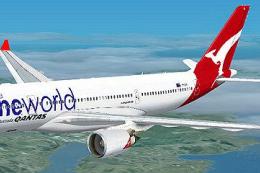
Qantas Airbus A330-200 in "OneWorld" livery. Textures only; requires TOM330.Z…
 FSX Civil Aircraft
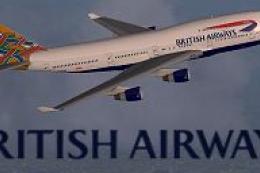
FSX British Airways Boeing 747-400, registration G-BOAE, in "World Tales" liv…
 FSX Civil Aircraft
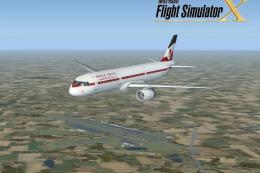
FSX World Travel Airlines Airbus A321 in 2004 livery. Textures for the defaul…
Read what other simmers think, or add your own.

Please also make the livery of this Qantas Airbus A321 in World Cup livery for the default Airbus A321 of FSX and FSX:SE, and also include traffic.bgl files that must be added into the Microsoft Flight SimulatorXAddon SceneryScenery folder, with routes to: