utility

FlightSim Manager 2.8.5

FlightSim Manager 2.8.5 streamlines add-on control for Microsoft Flight Simulator FS2002 and FS2004, installing ZIP packages via wizards with clean uninstall and offline hangar organization. It adds aircraft editing, virtual fleets, logbook, LAN multi-view virtual cockpit, speech control, AI flight-plan and texture-set tools, plus diagnostics that find missing gauges, effects, and scenery issues.

3/5 (2) 4.5k downloads 5.48 MB Scanned clean
FS2004
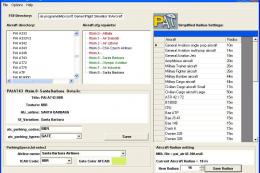
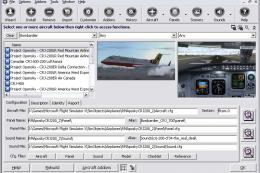
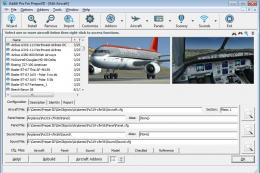
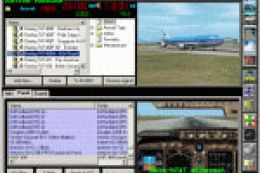
Compatible with both FS2002 and FS2004. FlightSim Manager is a great tool for managing add-ons to Microsoft Flight Simulator. Using easy to Wizard - FSM can install various addins from distribution ZIP files that you may have downloaded, with easy uninstaller. FSM has lots of feature to offer, from an easy to use Aircraft editor to add/edit aircraft variants, to an comprehensive Hangar management that allows you to manage and configure your add-ons off your live FS installation. You can create Virtual Fleets, and enable/disable the complete fleet with ease. For serious pilots, there is also a complete Logbook. If you have access to networked PCs, you can use FSM Lan View feature to create virtual cockpits with as many different views as you like. FSM also make it very easy to control Flight Simulator with speech commands, with additional support for auto-saving flight, warning system, and your own custom event sounds. Also FSM introduces a new ViewMode that replaces the existing boring tower view into exciting camera view. Using a powerful Editor, you can now edit your AI Flight Plans - plans can be saved as sets, which then in turn can be enabled in Flight Simulator. With FSM, you can create Texture Sets ( your own custom texture installer ) - capture screenshots, complete Benchmark with log, launching Flight Simulator with Random Screens, and fly from anywhere in the world using an map view. Finally with a comprehensive Diagnostic Tools and Repository feature, FSM keeps your FS installation clean. Apart from the usual Missing and unused gauges, FSM can also locate Aircraft problems, Missing and unused effects, and Scenery Problems with an unique LandClass File relocate feature - say bye-bye to all those memory leaks. There are still a lot more features that you will need to discover by yourself.

Ready to download FlightSim Manager 2.8.5?

Free for all simmers · 5.48 MB · Scanned clean

File information

Filename
fsm285.zip
File size
5.48 MB
Virus scan
Clean (scanned with ClamAV)
Access
Freeware
Content rating
Everyone

Download speed: Free tier is capped at 0.5 Mbps (this file takes approximately 2 mins at the cap). PRO members download at full line speed.

How to install this mod

flight simulator utility
  1. Extract the downloaded archive

    Use 7-Zip (free) or WinRAR to extract the ZIP to a temporary folder. Don't install while still zipped — the simulator can't read inside ZIP files.
  2. Identify the target folder

    Different simulators use different folder structures. Check the readme to confirm where files should be placed.
  3. Copy files to the correct location

    Drag the extracted folder into the location the readme specifies. Most add-ons just need to be in the right folder.
  4. Always read the included readme

    Every mod ships with a readme.txt or README file. It tells you exactly where files go, what dependencies are needed, and any quirks specific to this add-on.

What’s inside this archive

The archive fsm285.zip has 8 files and directories contained within it.

File Contents

This list displays the first 500 files in the package. If the package has more, you will need to download it to view them.

Filename/Directory File Date File Size
file_id.diz11.01.053.79 kB
setup.exe11.01.055.48 MB
flightsim_manager.gif03.29.059.36 kB
readme.txt11.19.053.80 kB
license.txt11.19.054.97 kB
avsim.diz04.27.04360 B
flyawaysimulation.txt10.29.13959 B
Go to Fly Away Simulation.url01.22.1652 B

0 comments

Be the first to leave a comment on this download.

Leave a comment

No comments yet

Be the first to share your thoughts on this download.

Leave a comment

Replying to

Used only for your Gravatar avatar — never shown publicly or shared.

Minimum 30 characters 0
Your comment is reviewed by a moderator before publication. Spam, abuse and self-promotion are removed.