


 FS2004 Utilities/Misc
FS Camera 1.4 - Aircraft Views Utility
Many users of the Microsoft Flight simulator surely know the additional progr…
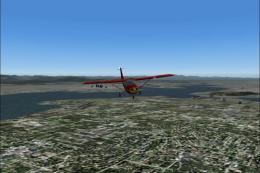
Active Camera 2004 expands the view system in Microsoft Flight Simulator 2004 with fly-by, approach, spotter, and mouse-driven spot-plane cameras, plus smooth panning, zoom, and clickable interaction. It adds head latency and turbulence effects, cabin walkaround, passenger and wing views, 10 per-aircraft presets, ambient sounds, keyboard control, and an AI-traffic TCAS tracking view.
FS2004 Active Camera 2004 v2.1. This package includes both the install files, one that supports FS2004 9.0 and FS2004 9.1 (update to 9.1 here).
Shareware, non time limited and fully functional - limited to the Seattle area). With this module you can enable additional views in Microsoft Flight Simulator 2004 - A Century of Flight. Several new camera views are selectable from the FS2004 - Options menu. When activated this module replaces the original tower and virtual cockpit views of FS2004. Features: fly by, approach and spotter view, mouse driven spot plane view, allows mouse panning, zooming and clicking, discover spectacular effects like head latency, pre-stall buffeting, ground turbulence, thanks to FS2004 interactive virtual cockpits it is easy to move the mouse, pan and click, so allowing a more realistic way of flying, the virtual pilot can walk in the cabin (ability to create passenger and wing views) and outside of the aircraft, ability to save and call up to 10 views presets per aircraft, either in the VC or in external view, and this for an unlimited number of aircraft, ambient sounds like steps, wind and aircraft stress sounds, main features can be called through keyboard shortcuts, built-in TCAS that allows AI traffic tracking view (dynamic padlock like in combat simulators). By Serge Baye - Guillaume Darier.
Free for all simmers · 8.62 MB · Scanned clean
Download speed: Free tier is capped at 0.5 Mbps (this file takes approximately 2 mins at the cap). PRO members download at full line speed.
FS9\Aircraft\, FS9\Addon Scenery\, FS9\Gauges\, or FS9\Effects\.readme.txt or README file. It tells you exactly where files go, what dependencies are needed, and any quirks specific to this add-on.The archive active-camera.zip has 7 files and directories contained within it.
This list displays the first 500 files in the package. If the package has more, you will need to download it to view them.
| Filename/Directory | File Date | File Size |
|---|---|---|
| AC2004 2_1_FS9_0.zip | 01.09.13 | 4.31 MB |
| __MACOSX | 01.09.13 | 0 B |
| AC2004 2_1_FS9_1.zip | 01.09.13 | 4.31 MB |
| flyawaysimulation.txt | 10.29.13 | 959 B |
| Go to Fly Away Simulation.url | 01.22.16 | 52 B |
More FS2004 add-ons hand-picked based on this download.
FS2004 Utilities/Misc
Many users of the Microsoft Flight simulator surely know the additional progr…
 FS2004 Utilities/Misc
Control the incoming and outgoing traffic on your RADAR screen (MARCIANO’s gr…
FS2004 Utilities/Misc
No-CD patch or 'crack' for FS2004. When applied, there is no need to insert y…
FS2004 Utilities/Misc
This is the No-CD patch (crack) for Microsoft Flight Simulator 2004 v9.1. Thi…
 FS2004 Utilities/Misc
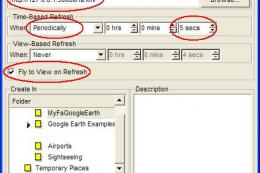
MyFsGoogleEarth is a small webserver that links Flight Simulator with Google …
 FS2004 Utilities/Misc
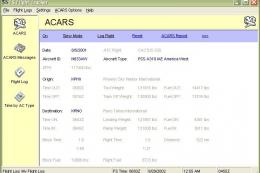
More than a log, automatically record: a/c type, a/c reg number, airline + fl…
 FS2004 Utilities/Misc
All users of Massive Crash are urged to install this update. The files includ…
 FS2004 Utilities/Misc
FS2004 Better frame rates patch by Eddie Batista
Read what other simmers think, or add your own.


I would like to buy active camera it looks good but I cant get the demo to work. Am I doing something wrong, thank you