

 FSX AFCAD Files
VHHH Hong Kong International Airport
This is part of the tenth round of airports issued by Alpha India Group. AIG …
Memphis International Airport (KMEM) for Microsoft Flight Simulator X refreshes the field with corrected runway and taxiway geometry, real-world gate renumbering, expanded parking and cargo stands for heavy freight traffic, animated jet bridges, and improved service-road routing. Two included configurations let simmers choose standard operations or an optional crosswind runway for smoother AI flow.
 Rate
Rate
 United States of America
Enhance your Microsoft Flight Simulator X experience at Memphis International Airport (KMEM) with this comprehensive freeware package engineered by Ray Smith. Located in Shelby County, Tennessee, KMEM is widely recognized for its bustling cargo operations—particularly FedEx’s active presence—and now you can immerse yourself in more authentic ground layouts, realigned gates, and multiple runway options using this custom scenery add-on.
Two distinct builds are included to suit different operational preferences. One version provides an activated crosswind runway (Runway 9/27) for those aiming to maximize traffic flows, while the other focuses solely on the standard configuration. Each variant retains all the refined terminal gate details, support vehicle pathing, and expanded parking areas.
All gates have been methodically renumbered to match real-world positions, simplifying airline assignments. Using the updated stands when working with third-party traffic solutions ensures appropriate and logical gate usage. FedEx enthusiasts will appreciate the added cargo stands—there are 92 slots to accommodate large-scale freight operations, particularly those relying on WOAI or other AI packages.
Realistic jetway animations add operational depth around the passenger terminals. In addition, support vehicle roads are strategically rearranged to ease congestion. This improvement not only refines ground handling but also keeps service routes clearer if you operate large cargo transports during peak times.

Memphis International Airport Logo.
Included in this download are two BGL files. One activates crosswind runway support, and the other maintains a single-runway configuration but preserves all modified airport elements. Please install only one BGL at a time to prevent conflicts. Avoid placing both into your “Addon Scenery/Scenery” folder simultaneously.
Ray Smith developed this modification using the freeware ADE (Airport Design Editor) by Jon Masterson, alongside Microsoft’s Software Development Kit compiler. These valuable resources make it possible to refine underlying airport data, create slender support roads, and enrich user immersion.
Experience sweeping panoramas of the facility from the control tower. By binding a key or button for “View track/pan Toggle,” you can freely rotate and pivot to inspect each terminal and runway. This vantage point helps you monitor traffic flow, examine jet bridge operations, and observe grounded fleets during peak cargo delivery intervals.
Enjoy these refinements to Memphis International Airport, and explore the unique dynamics of Tennessee’s busiest cargo hub. Happy flying!
Free for all simmers · 48.47 KB · Scanned clean Oct 2026
Download speed: Free tier is capped at 0.5 Mbps. PRO members download at full line speed.
FSX\Addon Scenery\ containing scenery and texture sub-folders.readme.txt or README file. It tells you exactly where files go, what dependencies are needed, and any quirks specific to this add-on.Use these coordinates to fly directly to this location once the mod is installed.
35.04240000,-89.97660000
Launch FSX or Prepar3D and use Flights → Load to open the downloaded .pln file. Your aircraft will be positioned at this location.
The archive fsxkmem2.zip has 7 files and directories contained within it.
This list displays the first 500 files in the package. If the package has more, you will need to download it to view them.
| Filename/Directory | File Date | File Size |
|---|---|---|
| FSX_kmem.BGL | 10.03.07 | 79.78 kB |
| FSX_kmem_cw.BGL | 10.02.07 | 80.34 kB |
| ReadMe.txt | 10.05.07 | 2.31 kB |
| FSX_kmem2_rs | 10.05.07 | 0 B |
| FILE_ID.DIZ | 10.09.07 | 273 B |
| flyawaysimulation.txt | 10.29.13 | 959 B |
| Go to Fly Away Simulation.url | 01.22.16 | 52 B |
Only PRO members can place votes.
More FSX & P3D add-ons hand-picked based on this download.
FSX AFCAD Files
This is part of the tenth round of airports issued by Alpha India Group. AIG …
 FSX AFCAD Files
Charles-De-Gaulle International Airport (LFPG), Paris, France. This airport u…
 FSX AFCAD Files
Incheon International Airport (RKSI), South Korea. A total makeover designed …
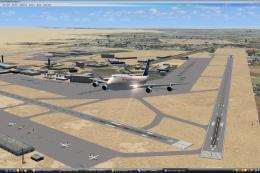 FSX AFCAD Files
CaThis is part of the ninth round of airports issued by Alpha India Group. AI…
 FSX AFCAD Files
Geneva International Airport (IATA: GVA, ICAO: LSGG), commonly known as Coint…
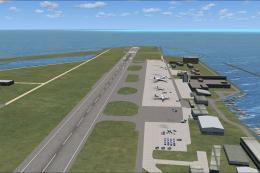 FSX AFCAD Files
This is part of the ninth round of airports issued by Alpha India Group. AIG …
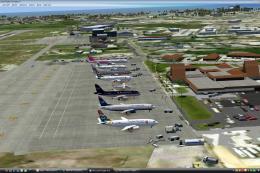 FSX AFCAD Files
This is part of the tenth round of airports issued by Alpha India Group. AIG …
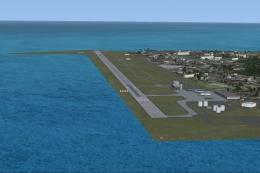 FSX AFCAD Files
This scenery add-on provides an updated rendition of Seychelles International…
Read what other simmers think, or add your own.
