

 FSX AFCAD Files
VHHH Hong Kong International Airport
This is part of the tenth round of airports issued by Alpha India Group. AIG …
Gatwick Airport EGKK gets a smarter default-layout overhaul for FSX, with resized and re-sited stands, added parking, and airline-coded gates at both terminals to improve ramp organization. Updated vehicle paths ease ground traffic, the tower view aligns with the real tower position, and runway roles plus extra taxi links help keep AI flow moving smoothly.
 Rate
Rate
 United Kingdom
Gatwick Airport (EGKK), UK. A rework of the default Gatwick Airport. Some parking spaces have been re-sited and enlarged and new ones added. Airline codes have been added to the North and South Terminal parking which cover the most frequent airlines using them. There is sufficient parking for all others. Extra vehicle paths have made available to improve traffic flow and the tower view is now from the tower proper.

Gatwick Airport Logo.
The accompanying afcad 'EGKK_FSX_CD.bgl' may be installed in the 'Addon Scenery\Scenery' folder of your FSX installation which will then require no further activation. The new airport layout will subsequently appear by default.
Experienced AFCAD users may have their own folder into which they place additional AFCAD's, in which case, simply install it there.
In the real world Gatwick does not use both runways simultaneously and some compromises have been made with regard to this and additional runoffs put in on one of runways. The north runway has been made takeoff only and the south, landing only as there is ILS available on that one. The south runway, therefore, has the additional taxiways. This has been done to improve the AI traffic flow which, if you have added AI, can be quite considerable. Purists may be aghast at such sacrilege but with the FSX ATC being less than perfect it is a workable compromise. If you have doubts I can only say 'Try it'. If you don't like it just delete the EGKK_FSX_CD.bgl and it will be gone.
The changes were made using ADE, a program by Jon Masterson for which I would like to say thanks and the Microsoft SDK for compiling other changes made.
Enjoy!
Colin
Free for all simmers · 21.76 KB · Scanned clean Oct 2026
Download speed: Free tier is capped at 0.5 Mbps. PRO members download at full line speed.
FSX\Addon Scenery\ containing scenery and texture sub-folders.readme.txt or README file. It tells you exactly where files go, what dependencies are needed, and any quirks specific to this add-on.Use these coordinates to fly directly to this location once the mod is installed.
51.15370000,-0.18210000
Launch FSX or Prepar3D and use Flights → Load to open the downloaded .pln file. Your aircraft will be positioned at this location.
The archive egkkfsxc.zip has 5 files and directories contained within it.
This list displays the first 500 files in the package. If the package has more, you will need to download it to view them.
| Filename/Directory | File Date | File Size |
|---|---|---|
| EGKK_FSX_CD.BGL | 10.06.07 | 48.03 kB |
| EGKK_information.txt | 10.07.07 | 1.76 kB |
| FILE_ID.DIZ | 10.10.07 | 442 B |
| flyawaysimulation.txt | 10.29.13 | 959 B |
| Go to Fly Away Simulation.url | 01.22.16 | 52 B |
Only PRO members can place votes.
More FSX & P3D add-ons hand-picked based on this download.
FSX AFCAD Files
This is part of the tenth round of airports issued by Alpha India Group. AIG …
 FSX AFCAD Files
Charles-De-Gaulle International Airport (LFPG), Paris, France. This airport u…
 FSX AFCAD Files
Incheon International Airport (RKSI), South Korea. A total makeover designed …
 FSX AFCAD Files
CaThis is part of the ninth round of airports issued by Alpha India Group. AI…
 FSX AFCAD Files
Geneva International Airport (IATA: GVA, ICAO: LSGG), commonly known as Coint…
FSX AFCAD Files
Innsbruck Airport (LOWI) runway 08 ILS, Austria. An ILS approach for runway 8…
 FSX AFCAD Files
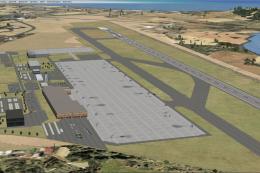
Ibiza Airport, Spain. This is part of the ninth round of airports issued by A…
 FSX AFCAD Files
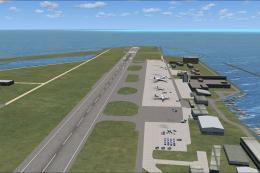
This is part of the ninth round of airports issued by Alpha India Group. AIG …
Be the first to leave a comment on this download.
Be the first to share your thoughts on this download.