


AFCAD File For NZCH
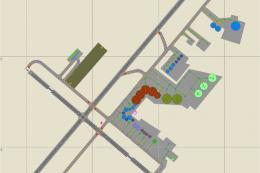
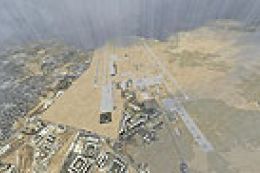
Christchurch Airport (NZCH) gets an updated AFCAD with refined airport layout data to improve parking, taxi flow, and AI operations for more realistic ground movement. Built for Microsoft Flight Simulator X, it also supports MyTraffic X setups and can replace the default BR2_NZCH.BGL when used alongside that traffic package.

 New Zealand
 - File: nzch.zip
- Size:10.38 KB
- Scan:
Clean (0d)

- Access:Freeware
- Content:Everyone
 Description
 Comments
AFCAD File For NZCH, Christchurch Airport, New Zealand. By Kai P. Kamjunke.

Christchurch Airport Logo.
This is the second Airport of seven. The other five will be Auckland, Hamilton, Palerston, Dunedin and Queenstown. I hope I finished this airport fast.
Installation:
- Copy the file in ...\Microsoft Flight Simulator X\Addon Scenery\Scenery.
If you use the Addon My Traffic X from Aerosoft: Save the File "BR2_NZCH.BGL", which you can find here ...\Microsoft Flight Simulator X\MyTraffic\scenery and the copy the download file in this direction.
Kai P. Kamjunke

Finding the Scenery
- FSX/Prepar3D Coordinates:
-
-43.48940000,172.53200000
Use the downloaded flight plan file by launching FSX/P3D, selecting "Load Flight Plan" in the flight planner, and choosing the .pln file. Your aircraft will be positioned directly at the add-on’s location. - Decimal Degrees (DD):
-
Latitude: -43.489400°
Longitude: 172.532000° - Degrees, Minutes, Seconds (DMS):
-
Latitude: 43° 29' 21.840" S
Longitude: 172° 31' 55.200" E
Map Location

The archive nzch.zip has 5 files and directories contained within it.
File Contents
This list displays the first 500 files in the package. If the package has more, you will need to download it to view them.
| Filename/Directory | File Date | File Size |
|---|---|---|
| NZCH_ADE_KPK.BGL | 10.12.08 | 21.70 kB |
| Read Me.txt | 10.13.08 | 853 B |
| FILE_ID.DIZ | 10.16.08 | 83 B |
| flyawaysimulation.txt | 10.29.13 | 959 B |
| Go to Fly Away Simulation.url | 01.22.16 | 52 B |

Installation Instructions
Most of the freeware add-on aircraft and scenery packages in our file library come with easy installation instructions which you can read above in the file description. For further installation help, please see our Flight School for our full range of tutorials or view the README file contained within the download. If in doubt, you may also ask a question or view existing answers in our dedicated Q&A forum.



0 comments
Leave a Response