



X-Plane 11/10 Boeing 848B52uav 1.000
Boeing 848B52uav brings a heavy, long-range unmanned bomber concept to X-Plane 10, featuring distinct weights and capacities within the 848 family plus detailed operational notes. Designed for high-altitude cruise around Mach 0.83 and global-range planning, it includes a virtual cockpit and preset weapons options for mission-style flying.
 X-Plane 10
- File: 848B52uav.zip
- Size:3.11 MB
- Scan:
Clean (4d)
- Access:Freeware
- Content:Everyone

 Description
 1 comments
 This 848 aircraft in this download package, is for Version 10.03 and above only.
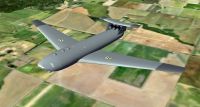
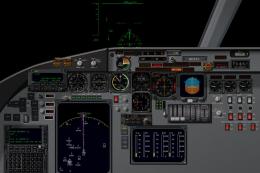
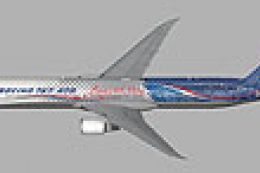
Screenshot of Boeing 848B52uav in flight.
There are four variations of the 848 uploaded to X-Plane.
848 Qantas in Civilian Heavy Weight
848-F FedEx in Civilian Heavy Weight
848B52uav in Military after 1946
Boeing 848 Galaxy II in Military after 1946
Each of these aircraft have different gross weights and capacities and uses.
Why a uav?
Why are all uav’s something small almost as small as you would buy as a toy?
Global range without refueling? YES!
Performance:
Maximum take off weight: 1,500,000 lbs
Range: with 24,000lbs weapons load “GLOBAL”
Default weapons:
12 Tungsten Carbide tipped 2,000lb bunker buster javelin darts, rocket powered with a supersonic delivery.
12 B-83 nuclear bombs with a settable yield from low kiloton to 1.2 megaton range. (real)
Normal Cruise mach .83 for long range.
Initial Cruise altitude: 34,000ft, after fuel has burned off 1/4 of the fuel a higher altitude is available, and the range computer will show more range. Schedule another climb at 1/2 fuel, for maximum range.
Takeoff and landing at full flap settings, expect to be off the ground between 6,500ft and 8,000ft.
If a full automatic takeoff is planned (highly suggested) do not arm heading until above 40kts. The nose wheel is set for 65º ground turning and drops to 1-3 º above 40kts.
If a manual takeoff is planned, hold full stick back until airborne, level off immediately at liftoff.
READ THE INCLUDED HISTORY AND READ ME.
Pilots operational notes and design philosophy are in the read me.
I am a dreamer, not an engineer.
Albert Einstein said, “ If you can dream, you can do the impossible”.
Bargbill
Memphis TN, USA
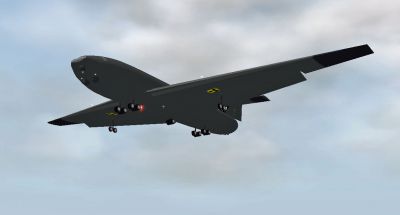
Screenshot of Boeing 848B52uav in flight.
Images & Screenshots















The archive 848B52uav.zip has 633 files and directories contained within it.
File Contents
This list displays the first 500 files in the package. If the package has more, you will need to download it to view them.
| Filename/Directory | File Date | File Size |
|---|---|---|
| 848B52uav | 01.19.12 | 0 B |
| __MACOSX | 01.19.12 | 0 B |
| 848B52uav | 01.19.12 | 0 B |
| 848B52-UAV | 01.17.12 | 0 B |
| 848B52-UAV | 01.19.12 | 0 B |
| 848.acf | 01.16.12 | 2.63 MB |
| 848_paint.png | 01.10.12 | 39.57 kB |
| 848_paint2.png | 01.10.12 | 32.90 kB |
| 848_paint2_LIT.png | 01.16.12 | 36.81 kB |
| 848_paint_LIT.png | 01.16.12 | 32.94 kB |
| Airfoils | 12.17.11 | 0 B |
| Boeing Mid (high subsonic).afl | 10.29.11 | 24.48 kB |
| Boeing Root (high subsonic).afl | 10.29.11 | 24.48 kB |
| Boeing Tip (high subsonic).afl | 10.29.11 | 24.48 kB |
| Flat Plate (very thin).afl | 10.29.11 | 24.48 kB |
| NACA 65(216)-415 (lam flow).afl | 10.29.11 | 24.48 kB |
| NASA LS(1)-0417 (hi-lift).afl | 10.29.11 | 24.48 kB |
| NLF(1)-0215F (laminar flow).afl | 10.29.11 | 24.48 kB |
| cockpit | 01.03.12 | 0 B |
| -PANELS- | 01.04.12 | 0 B |
| panel.png | 01.04.12 | 17.55 kB |
| cockpit | 01.19.12 | 0 B |
| -PANELS- | 01.19.12 | 0 B |
| panel.psd | 01.04.12 | 708.36 kB |
| Thumbs.db | 02.13.09 | 32.50 kB |
| buttons | 01.03.12 | 0 B |
| EFIS | 01.03.12 | 0 B |
| EFIS | 01.19.12 | 0 B |
| Avidyne | 02.13.09 | 0 B |
| Avidyne_MFD-1.png | 12.11.07 | 2.92 kB |
| Avidyne | 01.19.12 | 0 B |
| Avidyne_MFD-2.png | 12.11.07 | 7.36 kB |
| Avidyne_MFD-3.png | 12.11.07 | 20.44 kB |
| Avidyne_MFD-4.png | 12.11.07 | 4.65 kB |
| Avidyne_MFD.png | 12.11.07 | 88.78 kB |
| Avidyne_PFD-1.png | 12.11.07 | 48.09 kB |
| Avidyne_PFD-2.png | 12.11.07 | 6.95 kB |
| Avidyne_PFD-3.png | 12.11.07 | 14.06 kB |
| Avidyne_PFD-4.png | 12.11.07 | 11.29 kB |
| Avidyne_PFD.png | 12.11.07 | 88.69 kB |
| Thumbs.db | 02.13.09 | 5.50 kB |
| but_disp_VORADF1-1.png | 12.11.07 | 4.32 kB |
| but_disp_VORADF1.png | 12.11.07 | 3.23 kB |
| but_disp_VORADF2-1.png | 12.11.07 | 4.32 kB |
| but_disp_VORADF2.png | 12.11.07 | 3.27 kB |
| but_map_apt-1.png | 12.11.07 | 3.03 kB |
| but_map_apt.png | 12.11.07 | 3.34 kB |
| but_map_fix-1.png | 12.11.07 | 3.03 kB |
| but_map_fix.png | 12.11.07 | 3.32 kB |
| but_map_mode-1.png | 12.11.07 | 9.94 kB |
| but_map_mode.png | 12.11.07 | 3.35 kB |
| but_map_mode_HSI-1.png | 12.11.07 | 6.77 kB |
| but_map_mode_HSI.png | 12.11.07 | 3.24 kB |
| but_map_ndb-1.png | 12.11.07 | 3.03 kB |
| but_map_ndb.png | 12.11.07 | 3.34 kB |
| but_map_options-1.png | 12.11.07 | 3.03 kB |
| but_map_options.png | 12.11.07 | 3.65 kB |
| but_map_TCAS-1.png | 12.11.07 | 3.03 kB |
| but_map_TCAS.png | 12.11.07 | 3.36 kB |
| but_map_vor-1.png | 12.11.07 | 3.03 kB |
| but_map_vor.png | 12.11.07 | 3.35 kB |
| but_map_wxr-1.png | 12.11.07 | 3.03 kB |
| but_map_wxr.png | 12.11.07 | 3.35 kB |
| but_map_zoom-1.png | 12.11.07 | 7.64 kB |
| but_map_zoom.png | 12.11.07 | 3.40 kB |
| camera-1.png | 12.11.07 | 2.77 kB |
| camera.png | 02.13.09 | 1.84 kB |
| camera.txt | 02.13.09 | 57 B |
| EFIS elements engine | 02.13.09 | 0 B |
| dig_CHT-1.png | 12.11.07 | 2.79 kB |
| EFIS elements engine | 01.19.12 | 0 B |
| dig_CHT-4.png | 12.11.07 | 3.78 kB |
| dig_CHT.png | 12.11.07 | 2.79 kB |
| dig_EGT-1.png | 12.11.07 | 2.79 kB |
| dig_EGT-4.png | 12.11.07 | 3.92 kB |
| dig_EGT.png | 12.11.07 | 2.79 kB |
| dig_EPR-1.png | 12.11.07 | 2.79 kB |
| dig_EPR-4.png | 12.11.07 | 3.45 kB |
| dig_EPR.png | 12.11.07 | 2.79 kB |
| dig_FF-1.png | 12.11.07 | 2.78 kB |
| dig_FF-4.png | 12.11.07 | 3.48 kB |
| dig_FF.png | 12.11.07 | 2.78 kB |
| dig_ITT-1.png | 12.11.07 | 2.79 kB |
| dig_ITT-4.png | 12.11.07 | 3.78 kB |
| dig_ITT.png | 12.11.07 | 2.79 kB |
| dig_MP-1.png | 12.11.07 | 2.81 kB |
| dig_MP-4.png | 12.11.07 | 3.78 kB |
| dig_MP.png | 12.11.07 | 2.81 kB |
| dig_N1-1.png | 12.11.07 | 2.78 kB |
| dig_N1-4.png | 12.11.07 | 3.45 kB |
| dig_N1.png | 12.11.07 | 2.78 kB |
| dig_N2-1.png | 12.11.07 | 2.78 kB |
| dig_N2-4.png | 12.11.07 | 3.45 kB |
| dig_N2.png | 12.11.07 | 2.78 kB |
| dig_pwr-1.png | 12.11.07 | 2.78 kB |
| dig_pwr-4.png | 12.11.07 | 3.45 kB |
| dig_pwr.png | 12.11.07 | 2.78 kB |
| dig_RPM_engine-1.png | 12.11.07 | 2.78 kB |
| dig_RPM_engine-4.png | 12.11.07 | 3.48 kB |
| dig_RPM_engine.png | 12.11.07 | 2.78 kB |
| dig_RPM_prop-1.png | 12.11.07 | 2.79 kB |
| dig_RPM_prop-4.png | 12.11.07 | 3.48 kB |
| dig_RPM_prop.png | 12.11.07 | 2.79 kB |
| dig_TRQ-1.png | 12.11.07 | 2.79 kB |
| dig_TRQ-4.png | 12.11.07 | 3.95 kB |
| dig_TRQ.png | 12.11.07 | 2.79 kB |
| dig_TRQ_mast-1.png | 12.11.07 | 2.79 kB |
| dig_TRQ_mast-4.png | 12.11.07 | 3.79 kB |
| dig_TRQ_mast.png | 12.11.07 | 2.79 kB |
| Thumbs.db | 02.13.09 | 5.00 kB |
| EFIS elements primary | 02.13.09 | 0 B |
| el_airspeed-1.png | 12.11.07 | 4.25 kB |
| EFIS elements primary | 01.19.12 | 0 B |
| el_airspeed-2.png | 12.11.07 | 3.17 kB |
| el_airspeed-3.png | 12.11.07 | 2.85 kB |
| el_airspeed-4.png | 12.11.07 | 3.97 kB |
| el_airspeed.png | 12.11.07 | 2.95 kB |
| el_airspeed.txt | 12.11.07 | 305 B |
| el_altitude-1.png | 12.11.07 | 4.64 kB |
| el_altitude-2.png | 12.11.07 | 3.46 kB |
| el_altitude-3.png | 12.11.07 | 2.87 kB |
| el_altitude-4.png | 12.11.07 | 4.15 kB |
| el_altitude.png | 12.11.07 | 2.96 kB |
| el_altitude.txt | 12.11.07 | 399 B |
| el_horizon-1.png | 12.11.07 | 28.20 kB |
| el_horizon-2.png | 12.11.07 | 8.03 kB |
| el_horizon-3.png | 12.11.07 | 7.98 kB |
| el_horizon-4.png | 12.11.07 | 3.87 kB |
| el_horizon.png | 12.11.07 | 13.34 kB |
| el_horizon.txt | 12.11.07 | 198 B |
| el_horizon_CDI-1.png | 12.11.07 | 28.20 kB |
| el_horizon_CDI-2.png | 12.11.07 | 8.03 kB |
| el_horizon_CDI-3.png | 12.11.07 | 7.98 kB |
| el_horizon_CDI-4.png | 12.11.07 | 3.87 kB |
| el_horizon_CDI.png | 12.11.07 | 13.34 kB |
| el_horizon_CDI.txt | 12.11.07 | 197 B |
| el_HSI_full_circle-1.png | 12.11.07 | 5.85 kB |
| el_HSI_full_circle-2.png | 12.11.07 | 3.75 kB |
| el_HSI_full_circle-3.png | 12.11.07 | 3.49 kB |
| el_HSI_full_circle-4.png | 12.11.07 | 3.59 kB |
| el_HSI_full_circle.png | 12.11.07 | 6.96 kB |
| el_HSI_full_circle.txt | 12.11.07 | 297 B |
| el_HSI_semi_circle-1.png | 12.11.07 | 5.80 kB |
| el_HSI_semi_circle-2.png | 12.11.07 | 3.60 kB |
| el_HSI_semi_circle-3.png | 12.11.07 | 3.51 kB |
| el_HSI_semi_circle-4.png | 12.11.07 | 3.59 kB |
| el_HSI_semi_circle.png | 12.11.07 | 5.07 kB |
| el_HSI_semi_circle.txt | 12.11.07 | 297 B |
| el_HSI_tape-1.png | 12.11.07 | 4.39 kB |
| el_HSI_tape-2.png | 12.11.07 | 3.10 kB |
| el_HSI_tape-3.png | 12.11.07 | 2.97 kB |
| el_HSI_tape.png | 12.11.07 | 2.82 kB |
| el_vvi_adaptive-2.png | 12.11.07 | 3.45 kB |
| el_vvi_adaptive-3.png | 12.11.07 | 3.92 kB |
| el_vvi_adaptive-4.png | 12.11.07 | 3.64 kB |
| el_vvi_adaptive.png | 12.11.07 | 3.96 kB |
| el_vvi_adaptive.txt | 12.11.07 | 166 B |
| el_vvi_dig-1.png | 12.11.07 | 2.76 kB |
| el_vvi_dig-4.png | 12.11.07 | 3.72 kB |
| el_vvi_dig.png | 12.11.07 | 2.86 kB |
| el_vvi_dig_limit_hi-1.png | 12.11.07 | 2.76 kB |
| el_vvi_dig_limit_hi-4.png | 12.11.07 | 3.72 kB |
| el_vvi_dig_limit_hi.png | 12.11.07 | 2.86 kB |
| el_vvi_dig_limit_lo-1.png | 12.11.07 | 2.76 kB |
| el_vvi_dig_limit_lo-4.png | 12.11.07 | 3.72 kB |
| el_vvi_dig_limit_lo.png | 12.11.07 | 2.86 kB |
| el_vvi_vert-1.png | 12.11.07 | 3.80 kB |
| el_vvi_vert-2.png | 12.11.07 | 3.24 kB |
| el_vvi_vert-3.png | 12.11.07 | 3.08 kB |
| el_vvi_vert-4.png | 12.11.07 | 3.64 kB |
| el_vvi_vert.png | 12.11.07 | 3.79 kB |
| el_vvi_vert.txt | 12.11.07 | 488 B |
| HITS-1.png | 12.11.07 | 2.76 kB |
| HITS.png | 12.11.07 | 42.00 kB |
| HITS.txt | 12.11.07 | 52 B |
| Thumbs.db | 02.13.09 | 6.00 kB |
| EFIS elements supplement | 02.13.09 | 0 B |
| el_asi_trend-1.png | 12.11.07 | 2.85 kB |
| EFIS elements supplement | 01.19.12 | 0 B |
| el_asi_trend.png | 12.11.07 | 3.05 kB |
| el_baro-1.png | 12.11.07 | 2.86 kB |
| el_baro-4.png | 12.11.07 | 3.26 kB |
| el_baro.png | 12.11.07 | 3.06 kB |
| el_DH-1.png | 12.11.07 | 2.82 kB |
| el_DH-4.png | 12.11.07 | 3.19 kB |
| el_DH.png | 12.11.07 | 2.96 kB |
| el_DME_VORADF1-1.png | 12.11.07 | 3.65 kB |
| el_DME_VORADF1-4.png | 12.11.07 | 6.12 kB |
| el_DME_VORADF1.png | 12.11.07 | 3.31 kB |
| el_DME_VORADF2-1.png | 12.11.07 | 3.82 kB |
| el_DME_VORADF2-4.png | 12.11.07 | 6.12 kB |
| el_DME_VORADF2.png | 12.11.07 | 3.27 kB |
| el_DME_waypoint-1.png | 12.11.07 | 3.08 kB |
| el_DME_waypoint-4.png | 12.11.07 | 5.72 kB |
| el_DME_waypoint.png | 12.11.07 | 3.19 kB |
| el_flap-1.png | 12.11.07 | 2.98 kB |
| el_flap-2.png | 12.11.07 | 2.79 kB |
| el_flap-4.png | 12.11.07 | 3.64 kB |
| el_flap.png | 12.11.07 | 3.10 kB |
| el_gear-1.png | 12.11.07 | 3.21 kB |
| el_gear.png | 12.11.07 | 3.03 kB |
| el_glideslope-1.png | 12.11.07 | 2.82 kB |
| el_glideslope-2.png | 12.11.07 | 2.94 kB |
| el_glideslope.png | 12.11.07 | 2.82 kB |
| el_groundspeed-1.png | 12.11.07 | 2.84 kB |
| el_groundspeed-4.png | 12.11.07 | 3.26 kB |
| el_groundspeed.png | 12.11.07 | 2.93 kB |
| el_heading-1.png | 12.11.07 | 2.83 kB |
| el_heading-4.png | 12.11.07 | 3.28 kB |
| el_heading.png | 12.11.07 | 2.95 kB |
| el_localizer-1.png | 12.11.07 | 2.84 kB |
| el_localizer-2.png | 12.11.07 | 2.87 kB |
| el_localizer.png | 12.11.07 | 2.84 kB |
| el_machnumber-1.png | 12.11.07 | 2.79 kB |
| el_machnumber-4.png | 12.11.07 | 3.72 kB |
| el_machnumber.png | 12.11.07 | 2.94 kB |
| el_OBS1-1.png | 12.11.07 | 2.86 kB |
| el_OBS1-4.png | 12.11.07 | 3.28 kB |
| el_OBS1.png | 12.11.07 | 2.94 kB |
| el_OBS2-1.png | 12.11.07 | 2.87 kB |
| el_OBS2-4.png | 12.11.07 | 3.17 kB |
| el_OBS2.png | 12.11.07 | 2.95 kB |
| el_ORBITAL_GS-1.png | 12.11.07 | 2.90 kB |
| el_ORBITAL_GS-4.png | 12.11.07 | 3.39 kB |
| el_ORBITAL_GS.png | 12.11.07 | 2.98 kB |
| el_radioalt-1.png | 12.11.07 | 2.84 kB |
| el_radioalt-4.png | 12.11.07 | 3.19 kB |
| el_radioalt.png | 12.11.07 | 2.97 kB |
| el_re-entry-4.png | 12.11.07 | 8.28 kB |
| el_re-entry.png | 12.11.07 | 7.56 kB |
| el_TAS_GS-1.png | 12.11.07 | 2.96 kB |
| el_TAS_GS-4.png | 06.16.06 | 4.04 kB |
| el_TAS_GS.png | 12.11.07 | 2.99 kB |
| el_TAS_GS_wind-1.png | 12.11.07 | 3.02 kB |
| el_TAS_GS_wind-2.png | 12.11.07 | 2.85 kB |
| el_TAS_GS_wind-4.png | 06.16.06 | 4.04 kB |
| el_TAS_GS_wind.png | 12.11.07 | 3.19 kB |
| el_wind-1.png | 12.11.07 | 3.02 kB |
| el_wind-2.png | 12.11.07 | 3.03 kB |
| el_wind-4.png | 06.16.06 | 4.05 kB |
| el_wind.png | 12.11.07 | 3.16 kB |
| Thumbs.db | 02.13.09 | 5.50 kB |
| EFIS maps | 02.13.09 | 0 B |
| map_s_BC-1.png | 12.11.07 | 13.83 kB |
| EFIS maps | 01.19.12 | 0 B |
| map_s_BC-2.png | 12.11.07 | 21.31 kB |
| map_s_BC-3.png | 05.30.06 | 23.91 kB |
| map_s_BC-4.png | 12.11.07 | 4.73 kB |
| map_s_BC.png | 12.11.07 | 14.17 kB |
| map_s_BC.txt | 12.11.07 | 118 B |
| map_s_GA-1.png | 12.11.07 | 13.83 kB |
| map_s_GA-2.png | 12.11.07 | 21.31 kB |
| map_s_GA-3.png | 05.30.06 | 23.91 kB |
| map_s_GA-4.png | 12.11.07 | 4.73 kB |
| map_s_GA.png | 12.11.07 | 7.83 kB |
| map_s_GA.txt | 12.11.07 | 118 B |
| map_s_HM-1.png | 12.11.07 | 13.95 kB |
| map_s_HM-2.png | 12.11.07 | 21.31 kB |
| map_s_HM-3.png | 05.30.06 | 23.90 kB |
| map_s_HM-4.png | 12.11.07 | 4.73 kB |

Installation Instructions
Most of the freeware add-on aircraft and scenery packages in our file library come with easy installation instructions which you can read above in the file description. For further installation help, please see our Flight School for our full range of tutorials or view the README file contained within the download. If in doubt, you may also ask a question or view existing answers in our dedicated Q&A forum.


1 comments
Leave a ResponseThe content of the comments below are entirely the opinions of the individual posting the comment and do not always reflect the views of Fly Away Simulation. We moderate all comments manually before they are approved.
Is there any sure-fire way to tell if a MOD or package is TRULY compatible with x-plane 11? I've wasted a considerable amount of download/installation time of packages that are marked X-PLANE 11 compatible, but when installed--are NOT recognize by x-plane 11, or I receive some error message.