


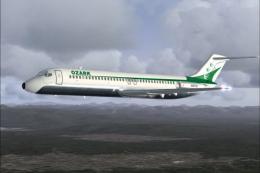
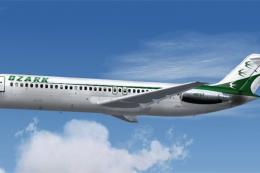
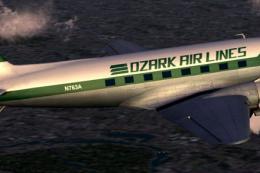
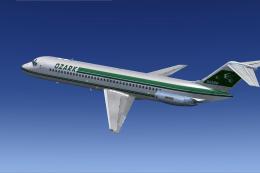
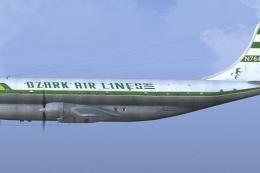
FS2004 Ozark Douglas DC-10-10
Ozark-branded Douglas DC-10-10 brings a polished fictional tri-jet to FS2004, featuring the FFX model and a crisp Mark Plumley repaint for convincing airline ops. It includes basic panel and sound defaults for quick setup, and it pairs well with third-party DC-10 avionics and audio for a richer virtual cockpit experience.
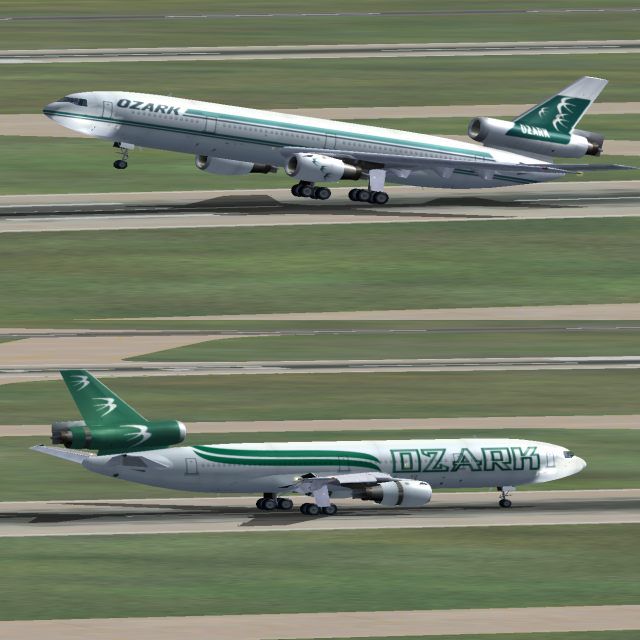
- Type:Complete with Base Model
- File: fx1010oz.zip
- Size:5.3 MB
- Scan:
Clean (7d)

- Access:Freeware
- Content:Everyone

 Description
 Comments
 Fictional. Model by FFX. Livery by Mark Plumley.
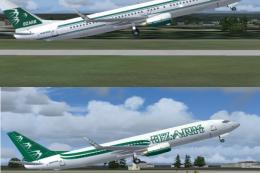
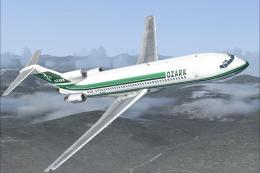
Screenshot of Ozark Douglas DC-10-10 taking off.
Place the aircraft in the aircraft folder...then the effects in the effect folder....that is it go fly. By default the 737 panel and sounds are used.
There are many good panels and sounds out there for this aircraft.
Images & Screenshots

The archive fx1010oz.zip has 55 files and directories contained within it.
File Contents
This list displays the first 500 files in the package. If the package has more, you will need to download it to view them.
| Filename/Directory | File Date | File Size |
|---|---|---|
| Aircraft.cfg | 04.08.04 | 12.79 kB |
| DC10Effects.zip | 04.08.04 | 3.60 kB |
| DC10_10_Dual.jpg | 04.08.04 | 56.00 kB |
| FFXDC1010.air | 07.17.03 | 8.58 kB |
| model.10 | 04.08.04 | 0 B |
| DC1010.mdl | 07.17.03 | 1.71 MB |
| Model.cfg | 07.17.03 | 69 B |
| panel | 04.08.04 | 0 B |
| panel.cfg | 05.17.03 | 30 B |
| READ ME.txt | 04.08.04 | 470 B |
| sound | 04.08.04 | 0 B |
| sound.cfg | 05.17.03 | 30 B |
| texture.new | 04.08.04 | 0 B |
| DC10INTERIOR_L.bmp | 07.15.03 | 1.00 MB |
| DC10INTERIOR_T.bmp | 07.15.03 | 4.00 MB |
| Dc10_a_L.bmp | 07.26.03 | 1.00 MB |
| Dc10_a_t.bmp | 03.25.04 | 4.00 MB |
| Dc10_b_L.bmp | 07.26.03 | 1.00 MB |
| Dc10_b_t.bmp | 10.15.03 | 4.00 MB |
| Fans.bmp | 07.11.03 | 257.05 kB |
| Fans_L.bmp | 07.06.03 | 256.07 kB |
| intake_l.bmp | 07.10.03 | 256.07 kB |
| intake_t.bmp | 07.11.03 | 128.07 kB |
| Thumbs.db | 03.25.04 | 36.50 kB |
| WHEELS_L.bmp | 07.06.03 | 256.07 kB |
| WHEELS_T.BMP | 07.06.03 | 1.00 MB |
| WINDOWS_L.BMP | 07.10.03 | 256.07 kB |
| WINDOWS_T.bmp | 07.10.03 | 64.07 kB |
| Wing_left_l.bmp | 07.11.03 | 1.00 MB |
| Wing_left_t.bmp | 07.17.03 | 1.00 MB |
| Wing_right_l.bmp | 07.11.03 | 1.00 MB |
| Wing_right_t.bmp | 07.17.03 | 1.00 MB |
| texture.old | 04.08.04 | 0 B |
| DC10INTERIOR_L.bmp | 07.15.03 | 1.00 MB |
| DC10INTERIOR_T.bmp | 07.15.03 | 4.00 MB |
| Dc10_a_L.bmp | 07.26.03 | 1.00 MB |
| Dc10_a_t.bmp | 10.15.03 | 4.00 MB |
| Dc10_b_L.bmp | 07.26.03 | 1.00 MB |
| Dc10_b_t.bmp | 03.25.04 | 4.00 MB |
| Fans.bmp | 07.11.03 | 257.05 kB |
| Fans_L.bmp | 07.06.03 | 256.07 kB |
| intake_l.bmp | 07.10.03 | 256.07 kB |
| intake_t.bmp | 07.11.03 | 128.07 kB |
| Thumbs.db | 03.25.04 | 34.50 kB |
| WHEELS_L.bmp | 07.06.03 | 256.07 kB |
| WHEELS_T.BMP | 07.06.03 | 1.00 MB |
| WINDOWS_L.BMP | 07.10.03 | 256.07 kB |
| WINDOWS_T.bmp | 07.10.03 | 64.07 kB |
| Wing_left_l.bmp | 07.11.03 | 1.00 MB |
| Wing_left_t.bmp | 07.17.03 | 1.00 MB |
| Wing_right_l.bmp | 07.11.03 | 1.00 MB |
| Wing_right_t.bmp | 07.17.03 | 1.00 MB |
| FFXSGADC10_Series_10_Ozark | 04.08.04 | 0 B |
| flyawaysimulation.txt | 10.29.13 | 959 B |
| Go to Fly Away Simulation.url | 01.22.16 | 52 B |

Installation Instructions
Most of the freeware add-on aircraft and scenery packages in our file library come with easy installation instructions which you can read above in the file description. For further installation help, please see our Flight School for our full range of tutorials or view the README file contained within the download. If in doubt, you may also ask a question or view existing answers in our dedicated Q&A forum.

0 comments
Leave a Response