

 FS2004 Civil Jet Aircraft
Ozark Douglas DC-10-10
Fictional. Model by FFX. Livery by Mark Plumley. Screenshot of Ozark Douglas …
Ozark Airlines Douglas DC-9-31 textures recreate the carrier’s classic tail emblem, titles, and stripe layout for authentic midwestern jet operations, with period-correct details visible in the virtual cockpit and external views. Designed for Microsoft Flight Simulator 2004, it requires the freeware SGA DC-9 base model SGA930.ZIP.
 Rate
Rate
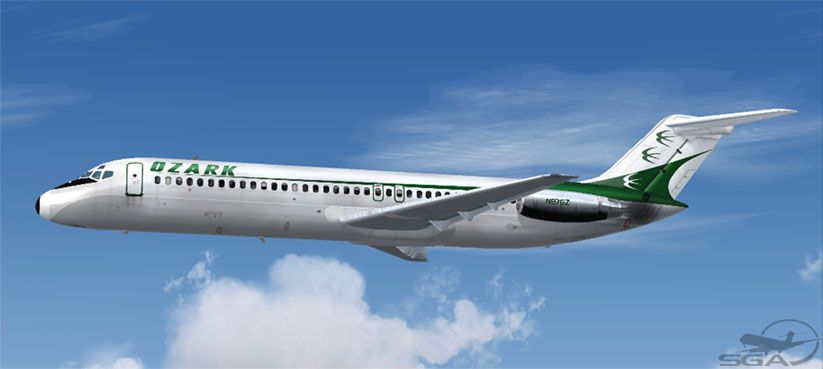
This remake of Ozark Airlines’ Douglas DC-9-31 provides flight simulation enthusiasts with an authentic livery adaptation meticulously recreated for use with the freeware SGA DC-9 series in Microsoft Flight Simulator 2004. It requires the SGA930.ZIP base model, created by SGA, which is available in the Fly Away Simulation library. Repaint work is credited to the talented designer, Frank Idone.
Ozark Airlines served numerous regional hubs across the United States, often operating routes into airports featuring relatively short runways. Their McDonnell Douglas DC-9 fleet was especially suited to these constraints, thanks to the aircraft’s optimized wing design and powerful twin JT8D engines. This combination enabled the carrier to maintain frequent schedules without compromising performance or payload capabilities. The airline’s distinctive tail emblem and minimalistic fuselage stripes have been accurately replicated in these textures, ensuring a faithful visual rendition for those seeking an immersive and historically grounded simulation experience within familiar Midwestern airfields.
Developed initially for short- to medium-range sectors, the DC-9 was engineered with leading-edge slats and a compact fuselage to maximize economy and reliability. The Series 30 variant, which is modeled here, features an extended fuselage length of nearly 119 feet to seat up to 115 passengers, all while preserving its excellent short-field performance. Various JT8D engine options, including the JT8D-7 through -15, empower the DC-9 to operate efficiently even from smaller airports. This extensive adaptability is what made the Series 30 version the most widely utilized in the entire DC-9 family.
The textures, crafted by Frank Idone, capture the iconic Ozark livery with nuances such as the correct lettering, tail art, and window configurations. Every detail ties back to genuine references, allowing an immersive environment when viewed from the cockpit or during external inspections. The fine embellishments around the nose, wing roots, and engine nacelles reflect the real-life counterpart seen in the mid-1960s through the late 1980s, underlining the airline’s unique branding.
Above: An in-flight view showcasing the Ozark Airlines DC-9-31 textures.
These textures are intended solely for the freeware SGA DC-9 Series base model (SGA930.ZIP). Before proceeding, confirm that the base package is installed in your Microsoft Flight Simulator 2004 directory. Follow these steps:
aircraft.cfg), then append the entry below under the correct [fltsim] section.[fltsim.XX] title=SGA DC-9-30 Ozark sim=SGA DC9_30 model= panel= sound= texture=oz checklists= atc_id=N976Z atc_id_color= atc_airline=Ozark Airlines atc_flight_number=852 ui_manufacturer=McDonnell Douglas ui_type=DC-9-31 ui_variation=Ozark Airlines description=DC-9 no.257 flown by Ozark Airlines. Livery by Frank Idone. The DC-9 was engineered for short runways and short-/medium-haul routes, ensuring reliable jet service to many communities once limited to propeller-driven aircraft. visual_damage=0 atc_heavy=0 atc_id_font=Verdana,-11,1,600,0 atc_parking_codes= atc_parking_types=GATE,RAMP
Ensure that “[fltsim.XX]” is changed to the next available numerical sequence in your configuration file. Save the changes, and on starting the simulator, you should find the Ozark Airlines repaint available for selection under the DC-9 variant list.
This repaint merges historical authenticity with modern simulation standards to honor Ozark Airlines’ operational legacy. The sturdy Series 30 airframe shines in short-field operations thanks to its leading-edge slats and advanced aerodynamics. Combining these visuals with the SGA base model results in a seamless simulation experience, reflecting the spirit of mid-century regional jet travel.
Free for all simmers · 2.73 MB · Scanned clean Oct 2026
Download speed: Free tier is capped at 0.5 Mbps. PRO members download at full line speed.
This file is a repaint — the package below is the base model it paints onto. Install it first, or the textures will have nothing to load onto.
FS9\Aircraft\, FS9\Addon Scenery\, FS9\Gauges\, or FS9\Effects\.readme.txt or README file. It tells you exactly where files go, what dependencies are needed, and any quirks specific to this add-on.The archive dc931oz1.zip has 23 files and directories contained within it.
This list displays the first 500 files in the package. If the package has more, you will need to download it to view them.
| Filename/Directory | File Date | File Size |
|---|---|---|
| TEXTURE.oz | 11.07.04 | 0 B |
| 30FUSE_L.BMP | 11.07.04 | 1.00 MB |
| 30FUSE_T.BMP | 11.07.04 | 4.00 MB |
| CONE_L.BMP | 08.07.03 | 5.43 kB |
| CONE_T.BMP | 08.07.03 | 5.43 kB |
| DC9xINTERIOR_L.BMP | 05.19.04 | 256.07 kB |
| DC9xINTERIOR_T.BMP | 01.28.04 | 1.00 MB |
| DC9_B_L.BMP | 05.19.04 | 256.07 kB |
| DC9_B_T.BMP | 11.07.04 | 4.00 MB |
| ENGINES_L.BMP | 05.19.04 | 256.07 kB |
| ENGINES_T.BMP | 11.07.04 | 1.00 MB |
| INTAKE_L.bmp | 08.07.03 | 5.43 kB |
| INTAKE_t.BMP | 08.10.03 | 42.78 kB |
| WING_LEFT_L.BMP | 05.19.04 | 256.07 kB |
| WING_LEFT_T.BMP | 10.30.04 | 1.00 MB |
| WING_RIGHT_L.BMP | 05.19.04 | 256.07 kB |
| WING_RIGHT_T.BMP | 10.30.04 | 1.00 MB |
| Install.txt | 11.07.04 | 2.32 kB |
| file_id.diz | 11.07.04 | 137 B |
| oz931.jpg | 11.07.04 | 46.23 kB |
| SGA DC-9 Readme.pdf | 11.01.04 | 152.05 kB |
| flyawaysimulation.txt | 10.29.13 | 959 B |
| Go to Fly Away Simulation.url | 01.22.16 | 52 B |
Only PRO members can place votes.
More FS2004 add-ons hand-picked based on this download.
FS2004 Civil Jet Aircraft
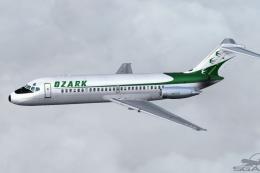
Fictional. Model by FFX. Livery by Mark Plumley. Screenshot of Ozark Douglas …
 FS2004 Civil Jet Aircraft
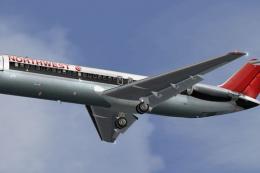
This freeware repaint by Frank Idone features authentic Ozark Airlines textur…
 FS2004 Civil Jet Aircraft
This freeware repaint for Microsoft Flight Simulator 2004 faithfully depicts …
 FS2004 Civil Jet Aircraft
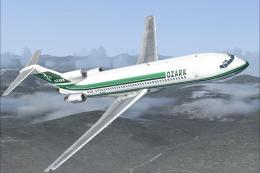
A repaint of Vistaliners B727-200 in the colors of Ozark. Model by Erick Cant…
 FS2004 Civil Jet Aircraft
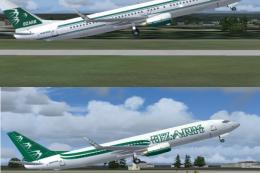
Fictional. Model by FFX. Livery by Mark Plumley. Screenshot of Ozark Boeing 7…
 FS2004 Civil Jet Aircraft
Features proper day shining textures, repaint of the wings showing real life …
 FS2004 Civil Jet Aircraft
This complete freeware package brings the iconic tri-jet design of the Dougla…
 FS2004 Civil Jet Aircraft
Continental Airlines Douglas DC-10-10, circa 1982, registration N68046 in "Me…
Be the first to leave a comment on this download.
Be the first to share your thoughts on this download.