


FS2004 Varig McDonnell Douglas MD-11 PP-VTH
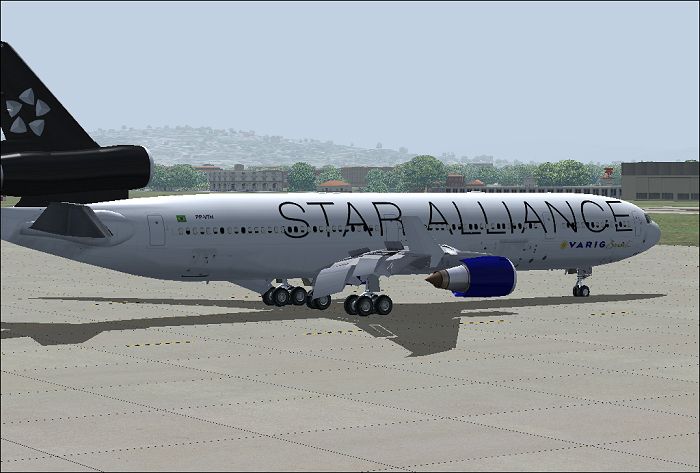
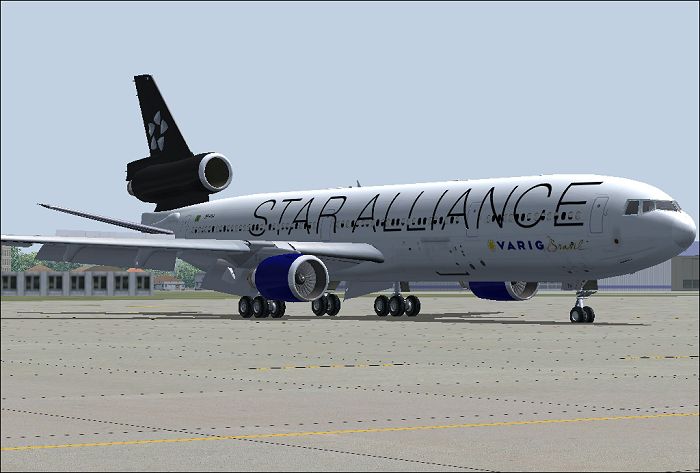
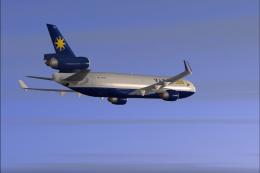
Varig McDonnell Douglas MD-11 PP-VTH brings the classic Brazilian tri-jet to FS2004 with the iFDG base model, featuring smooth animations, detailed exterior textures, and convincing flight dynamics for long-haul passenger or freight-style operations. A full virtual cockpit and custom effects round out an authentic wide-cabin experience.

- Type:Complete with Base Model
- File: if11pvth.zip
- Size:6.96 MB
- Scan:
Clean (4d)

- Access:Freeware
- Content:Everyone

 Description
 Comments
 This freeware add-on brings a distinctive McDonnell-Douglas MD-11 in the classic Varig (a major Brazilian carrier) livery into FS2004, featuring a fully equipped base model by iFDG. It comes complete with advanced animations, elaborate textures, and an authentic flight experience designed by skilled developers. Below, you will find more technical insights into this wide-cabin tri-jet along with instructions on how to install it, as well as the credits for the dedicated team behind it.
Examining the Modern Tri-Jet Design
The MD-11, originally assembled in Long Beach, California, remains a singular large airliner with three engines—often called a wide-cabin trijet. Its design integrates several aerodynamic improvements, including prominent winglets, recontoured trailing edges, a more compact horizontal stabilizer (which contains integral fuel tanks), and an elongated tail cone. These elements reduce drag and increase operational range without compromising passenger comfort or cargo capacity.
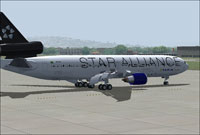
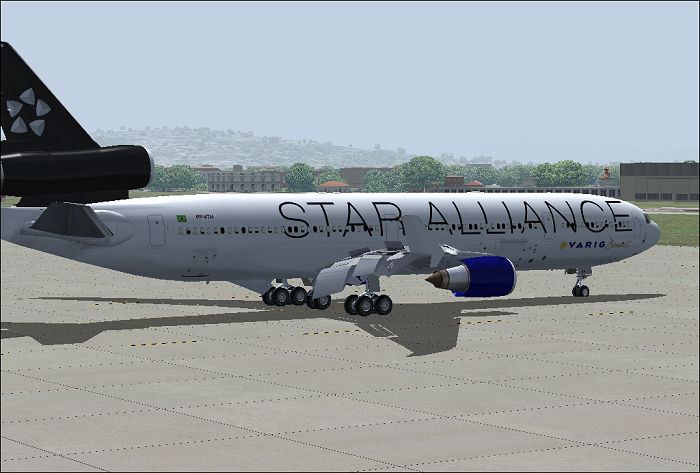
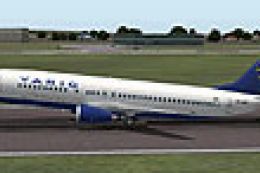
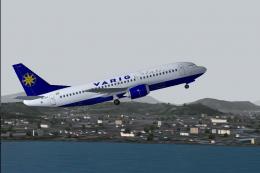
Screenshot of Varig McDonnell Douglas MD-11 on the ground.
Range, Configuration, and Engine Options
In its standard format, this aircraft seats around 285 travelers in three classes or up to 410 in an all-economy interior. Below the main deck, there is ample space for freight containers or pallets, which helps operators boost revenue by carrying additional cargo alongside passenger baggage. Four principal versions were initially offered—passenger, full cargo, convertible freighter, and a combi variant—each benefiting from optional extended-range features. The standard model can cover approximately 7,630 statute miles (12,270 km) at a maximum takeoff weight of 602,500 pounds (273,290 kg). A higher-capacity ER model, fitted with an extra fuel tank and capable of operating at up to 630,500 pounds (285,990 kg), stretches its range to around 8,225 statute miles (13,230 km).
Under the engine cowlings, three powerplant choices exist: the General Electric CF6-80C2, Pratt & Whitney 4460, or Pratt & Whitney 4462. This flexibility delivers the performance needed to handle both passenger and cargo variants effectively while preserving balanced fuel efficiency.
Notable Flight Deck Innovations
This long-body aircraft (approximately 200 feet 10 inches or 61.2 meters in length) incorporates advanced flight deck technology. Pilots work with six cathode ray tube displays, digital readouts, and wind-shear warning and guidance. The dual flight management setup and dual digital auto-flight system (featuring fail-operational capability) reduce cockpit workload considerably. Crew communication is further enhanced by interlinked controls. Thanks to these automation advances, the MD-11 transitioned from accommodating three crew members to just two.
Complete Model and Contributors
iFDG (international Flightsim Design Group) developed this tangible package specifically for flight simulation enthusiasts. The model and FDE are thanks to Albaro Villegas, while master texture work was accomplished by Ben Jones. The MD-11 Beta Team carried out significant testing to ensure stable performance, and the Varig livery came to life courtesy of Nicholas Wilkinson. Documentation is attributed to both Albaro Villegas and Basten Heidema. All elements are included as freeware, ensuring easy access for anyone seeking a realistic tri-engine flying experience.
Installation Steps
1. Extract all contents into your simulator’s primary Aircraft folder.
2. Move the contents from the included Effects folder into your existing FS2004 EFFECTS directory, if necessary.
3. Launch the simulator. Special visual effects can be activated by pressing the “I” key.
Images & Screenshots

The archive if11pvth.zip has 53 files and directories contained within it.
File Contents
This list displays the first 500 files in the package. If the package has more, you will need to download it to view them.
| Filename/Directory | File Date | File Size |
|---|---|---|
| Aircraft.cfg | 07.21.04 | 10.88 kB |
| MD-11.air | 09.16.03 | 8.14 kB |
| Model.GE_PAX_B | 07.21.04 | 0 B |
| MD11PGES.mdl | 10.04.03 | 3.91 MB |
| Model.cfg | 10.08.03 | 27 B |
| panel | 07.21.04 | 0 B |
| panel.cfg | 07.29.03 | 32 B |
| pp-vth1.jpg | 07.21.04 | 194.50 kB |
| pp-vth2.jpg | 07.21.04 | 194.23 kB |
| pp-vth3.jpg | 07.21.04 | 166.09 kB |
| pp-vth4.jpg | 07.21.04 | 169.79 kB |
| Readme.txt | 07.21.04 | 6.14 kB |
| Sound | 07.21.04 | 0 B |
| sound.cfg | 07.21.04 | 30 B |
| texture.vth | 07.21.04 | 0 B |
| Alpha | 07.21.04 | 0 B |
| Antenna.bmp | 07.21.04 | 192.05 kB |
| Antenna_l.bmp | 09.15.03 | 64.07 kB |
| engine.bmp | 07.21.04 | 5.33 MB |
| enginefan.bmp | 09.15.03 | 65.07 kB |
| enginefan_fast.bmp | 09.15.03 | 65.07 kB |
| enginefan_fast_l.bmp | 09.15.03 | 64.07 kB |
| enginefan_l.bmp | 09.15.03 | 64.07 kB |
| Engine_l.bmp | 09.15.03 | 64.07 kB |
| Flaps.bmp | 10.05.03 | 4.00 MB |
| Flaps_l.bmp | 09.15.03 | 64.07 kB |
| Gear.bmp | 07.21.04 | 1.33 MB |
| Gear_l.bmp | 09.15.03 | 64.07 kB |
| MainGear.bmp | 07.21.04 | 1.33 MB |
| MainGear_l.bmp | 09.15.03 | 64.07 kB |
| MD11_Fuse_front.bmp | 07.21.04 | 5.33 MB |
| MD11_Fuse_front_l.bmp | 09.16.03 | 1.00 MB |
| MD11_Fuse_middle.bmp | 07.21.04 | 5.33 MB |
| MD11_Fuse_middle_l.bmp | 09.15.03 | 1.00 MB |
| MD11_Fuse_rear.bmp | 07.21.04 | 5.33 MB |
| MD11_Fuse_rear_l.bmp | 09.15.03 | 1.00 MB |
| MD11_Interior.bmp | 10.07.03 | 1.00 MB |
| MD11_Interior_l.bmp | 10.07.03 | 1.00 MB |
| MD11_PWing_bottom.bmp | 07.21.04 | 5.33 MB |
| MD11_PWing_bottom_l.bmp | 09.15.03 | 64.07 kB |
| MD11_PWing_top.bmp | 07.21.04 | 5.33 MB |
| MD11_PWing_top_l.bmp | 09.15.03 | 64.07 kB |
| MD11_Stabilizer.bmp | 09.16.03 | 1.00 MB |
| MD11_Stabilizer_l.bmp | 09.15.03 | 1.00 MB |
| MD11_SWing_bottom.bmp | 07.21.04 | 5.33 MB |
| MD11_SWing_bottom_l.bmp | 09.15.03 | 64.07 kB |
| MD11_SWing_top.bmp | 07.21.04 | 5.33 MB |
| MD11_SWing_top_l.bmp | 09.15.03 | 64.07 kB |
| Tail.bmp | 07.21.04 | 5.33 MB |
| tail_l.bmp | 09.16.03 | 1.00 MB |
| iFDG_MD11_Varig_PP-VTH | 07.21.04 | 0 B |
| flyawaysimulation.txt | 10.29.13 | 959 B |
| Go to Fly Away Simulation.url | 01.22.16 | 52 B |

Installation Instructions
Most of the freeware add-on aircraft and scenery packages in our file library come with easy installation instructions which you can read above in the file description. For further installation help, please see our Flight School for our full range of tutorials or view the README file contained within the download. If in doubt, you may also ask a question or view existing answers in our dedicated Q&A forum.
0 comments
Leave a Response