


FS2004 Austrian Arrows CRJ-200
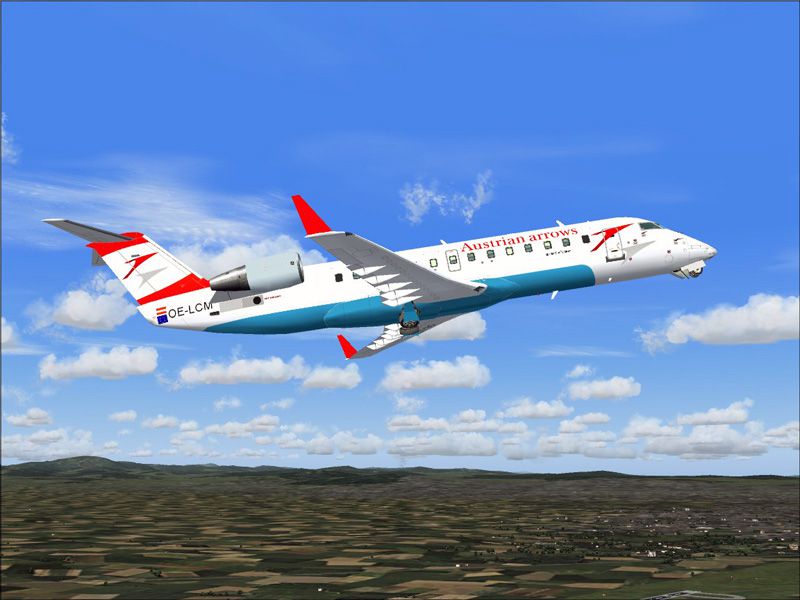
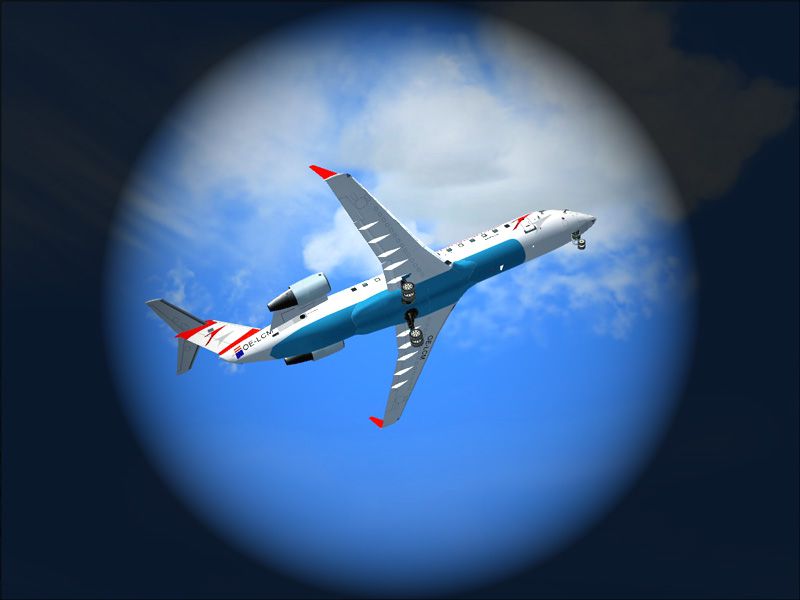
Austrian Arrows CRJ-200 livery brings crisp, hand-drawn 32-bit textures with meticulous detail and a clean, real-world finish, paired with the Project Open Sky model included for easy integration. Built for FS2004, it delivers an authentic regional jet look inside the virtual cockpit and across exterior views.
- Type:Complete with Base Model
- File: auarrcrj.zip
- Size:3.66 MB
- Scan:
Clean (4d)

- Access:Freeware
- Content:Everyone

 Description
 Comments
 Features accurate, hand drawn 32 bit textures. Model by Project Open Sky.
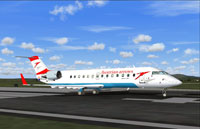
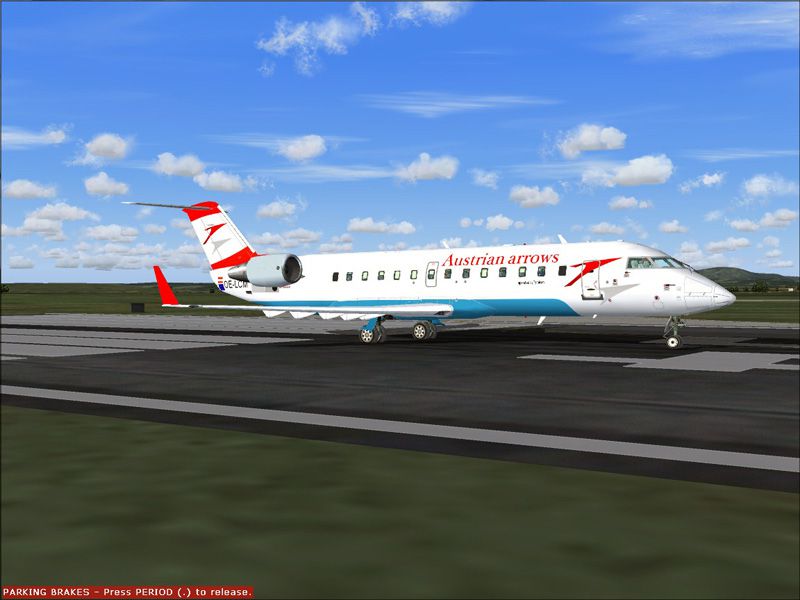
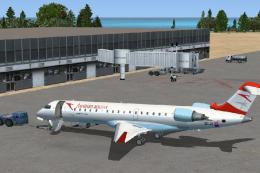
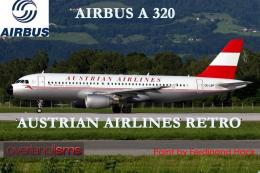
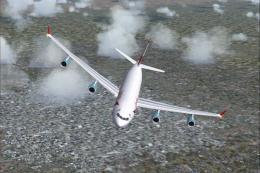
Screenshot of Austrian Arrows CRJ-200 on runway.
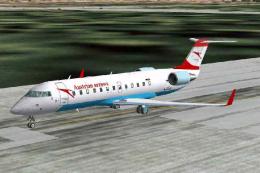
This repaint features hand drawn, extremely accurate 32-bit textures and is done accurately right up to the very smallest detail.
I did not put dirt on the plane, because none of the Austrian arrows CRJ's have any dirt on them.
Thanks again for downloading and using my repaint.
Installation:
Extract the .zip file into your "Flight Simulator 9/Aircraft" folder. The model is included in this paint, so you will not have to download anything extra.
Images & Screenshots

The archive auarrcrj.zip has 62 files and directories contained within it.
File Contents
This list displays the first 500 files in the package. If the package has more, you will need to download it to view them.
| Filename/Directory | File Date | File Size |
|---|---|---|
| aircraft.cfg | 08.18.04 | 11.14 kB |
| AUArrowscomplete1.jpg | 08.18.04 | 135.47 kB |
| AUArrowscomplete4.jpg | 08.18.04 | 87.02 kB |
| AUArrowscomplete5.jpg | 08.18.04 | 152.58 kB |
| CRJ-200_check.txt | 06.21.01 | 4.95 kB |
| CRJ-200_notes.txt | 05.21.02 | 128 B |
| CRJ-200LR.air | 08.14.02 | 9.10 kB |
| model | 08.18.04 | 0 B |
| crj_200_europe.mdl | 09.01.02 | 1.37 MB |
| model.cfg | 08.08.02 | 35 B |
| panel | 08.18.04 | 0 B |
| annunciator_640.bmp | 04.18.01 | 7.18 kB |
| forward_1024.bmp | 07.24.01 | 534.05 kB |
| forward_640.bmp | 07.24.01 | 209.18 kB |
| Lear_compass.BMP | 04.18.01 | 96.42 kB |
| left.bmp | 04.18.01 | 10.05 kB |
| panel.cfg | 09.06.02 | 3.62 kB |
| Thumbs.db | 08.18.04 | 10.50 kB |
| Readme.txt | 08.18.04 | 633 B |
| sound | 08.18.04 | 0 B |
| Sound.cfg | 09.11.02 | 30 B |
| texture.aua | 08.18.04 | 0 B |
| panel1_l.bmp | 08.09.02 | 5.40 kB |
| panel2_l.bmp | 08.09.02 | 5.40 kB |
| panel3_l.bmp | 08.09.02 | 5.40 kB |
| panel4_l.bmp | 08.09.02 | 5.40 kB |
| posky_crj2_cabin.bmp | 09.08.02 | 257.05 kB |
| posky_crj2_cabin_l.bmp | 09.08.02 | 64.07 kB |
| posky_crj2_cabin2_l.bmp | 08.16.02 | 256.07 kB |
| posky_crj2_cabin2_t.bmp | 07.21.02 | 1.00 MB |
| posky_crj2_ckpt_l.bmp | 08.16.02 | 256.07 kB |
| posky_crj2_ckpt_t.bmp | 08.25.02 | 1.00 MB |
| posky_crj2_fan_t.bmp | 05.13.02 | 65.05 kB |
| posky_crj2_fanspin_t.bmp | 05.18.02 | 65.05 kB |
| posky_crj2_fr1_l.bmp | 07.21.02 | 1.00 MB |
| posky_crj2_fr1_t.bmp | 08.18.04 | 1.33 MB |
| posky_crj2_fr2_l.bmp | 07.21.02 | 1.00 MB |
| posky_crj2_fr2_t.bmp | 08.18.04 | 1.33 MB |
| posky_crj2_nlt_l.bmp | 08.31.02 | 410 B |
| posky_crj2_nlt_t.bmp | 08.31.02 | 410 B |
| posky_crj2_stab_l.bmp | 09.11.02 | 1.00 MB |
| posky_crj2_stab_t.bmp | 08.18.04 | 1.33 MB |
| posky_crj2_visor.bmp | 07.19.02 | 256.07 kB |
| posky_crj200_panel_l.bmp | 08.25.02 | 4.00 MB |
| posky_crj200_panel_t.bmp | 08.25.02 | 4.00 MB |
| posky_crj2bdy_l.bmp | 07.21.02 | 4.00 MB |
| posky_crj2bdy_t.bmp | 08.18.04 | 5.33 MB |
| posky_crj2eng_l.bmp | 07.21.02 | 1.00 MB |
| posky_crj2eng_t.bmp | 08.18.04 | 1.33 MB |
| posky_crj2wingL_l.bmp | 07.21.02 | 1.00 MB |
| posky_crj2wingL_t.bmp | 08.18.04 | 1.33 MB |
| posky_crj2wingR_l.bmp | 07.21.02 | 1.00 MB |
| posky_crj2wingR_t.bmp | 07.21.02 | 1.00 MB |
| posky747_P_uniform_l.bmp | 07.11.02 | 64.07 kB |
| posky747_P_uniform_t.bmp | 05.13.02 | 17.05 kB |
| Thumbs.db | 08.18.04 | 102.50 kB |
| your_face1_l.bmp | 07.21.02 | 64.07 kB |
| your_face1_t.bmp | 07.21.02 | 64.07 kB |
| your_face2_l.bmp | 07.21.02 | 64.07 kB |
| your_face2_t.bmp | 07.21.02 | 64.07 kB |
| flyawaysimulation.txt | 10.29.13 | 959 B |
| Go to Fly Away Simulation.url | 01.22.16 | 52 B |

Installation Instructions
Most of the freeware add-on aircraft and scenery packages in our file library come with easy installation instructions which you can read above in the file description. For further installation help, please see our Flight School for our full range of tutorials or view the README file contained within the download. If in doubt, you may also ask a question or view existing answers in our dedicated Q&A forum.
0 comments
Leave a Response