

 FS2004 Civil Jet Aircraft
SATENA Embraer ERJ 145
Satena actually uses two ERJ 145, covering some Colombian regional destinatio…
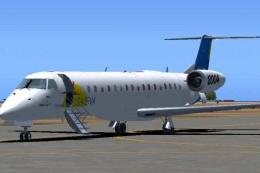
Air Caraibes Embraer ERJ-145 F-OIJE textures bring a clean, airline-accurate finish to DreamWings’ regional jet, enhancing exterior details for authentic Caribbean operations in FS2004. The repaint uses the DreamWings paint kit and requires the Dreamwings ERJ-145 base package to fly with matching flight deck and model variants.
 Rate
Rate

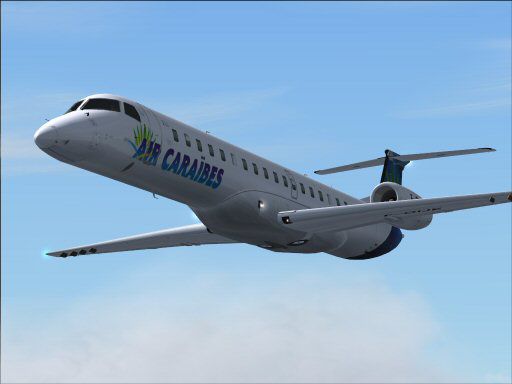

Textures only, requires Dreamwings ERJ-145 base package. Repaint by Olivier Gerardin.
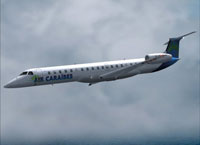
Screenshot of Air Caraibes Embraer ERJ-145 in flight.
Installation notes
[fltsim.X]245
title=ERJ 145 Air Caraibes
sim=erj145
model=airstair
panel=
sound=
texture=AC
kb_checklists=
description=Embraer 145 \n\nEngine Type: AE 3007A1/3 Rolls-Royce turbofan\n\nModel Designer\n Carl Selin\n\nFDE-John Cillis\n\nTexture Designer\n Olivier Gerardin\n\nSound\n Albert Ramic\n\nTest flown by Dream Wings members\n
ui_manufacturer=Embraer
ui_type=ERJ 145 W/Airstair
ui_variation=Air Caraibes
atc_heavy=0
atc_id=
atc_airline=FRENCH WEST
atc_flight_number=1
Credits:
Free for all simmers · 690.12 KB · Scanned clean Oct 2026
Download speed: Free tier is capped at 0.5 Mbps. PRO members download at full line speed.
FS9\Aircraft\, FS9\Addon Scenery\, FS9\Gauges\, or FS9\Effects\.readme.txt or README file. It tells you exactly where files go, what dependencies are needed, and any quirks specific to this add-on.The archive dw145aca.zip has 20 files and directories contained within it.
This list displays the first 500 files in the package. If the package has more, you will need to download it to view them.
| Filename/Directory | File Date | File Size |
|---|---|---|
| FILE_ID.DIZ | 10.24.04 | 152 B |
| README.txt | 10.24.04 | 1.61 kB |
| dw145aca-1.jpg | 10.24.04 | 31.44 kB |
| dw145aca-2.jpg | 10.24.04 | 18.66 kB |
| dw145aca-3.jpg | 10.24.04 | 20.42 kB |
| dw145aca.gif | 10.24.04 | 8.55 kB |
| Civil Pilot.bmp | 01.31.03 | 65.05 kB |
| engines.bmp | 10.24.04 | 1.00 MB |
| engines_l.bmp | 06.15.04 | 1.00 MB |
| flaps.bmp | 08.11.04 | 341.43 kB |
| flaps_l.bmp | 06.15.04 | 256.07 kB |
| fuselage_145.bmp | 10.24.04 | 1.00 MB |
| misc.bmp | 08.16.04 | 1.00 MB |
| Misc_l.bmp | 07.25.04 | 1.00 MB |
| tailsection.bmp | 10.24.04 | 256.07 kB |
| tailsection_l.bmp | 06.15.04 | 256.07 kB |
| wings.bmp | 10.24.04 | 1.00 MB |
| wings_l.bmp | 06.15.04 | 1.00 MB |
| flyawaysimulation.txt | 10.29.13 | 959 B |
| Go to Fly Away Simulation.url | 01.22.16 | 52 B |
Only PRO members can place votes.
More FS2004 add-ons hand-picked based on this download.
FS2004 Civil Jet Aircraft
Satena actually uses two ERJ 145, covering some Colombian regional destinatio…
 FS2004 Civil Jet Aircraft
This repaint and flight model package features the Swiss-registered Embraer E…
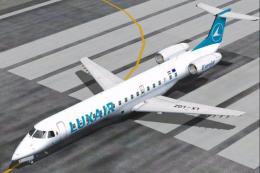 FS2004 Civil Jet Aircraft
Textures only, requires Dreamwings ERJ-145 base package. This is the first ai…
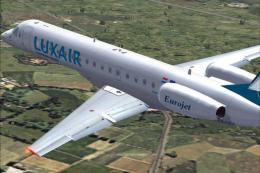 FS2004 Civil Jet Aircraft
Textures only, requires Feelthere ERJ145 base package. First aircraft to spor…
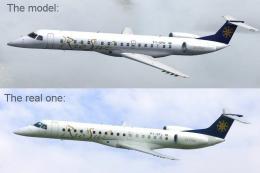 FS2004 Civil Jet Aircraft
Textures only, requires Dreamwings ERJ-145 base package. Repaint by Olivier G…
 FS2004 Civil Jet Aircraft
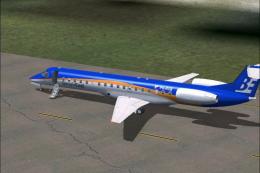
A repaint of the Dreamwings model, in the Livery of Bonair, a airline of Bona…
 FS2004 Civil Jet Aircraft
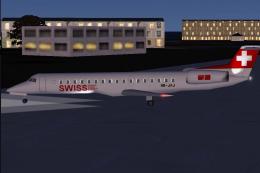
This Swiss-themed Embraer ERJ-145 LU freeware package, labeled “Albishorn,” m…
 FS2004 Civil Jet Aircraft
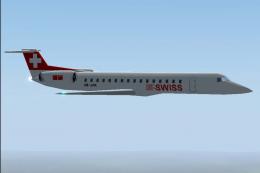
This freeware package introduces a Swiss Embraer ERJ-145 LU HB-JAK for Just F…
Be the first to leave a comment on this download.
Be the first to share your thoughts on this download.