

 FSX Military Aircraft
Fairchild-Republic A-10 Warthog
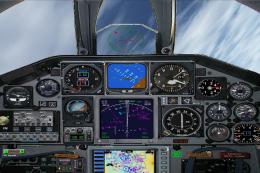
This is Kazunori Ito's A-10 Thunderbolt II, modified for Flight Simulator X. …
Fairchild C-119 Flying Boxcar brings a classic USAF twin-boom transport to FSX and FS2004, built for hauling troops, cargo, and parachute drops with an authentic 1947-era profile. Expect a roomy virtual cockpit, military-focused handling, and the rugged flying character that made the C-119 a Korean War workhorse.
 Rate
Rate
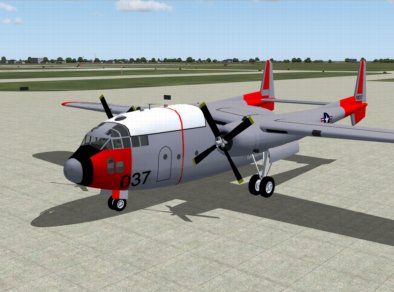
This add-on is compatible with Microsoft Flight Simulator X (FSX) and includes the Fairchild C-119 Flying Boxcar aircraft.
The Fairchild C-119 Flying Boxcar had its first flight on November 17th 1947. It was used by the American military as a transport aircraft and was created from the ideas of the Fairchild C-82 Packet.
The aircraft was designed to carry personnel, cargo, and other equipment, and had the ability to drop cargo and personnel by parachute. The aircraft was produced between the years of 1949 and 1955. During that time it was primarily used by the United States Navy, Air Force, and Marine Corps. By 1955 a total of 1,183 planes were constructed.
A small crew of 5 was able to operate the C-119 Boxcar with a capacity of 62 troops or 35 stretchers with a payload of 10,000 pounds. The wingspan was over 100 feet at 109 feet and 3 inches. The aircraft was used extensively in the Korean War to transport troops and cargo due to the large flying range of 2,280 miles.
A well known event was one that happened during the Korean War in December 1950. Chinese troops had blown up a bridge that was a key evacuation route between Hungnam and Koto-ri. Eight C-119 Flying Boxcars were flown in by the 314th Troop Carrier Groop each carrying a large section of portable bridge that was dropped by using parachutes. The bridge pieces were successfully dropped and assembled so that U.N. forces were able to make it to Hungnam.
Free for all simmers · 970.84 KB · Scanned clean Oct 2026
Download speed: Free tier is capped at 0.5 Mbps. PRO members download at full line speed.
SimObjects\Airplanes\, Addon Scenery\, Effects\, or Gauges\.readme.txt or README file. It tells you exactly where files go, what dependencies are needed, and any quirks specific to this add-on.The archive sfc119bx.zip has 4 files and directories contained within it.
This list displays the first 500 files in the package. If the package has more, you will need to download it to view them.
| Filename/Directory | File Date | File Size |
|---|---|---|
| Fairchild_C119_Boxcar.exe | 01.12.07 | 1.07 MB |
| Fairchild_C119_Boxcar.jpg | 01.12.07 | 22.22 kB |
| flyawaysimulation.txt | 10.29.13 | 959 B |
| Go to Fly Away Simulation.url | 01.22.16 | 52 B |
Only PRO members can place votes.
More FSX & P3D add-ons hand-picked based on this download.
FSX Military Aircraft
This is Kazunori Ito's A-10 Thunderbolt II, modified for Flight Simulator X. …
 FSX Military Aircraft
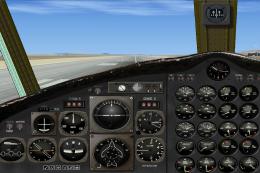
An update of Daisuke Yamamoto's Fairchild C-82A Packet originally Project Pho…
 FSX Military Aircraft
The C82 Packet was a twin-engined, twin-boom cargo aircraft designed and buil…
 FSX Military Aircraft
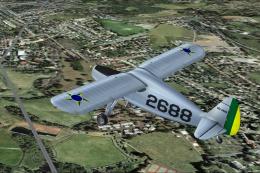
A Brazilian Air Force repaint for the payware Lionheart Creations Fairchild 2…
 FSX Military Aircraft
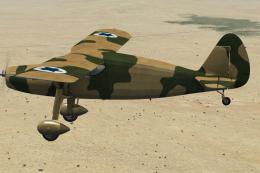
This is a repaint of the LHC Fairchild Ranger that was used by the Israeli Ai…
 FSX Military Aircraft
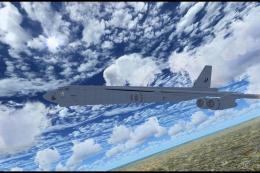
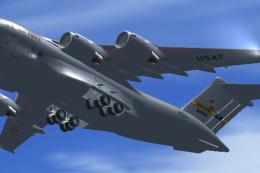
FSX USAF Boeing B-52. US Air Force B-52H models 60-042 and 60-047 (two aircra…
 FSX Military Aircraft
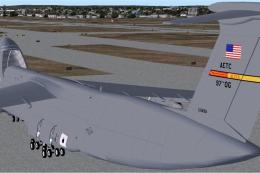
FSX USAF Boeing C-17 Globemaster III, 88-0266 Charleston. A complete overhaul…
 FSX Military Aircraft
FSX USAF Lockheed C-5B Galaxy, operating out of the 97th AETC/OG Altus, AFB. …
Read what other simmers think, or add your own.

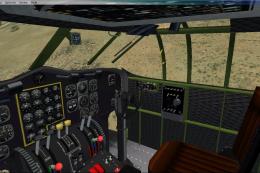
Mine is working in FSX, but i had to physically drag and paste the aircraft file into FSX/sim objects/aircraft be patient. AS far as using one for either, Virtavia has a whole fleet of Century Series aircraft that work in either. i have about ten of them counting the Martin Mars, TU-160 Blackjack etc. This C-119 works well and I hope to see some VC modifications soon.

I have downloaded it for FSX, but install file says "For FS2004 only". How can you put this file here and claim it is compatible for FSX. It can either be for one of the two because FSX and FS9 does not use the same SDK. Some of us do understand programming and know that at some stage it will harm your installation if it is not for the right version of FS

I like this plane its fun to fly & flys well but the only problem i had is that the landing gear is all balck.

Had trouble downloading to "X" but it went smoothly to 2004. Cockpit seems updated from the old C-119G I flew for 2500+ hours. Had a great time recreating some of my old missions in Europe and the middle east. Good job.

Nice work. The only thing that's missing is the tail boom breaking off after several hundred hours like the real ones used to... Just kidding.

Over all very nice. I didnt get throttle quad graphics or landing gear paint. Simple and cool well done.