

 FS2004 Civil Jet Aircraft
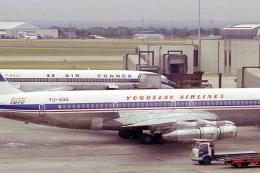
JAT Boeing 707 YU-AGG
Textures only for the Captain Sim B707. JAT operated multiple 707s in the 70s…
JAT Airways’ Boeing 737-300 YU-ANJ brings the 737 Classic era to life in Microsoft Flight Simulator 2004 with a detailed exterior model, a lively virtual cockpit feel, and full control-surface animations, plus deployable airstairs and retractable landing lights. A CFM56-3 sound set rounds out the period-authentic short-to-medium-haul experience.
 Rate
Rate
This freeware package, designed for Microsoft Flight Simulator 2004, brings JAT Airways’ Boeing 737-300 (registration YU-ANJ) into your virtual hangar. The creators, FFX, and the repaint artist, Aleksandar Petrovic, have collaborated to produce a detailed model that captures the essence of this classic twin-engine airliner. JAT Airways, once recognized as the national carrier of Serbia, relied on the 737-300 for versatile short-to-medium-haul services, and this add-on provides an immersive way to explore that operational history.
The development team originally started modeling the 737 series approximately two years ago using FS2000 and FSDS1. Their efforts soon shifted toward Gmax, allowing them to refine geometry, animations, and surface details. During this shift, the focus expanded to encompass the entire 737 Classic family—including the -300, -400, and -500 variants. This particular release showcases the -300, yet its design lineage connects to the equally capable -400 and -500 models.
Although these CFM56-3 recordings deliver highly authentic engine noise, anyone preferring a quieter experience can simply modify engine volume in the simulator’s audio settings. The development team advises adjusting internal FS volume controls rather than requesting a toned-down sound set.
Shift+E as with standard FS aircraft. This is the same command used universally in the simulator for primary exits.Introduced during the mid-1980s, the Boeing 737-300 is part of the broader 737 Classic series that served as a significant evolution from earlier 737 models. Renowned for its improved fuel capacity and updated cockpit features, the 737-300 quickly became a mainstay for numerous airlines worldwide. JAT Airways, during its operational years under that brand, found the aircraft well-suited for European routes, taking advantage of its reliable performance and modest operating costs.
This add-on is offered as freeware and contains all required base model elements. Simply install the provided files into your Flight Simulator 2004 directory. Once configured, you can load the JAT Airways 737-300 from the aircraft selection menu and immerse yourself in the distinctive cockpit sounds, animations, and flight characteristics unique to the 737 Classic.
Free for all simmers · 1.56 MB · Scanned clean Oct 2026
Download speed: Free tier is capped at 0.5 Mbps. PRO members download at full line speed.
FS9\Aircraft\, FS9\Addon Scenery\, FS9\Gauges\, or FS9\Effects\.readme.txt or README file. It tells you exactly where files go, what dependencies are needed, and any quirks specific to this add-on.The archive jat737.zip has 72 files and directories contained within it.
This list displays the first 500 files in the package. If the package has more, you will need to download it to view them.
| Filename/Directory | File Date | File Size |
|---|---|---|
| jat 737-300 | 12.10.04 | 0 B |
| 737README.txt | 03.10.04 | 8.65 kB |
| aircraft.cfg | 12.07.04 | 8.61 kB |
| Boeing737-300.air | 04.03.03 | 8.27 kB |
| boeing737-400_check.txt | 03.01.00 | 1.75 kB |
| boeing737-400_notes.txt | 02.21.03 | 82 B |
| boeing737-400_ref.txt | 03.01.00 | 618 B |
| file_id.diz | 03.10.04 | 186 B |
| MAIN README.txt | 12.10.04 | 1.10 kB |
| model | 12.06.04 | 0 B |
| b737_300.mdl | 05.25.03 | 1.21 MB |
| model.cfg | 04.01.03 | 25 B |
| panel | 12.06.04 | 0 B |
| panel.cfg | 06.03.03 | 32 B |
| sound | 12.06.04 | 0 B |
| sound.cfg | 06.03.03 | 31 B |
| Texture | 12.06.04 | 0 B |
| 733FUSE_L.BMP | 05.17.03 | 1.33 MB |
| 733FUSE_T.bmp | 12.06.04 | 1.33 MB |
| 737WING_L.BMP | 05.18.03 | 5.43 kB |
| 737WING_T.BMP | 06.02.03 | 1.33 MB |
| AILERON_L.bmp | 05.18.03 | 5.43 kB |
| AILERON_T.bmp | 05.04.03 | 341.43 kB |
| CFM56FAN1.bmp | 12.06.04 | 341.43 kB |
| CFM56FAN2.BMP | 12.06.04 | 341.43 kB |
| CFM56_CONE_L.bmp | 05.18.03 | 5.43 kB |
| CFM56_CONE_T.bmp | 05.04.03 | 42.78 kB |
| CFM56_TAILPIPE_L.bmp | 05.18.03 | 5.43 kB |
| CFM56_TAILPIPE_T.bmp | 05.04.03 | 42.78 kB |
| FLAPGUIDES_L.bmp | 05.18.03 | 5.43 kB |
| FLAPGUIDES_T.BMP | 05.04.03 | 85.46 kB |
| FRAMES_L.bmp | 05.18.03 | 5.43 kB |
| FRAMES_T.BMP | 05.04.03 | 85.43 kB |
| GEARLEGS_L.bmp | 05.18.03 | 5.43 kB |
| GEARLEGS_T.bmp | 05.04.03 | 42.78 kB |
| INNERFLAPS_L.bmp | 05.18.03 | 5.43 kB |
| INNERFLAPS_T.bmp | 05.04.03 | 341.43 kB |
| INSPOILER_L.bmp | 05.18.03 | 5.43 kB |
| INSPOILER_T.BMP | 05.26.03 | 85.43 kB |
| INTAKE_L.bmp | 05.18.03 | 5.43 kB |
| INTAKE_T.BMP | 05.04.03 | 42.78 kB |
| KRAP_L.BMP | 05.18.03 | 5.43 kB |
| KRAP_T.bmp | 05.04.03 | 85.43 kB |
| LENG_L.BMP | 05.18.03 | 341.43 kB |
| LENG_T.BMP | 12.06.04 | 341.43 kB |
| LMAINDOOR_L.bmp | 05.18.03 | 5.43 kB |
| LMAINDOOR_T.bmp | 05.04.03 | 85.43 kB |
| MESH_L.bmp | 05.18.03 | 5.43 kB |
| MESH_T.BMP | 05.04.03 | 42.78 kB |
| MISC_L.BMP | 05.18.03 | 5.43 kB |
| MISC_T.BMP | 12.07.04 | 341.43 kB |
| MOREKRAP_L.BMP | 05.18.03 | 5.43 kB |
| MOREKRAP_T.BMP | 05.04.03 | 5.43 kB |
| OLEO_L.bmp | 05.18.03 | 5.43 kB |
| OLEO_T.bmp | 05.04.03 | 170.78 kB |
| OUTERFLAPS_L.bmp | 05.18.03 | 5.43 kB |
| OUTERFLAPS_T.bmp | 05.04.03 | 341.43 kB |
| OUTSPOILER_L.bmp | 05.18.03 | 5.43 kB |
| OUTSPOILER_T.bmp | 05.04.03 | 341.43 kB |
| PYLONS_L.bmp | 05.18.03 | 5.43 kB |
| PYLONS_T.bmp | 05.04.03 | 85.46 kB |
| RENG_L.BMP | 05.18.03 | 341.43 kB |
| RENG_T.BMP | 12.06.04 | 341.43 kB |
| RMAINDOOR_L.bmp | 05.18.03 | 5.43 kB |
| RMAINDOOR_T.bmp | 05.04.03 | 85.43 kB |
| STAB_L.bmp | 05.18.03 | 5.43 kB |
| STAB_T.bmp | 05.04.03 | 341.43 kB |
| TAIL_L.BMP | 05.18.03 | 85.43 kB |
| TAIL_T.BMP | 12.06.04 | 341.43 kB |
| Thumbs.db | 12.06.04 | 31.50 kB |
| flyawaysimulation.txt | 10.29.13 | 959 B |
| Go to Fly Away Simulation.url | 01.22.16 | 52 B |
Only PRO members can place votes.
More FS2004 add-ons hand-picked based on this download.
FS2004 Civil Jet Aircraft
Textures only for the Captain Sim B707. JAT operated multiple 707s in the 70s…
 FS2004 Civil Jet Aircraft
Includes registration YU-ANW (white fuse/grey engines), registration YU-AOO (…
 FS2004 Civil Jet Aircraft
For the AI Aardvark model and AI traffic. This aircraft recently returned fro…
 FS2004 Civil Jet Aircraft
Repainted by Christian Muenier. ICAO Code: JAT Known As: JAT Yugoslav Airline…
FS2004 Civil Jet Aircraft
Model by Erick Cantu Repaint by Aleksandar Petrovic. Just unzip the file into…
FS2004 Civil Jet Aircraft
Textures only; requires SGA1030.ZIP. Original model by SGA. Livery by Thomas …
FS2004 Civil Jet Aircraft
JAT Douglas DC-9-32 AJK. The SGA DC9-32 in the colors of JAT (Yugoslav Airlin…
 FS2004 Civil Jet Aircraft
This freeware package offers a faithful US Airways Boeing 737-300 rendition f…
Be the first to leave a comment on this download.
Be the first to share your thoughts on this download.