

 FS2004 Civil Jet Aircraft
JAT Airways Boeing 737-300 YU-ANJ
This freeware package, designed for Microsoft Flight Simulator 2004, brings J…
Jat Airways Boeing 737-300/400 repaints bring three authentic registrations to FS2004: YU-ANW in a white fuselage with grey engines, YU-AOO with cream fuselage and white tail, and YU-AOR in a USAir hybrid scheme. Requires a compatible Boeing 737-300/400 base model to display the liveries correctly.
 Rate
Rate
Includes registration YU-ANW (white fuse/grey engines), registration YU-AOO (cream fuse/white tail/engines) and registration YU-AOR (USAir hybrid). Repaints by Billy Rutherford.
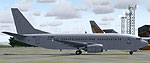
Screenshot of Jat Airways Boeing on the ground.
If you like the new Beograd (Belgrade) Airport scenery these three are all current. Jat also have their new corporate livery applied to Boeing 737-300 YU-ANJ. There are a number of other B733's in the old JAT scheme, unfortunately the available repaint also depicts YU-ANJ. I took the liberty of adjusting this to 'ANF' for myself, but can't upload this lovely repaint as it is not my own. In order to complete the varied JAT fleet you will need the Aero Contractors Boeing 737-300 (YU-ANH) repaint by Cees Melieste along with the Aero Continente Boeing 737-300 (YU-AON) repaint. A repaint of JAT's DC9-30 is available, another 'white all over' I'm afraid.
I also made two Aviogenex Boeing 727-200 repaints for the new Belgrade scenery. Both these old smokers are still current in Europe, but for how long. There are charter flight plans for the two Aviogenex 727's at PAI.
Free for all simmers · 620.28 KB · Scanned clean Oct 2026
Download speed: Free tier is capped at 0.5 Mbps. PRO members download at full line speed.
FS9\Aircraft\, FS9\Addon Scenery\, FS9\Gauges\, or FS9\Effects\.readme.txt or README file. It tells you exactly where files go, what dependencies are needed, and any quirks specific to this add-on.The archive jat_pack.zip has 13 files and directories contained within it.
This list displays the first 500 files in the package. If the package has more, you will need to download it to view them.
| Filename/Directory | File Date | File Size |
|---|---|---|
| texture.JAT YU-ANW | 05.19.04 | 0 B |
| aia_737_300_l.bmp | 11.20.03 | 256.07 kB |
| aia_737_300_t.bmp | 05.17.04 | 1.00 MB |
| texture.JAT YU-AOO | 05.19.04 | 0 B |
| aia_737_400_l.bmp | 11.20.03 | 256.07 kB |
| aia_737_400_t.bmp | 05.17.04 | 1.00 MB |
| texture.JAT YU-AOR | 05.19.04 | 0 B |
| aia_737_400_l.bmp | 11.20.03 | 256.07 kB |
| aia_737_400_t.bmp | 05.19.04 | 1.00 MB |
| JAT pack | 05.19.04 | 0 B |
| readme.txt | 05.19.04 | 1.73 kB |
| flyawaysimulation.txt | 10.29.13 | 959 B |
| Go to Fly Away Simulation.url | 01.22.16 | 52 B |
Only PRO members can place votes.
More FS2004 add-ons hand-picked based on this download.
FS2004 Civil Jet Aircraft
This freeware package, designed for Microsoft Flight Simulator 2004, brings J…
FS2004 Civil Jet Aircraft
Repainted by Christian Muenier. ICAO Code: JAT Known As: JAT Yugoslav Airline…
 FS2004 Civil Jet Aircraft
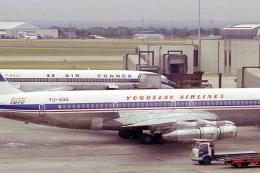
Textures only for the Captain Sim B707. JAT operated multiple 707s in the 70s…
FS2004 Civil Jet Aircraft
Model by Erick Cantu Repaint by Aleksandar Petrovic. Just unzip the file into…
FS2004 Civil Jet Aircraft
Textures only; requires SGA1030.ZIP. Original model by SGA. Livery by Thomas …
FS2004 Civil Jet Aircraft
JAT Douglas DC-9-32 AJK. The SGA DC9-32 in the colors of JAT (Yugoslav Airlin…
 FS2004 Civil Jet Aircraft
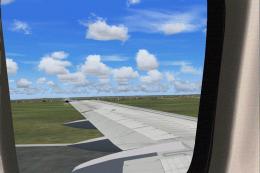
Here are a set of wing views for two of the worlds true workhorses of our air…
 FS2004 Civil Jet Aircraft
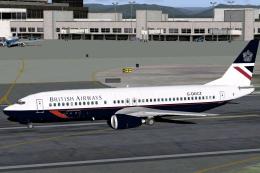
A repaint of Microsoft's default B737-400 model in British Airways "Landor" l…
Be the first to leave a comment on this download.
Be the first to share your thoughts on this download.