



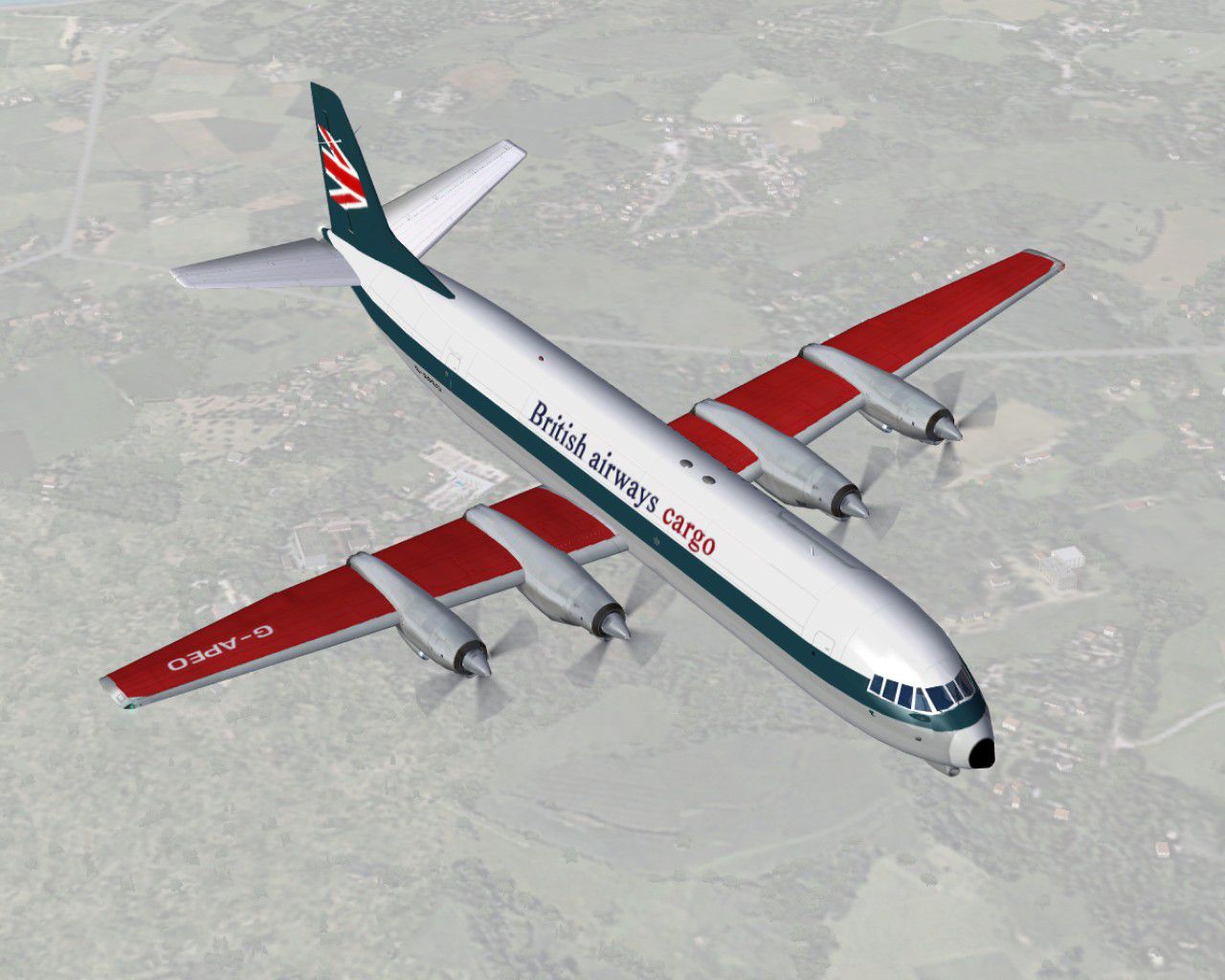
FS2004 Merchantman BA (BEA livery) G-APEO
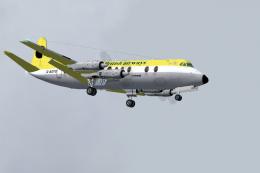
Vickers Vanguard Merchantman G-APEO brings British Airways titles over a classic BEA cargo scheme, capturing a notable airframe withdrawn in the mid-1970s and later scrapped in 1977. Designed for FS2004, the repaint adds authentic registration and airline details to the virtual cockpit experience and requires the FSDS Vanguard model by Rick Piper.
- Type:Repaint
- File: vc9fbabe.zip
- Size:804.73 KB
- Scan:
Clean (26d)

- Access:Freeware
- Content:Everyone

 Description
 Comments
 G-APEO wearing BA titles on her BEA livery. One of four withdrawn to reduce the fleet size in 1975/6, three were sold leaving this, in August 1977, to be the only Merchantman to be scrapped by BA Requires the FSDS Vanguard model by Rick Piper. By Garry Russell.
-G-APEO-fs9-1.jpg)
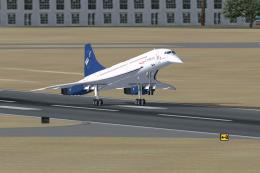
Screenshot of Merchantman BA in flight.
Installation:
Place the unzipped texture folder into the FSDS Vanguard folder and paste the above text into the aircraft config renumbering to the next available.
[fltsim.xx]

	title=Vickers Vanguard BAC1

	sim=Vickers Vanguard

	model=953c

	panel=

	sound=

	texture=BEACBA

	checklists=

	description=G-APEO wearing BA titles on her BEA livery. One of four withdrawn to reduce the fleet size in 1975/6 three were sold leaving this, in Aug 1977, to be the only Merchantman to be scrapped by BA/Model by Rick Piper. Repaint by Garry Russell.

	ui_manufacturer=Vickers

	ui_type=Vanguard

	ui_variation=British Airways Cargo/BEA

	visual_damage=1

	atc_heavy=1

	atc_id=G-APEO

	atc_airline=Speedbird

	atc_flight_number=951

	prop_anim_ratio=1.76
Images & Screenshots

The archive vc9fbabe.zip has 26 files and directories contained within it.
File Contents
This list displays the first 500 files in the package. If the package has more, you will need to download it to view them.
| Filename/Directory | File Date | File Size |
|---|---|---|
| Read me.txt | 09.05.06 | 2.18 kB |
| texture.BEACBA | 09.05.06 | 0 B |
| 4blade1.bmp | 07.18.02 | 64.73 kB |
| Eng.bmp | 09.05.06 | 256.07 kB |
| Eng_LM.bmp | 09.05.06 | 256.07 kB |
| Engr.bmp | 09.05.06 | 256.07 kB |
| Engr_LM.bmp | 09.05.06 | 256.07 kB |
| Fin.bmp | 09.05.06 | 256.07 kB |
| Fin_LM.bmp | 09.05.06 | 256.07 kB |
| fuse1.bmp | 09.05.06 | 1.00 MB |
| fuse1_LM.bmp | 09.05.06 | 256.07 kB |
| fuse2.bmp | 09.05.06 | 1.00 MB |
| fuse2_LM.bmp | 09.05.06 | 256.07 kB |
| fuse3.bmp | 09.05.06 | 1.00 MB |
| fuse3_LM.bmp | 09.05.06 | 256.07 kB |
| prop.bmp | 09.05.06 | 64.07 kB |
| prop_LM.bmp | 09.05.06 | 64.07 kB |
| pspbrwse.jbf | 12.07.02 | 37.74 kB |
| Thumbs.db | 09.05.06 | 24.50 kB |
| Wing-L.bmp | 09.05.06 | 256.07 kB |
| Wing-L_LM.bmp | 09.05.06 | 256.07 kB |
| Wing-R.bmp | 09.05.06 | 256.07 kB |
| Wing-R_LM.bmp | 09.05.06 | 256.07 kB |
| Vanguard19.jpg | 09.05.06 | 193.20 kB |
| flyawaysimulation.txt | 10.29.13 | 959 B |
| Go to Fly Away Simulation.url | 01.22.16 | 52 B |

Installation Instructions
Most of the freeware add-on aircraft and scenery packages in our file library come with easy installation instructions which you can read above in the file description. For further installation help, please see our Flight School for our full range of tutorials or view the README file contained within the download. If in doubt, you may also ask a question or view existing answers in our dedicated Q&A forum.
Related Add-ons
Some mods you may like


0 comments
Leave a Response