

 FS2004 Propeller Aircraft
Pan Am Douglas DC-7B Package
Experience the distinctive charm of the Douglas DC-7B in the colors of Pan Am…
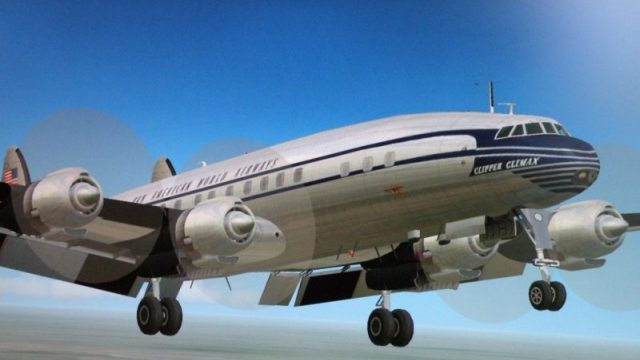
Pan Am’s one-off Lockheed L-1049C Super Constellation “Clipper” repaint recreates N6213C as leased in 1955, bringing period-correct markings and airline details to the virtual cockpit lineup in FS2004. Textures only, it requires L1049G.ZIP and L1049G_U.ZIP for the Manfred Jahn base model.
 Rate
Rate
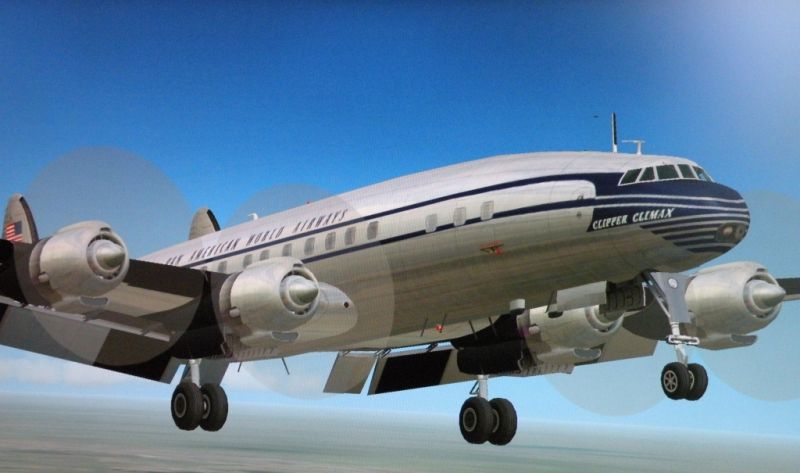
A repaint of N6213C in Pan American colors. Pan Am leased this aircraft for five months in 1955. It was the only Lockheed Super Constellation Pan American ever operated. Textures only; requires L1049G.ZIP and L1049G_U.ZIP. Model by Manfred Jahn. Repaint by Dave McQueen.
Screenshot of Pan Am Super C Constellation in flight.
[fltsim.X]

title=Lockheed L-1049C Pan American N6213C

sim=L1049G

model=1049vc_s

panel=

sound=

texture=clipper

kb_checklists=L1049_check_EA

kb_reference=L1049G_ref

atc_heavy=0

atc_id=N6213C

atc_id_enable=1

atc_flight_number=419

atc_airline=Clipper

atc_parking_codes=PAA

atc_parking_types=GATE

prop_anim_ratio=0.99

ui_manufacturer=Lockheed

ui_type=L-1049C Super Constellation

ui_variation="Clipper"

atc_id_color=0x00000000

atc_id_font=Verdana,-11,1,600,0

description="Super Constellation textures by Dave McQueen."
Free for all simmers · 2.86 MB · Scanned clean Oct 2026
Download speed: Free tier is capped at 0.5 Mbps. PRO members download at full line speed.
This file is a repaint — the packages below are the base model it paints onto. Install them first, or the textures will have nothing to load onto.
FS9\Aircraft\, FS9\Addon Scenery\, FS9\Gauges\, or FS9\Effects\.readme.txt or README file. It tells you exactly where files go, what dependencies are needed, and any quirks specific to this add-on.The archive paal1049.zip has 31 files and directories contained within it.
This list displays the first 500 files in the package. If the package has more, you will need to download it to view them.
| Filename/Directory | File Date | File Size |
|---|---|---|
| Readme.txt | 07.21.09 | 3.29 kB |
| aircraftconfig.txt | 07.21.09 | 539 B |
| paaclose.jpg | 07.21.09 | 213.36 kB |
| fins_l.bmp | 07.20.09 | 1.07 kB |
| fins_t.bmp | 07.20.09 | 1.00 MB |
| floor_2.bmp | 10.08.08 | 65.05 kB |
| fuse_l.bmp | 07.20.09 | 1.00 MB |
| FUSE_T.BMP | 07.21.09 | 1.00 MB |
| propdisk.bmp | 07.20.09 | 64.07 kB |
| shade_01.bmp | 08.14.08 | 64.07 kB |
| vc01.bmp | 04.22.09 | 1.00 MB |
| vc01a_l.bmp | 02.08.09 | 64.07 kB |
| vc01_l.bmp | 10.24.08 | 64.07 kB |
| vc02.bmp | 04.22.09 | 1.00 MB |
| vc02_l.bmp | 10.24.08 | 64.07 kB |
| vc03.bmp | 04.22.09 | 1.00 MB |
| vc03_l.bmp | 10.23.08 | 64.07 kB |
| vc04.bmp | 04.22.09 | 1.00 MB |
| vc04_l.bmp | 10.24.08 | 64.07 kB |
| vc05.bmp | 04.22.09 | 1.00 MB |
| vc05_l.bmp | 10.24.08 | 64.07 kB |
| vc06.bmp | 04.22.09 | 1.00 MB |
| vc06_l.bmp | 10.24.08 | 64.07 kB |
| wings_l.bmp | 07.20.09 | 1.07 kB |
| wings_t.bmp | 07.21.09 | 1.00 MB |
| xx1cal.bmp | 10.14.08 | 16.07 kB |
| xxcal_121.bmp | 07.20.09 | 16.07 kB |
| texture.clipper | 07.21.09 | 0 B |
| paaclose.gif | 07.21.09 | 10.74 kB |
| flyawaysimulation.txt | 10.29.13 | 959 B |
| Go to Fly Away Simulation.url | 01.22.16 | 52 B |
Only PRO members can place votes.
More FS2004 add-ons hand-picked based on this download.
FS2004 Propeller Aircraft
Experience the distinctive charm of the Douglas DC-7B in the colors of Pan Am…
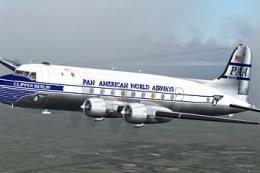 FS2004 Propeller Aircraft
(Ex C-54G). Pan American World Airways "Clipper Berlin"; early livery. Featur…
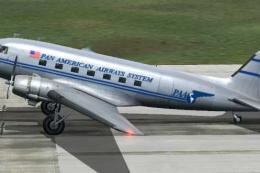 FS2004 Propeller Aircraft
Textures for the default DC3 in Pan American Airways livery circa 1942. Pan A…
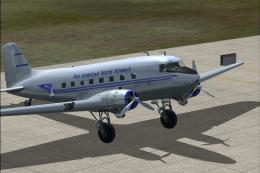 FS2004 Propeller Aircraft
Pan American World Airways Virtual repaint of the default DC3. Also includes …
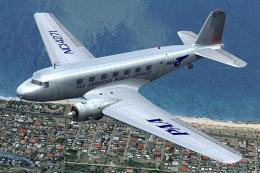 FS2004 Propeller Aircraft
Based on original textures by Gerard Kranenbarg and Jan Visser, this texture …
 FS2004 Propeller Aircraft
The L1049H was a convertible passenger/cargo version of the Super Constellati…
 FS2004 Propeller Aircraft
Reflexive and weathered textures and complete aircraft with accurate latest .…
 FS2004 Propeller Aircraft
Pre-Release Paint Kit (Flying). This paintkit contains Photoshop (.psd) maste…
Read what other simmers think, or add your own.

Just downloaded it, a great shot!!!! My father-in-law flew this airplane, as a Pan Am co-pilot, on and off from Apr 30, 1955 - Sep 2, 1955, along with N6212C, which was also an L-1049. So, my guess is that Pan Am had at least 2 1049's flying between IDL, BOS, EWR, and SJU, MIA during the summer of 1955. Were these Eastern Air Lines airplanes on an interchange agreement? Ed Muszala.