

 FS2004 Propeller Aircraft
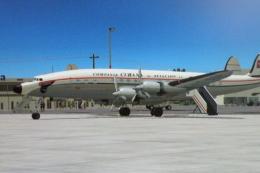
Cubana Lockheed L1049G
A repaint in Cubana colors of the Super "G" Constellation for FS2004 by the t…
Lockheed L-1049G Super G update pack sharpens the classic propliner with corrected landing and taxi lights, improved cowl flaps behavior, refined weight specifications, and updated vacuum pump gauge indications for more reliable procedures. Built for FS2004, it requires the L1049G Super G base pack already installed.
 Rate
Rate
Update Pack for L1049G.ZIP. This update pack contains some bug fixes for the Super G base pack including landing and taxi lights, cowl flaps operation, weight specifications, and vacuum pump gauges. By Manfred Jahn.
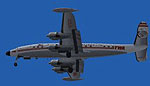
Screenshot of Lockheed L1049G in flight.
Free for all simmers · 7.5 MB · Scanned clean Oct 2026
Download speed: Free tier is capped at 0.5 Mbps (this file takes approximately 2 mins at the cap). PRO members download at full line speed.
This add-on may require the following files to function properly. If this is a repaint, the dependency below is likely the base aircraft package.
FS9\Aircraft\, FS9\Addon Scenery\, FS9\Gauges\, or FS9\Effects\.readme.txt or README file. It tells you exactly where files go, what dependencies are needed, and any quirks specific to this add-on.The archive l1049g_u.zip has 26 files and directories contained within it.
This list displays the first 500 files in the package. If the package has more, you will need to download it to view them.
| Filename/Directory | File Date | File Size |
|---|---|---|
| Lockheed_L1049G | 05.20.09 | 0 B |
| aircraft.cfg | 05.19.09 | 18.64 kB |
| L1049G.air | 05.14.09 | 9.25 kB |
| model.1049vc_rs | 05.19.09 | 0 B |
| 1049vc_rs.mdl | 05.14.09 | 3.08 MB |
| aircraft.cfg | 05.19.09 | 18.42 kB |
| model.cfg | 04.07.09 | 34 B |
| model.1049vc_rst | 05.19.09 | 0 B |
| 1049vc_rst.mdl | 05.14.09 | 3.14 MB |
| aircraft.cfg | 05.17.09 | 18.62 kB |
| model.cfg | 04.06.09 | 33 B |
| model.1049vc_s | 05.19.09 | 0 B |
| 1049vc_s.mdl | 05.14.09 | 3.09 MB |
| aircraft.cfg | 05.17.09 | 18.41 kB |
| model.cfg | 04.26.09 | 31 B |
| model.1049vc_st | 05.19.09 | 0 B |
| 1049vc_st.mdl | 05.14.09 | 3.15 MB |
| aircraft.cfg | 05.17.09 | 18.61 kB |
| model.cfg | 04.08.09 | 32 B |
| panel | 05.19.09 | 0 B |
| L1049G.CAB | 05.19.09 | 2.58 MB |
| panel.cfg | 05.19.09 | 15.73 kB |
| file_id.diz | 05.20.09 | 315 B |
| readme_update.txt | 05.20.09 | 1003 B |
| flyawaysimulation.txt | 10.29.13 | 959 B |
| Go to Fly Away Simulation.url | 01.22.16 | 52 B |
Only PRO members can place votes.
More FS2004 add-ons hand-picked based on this download.
FS2004 Propeller Aircraft
A repaint in Cubana colors of the Super "G" Constellation for FS2004 by the t…
 FS2004 Propeller Aircraft
An update of the Lockheed L 188 Electra by Mike Stone (SL188.ZIP), with all t…
 FS2004 Propeller Aircraft
For use with LOCKHEED749.ZIP. This archive contains the following modificatio…
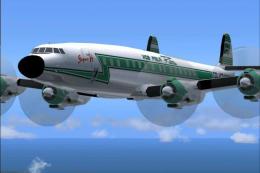 FS2004 Propeller Aircraft
Improved textures with more realistic details in the body, engine cowl and pr…
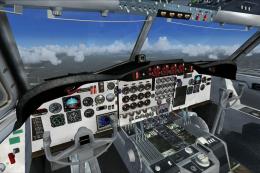 FS2004 Propeller Aircraft
For use with L-188BUFFALO.ZIP. New VC colors for the L188. By Fabio Cabral. U…
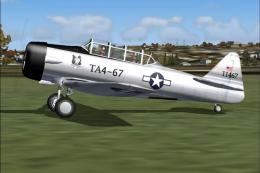 FS2004 Propeller Aircraft
done in Chrome,Standard Harvard textures White, And a new one I wanted to add…
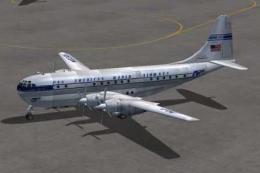 FS2004 Propeller Aircraft
Includes several B377 Stratocruisers: Pan American (three schemes), Transocea…
 FS2004 Propeller Aircraft
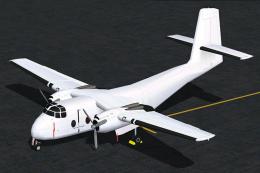
A 2400 polygon multi-LOD DeHavilland Caribou for AI. Includes two models and …
Read what other simmers think, or add your own.
