

 FSX Civil Aircraft
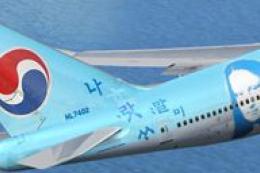
Korean Airlines Boeing 747-400 "Mona Lisa" for payware PMDG 747
FSX Korean Airlines Boeing 747-400 "Mona Lisa". Textures only for the payware…
Korean Air Boeing 747-400 livery for Microsoft Flight Simulator X refreshes the default jumbo with crisp sky-blue exterior textures, accurate tail emblem, fine stenciling, and realistic reflections that shift with lighting. It keeps the stock flight dynamics and virtual cockpit, and requires the default FSX Boeing 747-400 base aircraft.
 Rate
Rate

Boeing’s 747-400 series has long been a cornerstone of international travel, and now flight simulation enthusiasts can explore it in a Korean Air rendition created by developer and repainter, Ruiqi Chen. This freeware release incorporates uniquely detailed exterior textures and applies them to the default Boeing 747-400 in Microsoft Flight Simulator X, ensuring an immersive visual experience that replicates the carrier’s distinctive sky-blue finish and stylized tail emblem.
The Korean Air paint scheme is instantly recognizable, showcasing subtle accent lines and meticulous lettering across the fuselage. Each texture file recreates the aircraft’s real-world markings, from the logo alignment at the vertical stabilizer to the nuanced shading around cargo doors. In addition, the developer has paid close attention to reflective properties, which means the fuselage responds realistically to shifting light angles during various flight conditions.
While the core shape of the 747-400 remains unchanged, this repaint refines the visual textures, including sharply defined passenger windows, correct placement of maintenance stencils, and smooth transitions between the fuselage’s primary and secondary colors. These enhancements add depth for those operating complex virtual airline schedules or simply fascinated by heavy jet simulation.
This package depends on the default FSX 747-400 flight model, known for its reputable handling and classic four-engine layout. Within Microsoft Flight Simulator X, you can expect conventional 747 flight dynamics, including robust response to weight shifts, flap configurations, and speed changes. For enthusiasts accustomed to the jumbo’s operational parameters, this repaint lends further realism to transcontinental routes or long-haul cargo runs.
The clean flight deck layout of the default Boeing 747-400 remains, ensuring you retain the standard instrumentation. Pilots looking to practice Flight Management Computer (FMC) procedures, explore fuel-burn modeling, or replicate complex SIDs and STARs will find this cockpit arrangement adept for both casual trips and extended intercontinental journeys.
As this release provides textures only, you will need the original freeware base model, which is the default Boeing 747-400 included in your simulator. Access the Fly Away Simulation mod library for any prerequisite files if necessary. Once the base jet is installed, simply replace or add the included texture folder following the standard aircraft.cfg entries, then load your newly re-liveried aircraft within FSX.
This freeware repaint authored by Ruiqi Chen offers a faithful homage to the aircraft’s real-world counterpart and completes your virtual fleet with a treasured addition under the Korean Air banner.
Free for all simmers · 676.64 KB · Scanned clean Oct 2026
Download speed: Free tier is capped at 0.5 Mbps. PRO members download at full line speed.
texture.{airline}) inside FSX\SimObjects\Airplanes\{base-aircraft}\.aircraft.cfg in Notepad. Add a new [fltsim.X] section per the readme.readme.txt or README file. It tells you exactly where files go, what dependencies are needed, and any quirks specific to this add-on.The archive kal747-2.zip has 10 files and directories contained within it.
This list displays the first 500 files in the package. If the package has more, you will need to download it to view them.
| Filename/Directory | File Date | File Size |
|---|---|---|
| B747_1_T.dds | 07.16.07 | 1.33 MB |
| B747_1_T_Specular.dds | 07.08.07 | 1.33 MB |
| Fresnel_Ramp.dds | 09.04.06 | 640 B |
| Fresnel_Ramp_1.dds | 09.04.06 | 640 B |
| readme.txt | 07.16.07 | 2.24 kB |
| texture.cfg | 07.28.06 | 137 B |
| thumbnail.JPG | 07.16.07 | 5.82 kB |
| readme.txt | 07.16.07 | 2.24 kB |
| flyawaysimulation.txt | 10.29.13 | 959 B |
| Go to Fly Away Simulation.url | 01.22.16 | 52 B |
Only PRO members can place votes.
More FSX & P3D add-ons hand-picked based on this download.
FSX Civil Aircraft
FSX Korean Airlines Boeing 747-400 "Mona Lisa". Textures only for the payware…
 FSX Civil Aircraft
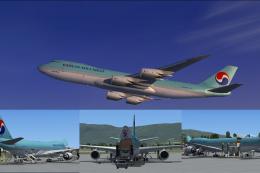
This complete freeware package introduces the Korean Air Cargo Boeing 747-8F …
 FSX Civil Aircraft
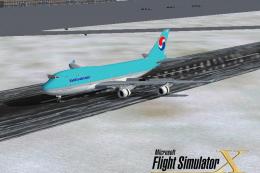
FSX Korean Air Boeing 747 Texture Pack. This is the Korean Air texture pack f…
 FSX Civil Aircraft
Korean Air Boeing 777-300 ER, painted in Korean Air livery. Registration HL77…
 FSX Civil Aircraft
FSX Korean Air Boeing 737-800, registration HL5768. Textures only for the def…
 FSX Civil Aircraft
Korean Air Boeing 777-200ER. The SkySpirit2012 Boeing 777-200ER model painted…
 FSX Civil Aircraft
This comprehensive package showcases a detailed simulation of a Korean Air Bo…
 FSX Civil Aircraft
Korean Air Boeing 737-800. KAL textures by Alex James for the default B737-80…
Be the first to leave a comment on this download.
Be the first to share your thoughts on this download.