


 FSX Utilities
Traffic Sounds FSX Ultimate Traffic 2
Traffic Sounds FSX Ultimate Traffic 2 Alias Installer. By Alan Constable. Cov…
Resetsldl.exe fixes a known FSX Deluxe installer issue by resetting the setup state to zero, allowing a clean reinstall after a failed or interrupted installation. Packaged as a Microsoft self-extracting cabinet, it restores the installer’s baseline configuration and helps get the simulator back to a ready-to-install state quickly.
Microsoft self extracting cabinet file containing the program "resetsldl.exe" used to correct a known installation issue with FSX Deluxe edition. This program resets the installer to zero so that FSX can be reinstalled. Created by Microsoft Corporation. Upload by gtrebich.
Free for all simmers · 323.77 KB · Scanned clean
Download speed: Free tier is capped at 0.5 Mbps. PRO members download at full line speed.
SimObjects\Airplanes\, Addon Scenery\, Effects\, or Gauges\.readme.txt or README file. It tells you exactly where files go, what dependencies are needed, and any quirks specific to this add-on.The archive mskb928080.zip has 5 files and directories contained within it.
This list displays the first 500 files in the package. If the package has more, you will need to download it to view them.
| Filename/Directory | File Date | File Size |
|---|---|---|
| mskb928080.exe | 06.22.08 | 362.50 kB |
| file_id.diz | 06.11.10 | 442 B |
| Read_Me_First.rtf | 06.11.10 | 437 B |
| flyawaysimulation.txt | 10.29.13 | 959 B |
| Go to Fly Away Simulation.url | 01.22.16 | 52 B |
More FSX & P3D add-ons hand-picked based on this download.
FSX Utilities
Traffic Sounds FSX Ultimate Traffic 2 Alias Installer. By Alan Constable. Cov…
 FSX Utilities
FSUIPC, standing for Flight Simulator Universal Inter-Process Communication, …
 FSX Utilities
FSX and FS2004 World-of-AI Installer. This is the World-of-AI Installer versi…
 FSX Utilities
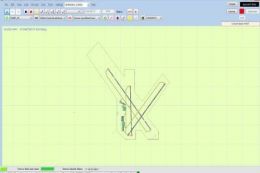
Airport Design Editor (ADE) is a graphical design tool to create and enhance …
 FSX Utilities
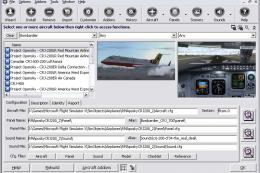
Addit! Pro gives you the power to fully manage all of your Flight Simulator X…
 FSX Utilities
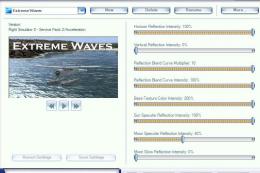
This shader control utility will allow you to change the FSX water shader ton…
 FSX Utilities
This module adds improved recording and replay features to FS. It can record …
 FSX Utilities
FSX Aircraft Installer - This program can install your aircrafts and rotorcra…
Read what other simmers think, or add your own.

HI please call for installing Microsoft Flight Simulator X Standard. There are still files on my PC from the old installation. MFG B. Herzog 015734523033.


I am having trouble re-installing FSX back onto my PC from the original discs and have downloaded this program to try and solve my problem.
Unfortunately, the RTF file instructions fall apart in the middle and make no sense and I have tried all manner of combinations but in the cmd window, none of what is suggested to type in is a recognized dos command.
Can someone take a look at it if possible and explain what I am supposed to be typing in, please. The text in the RTF read me file has speech marks, brackets, and full stops which appear to be random and do not help in what I have to enter exactly.
Sorry to be a pain but I don't know what else to do. I am lost without FSX!!! Regards Darren.

Jurgen,
I'm still struggling for an answer, but BEFORE you do the above step you mention with the KB, go into C:Program Files (x86)Common Files find the folder InstallShield and rename it with a 1 on the end. Go into folder InstallShield1Driver11Intel32 and there should be 3 files IDriver.exe IDriver2.exe and IDriverT.exe. right click each in turn and run as administrator.
Now try running the KB as above it should work. If it doesn't, reboot the PC and start again. sometimes seemingly a reboot is needed.
Having done all this myself, I'm still no further forward. I still get right to the end of the installation process 99% and it craps out with a 1722 error publishing information, and then about a minute later that changes to a 1602 IIRC and then undoes the whole installation.
New PC bought after old PC died. I find both FS9 and X which worked fine for years under XP. Now, neither will install on new win 10 x64 pc. So far ive tried numerous published fixes. Including: installers are set to run in XP compatability mode. tried this fix, doesnt work. Ive renamed the installsheild folder fix doesnt work.. Ive downloaded and run the Licence key reset EXE (which didnt work on my machine. error adv reset failed. I manually renamed the target folder and reran the EXE which then came back as successful.
All installs are clean as the prog has not been installed correctly on this machine. Residual folders left in either FS directory after failed installs ended are deleted, and CCleaner used to wipe the registry.
Im a bit pissed off frankly that MS have washed their hands of this in their usual style. These are damned good games that are still in widespread worldwide use, yet they dont want to know....
At this moment in time Ive got crimson skies running at about 90%, it occasionally craps out or crashes meaning a reboot, and there are some graphics and sound issues, but on the whole it works. Am i going to have to build myself a new old 32bit PC thats low spec just to run these great games?


Hi, having issue with entering the licence key of my FSX, I've followed the instructions as posted but can't get it to come up with the "success" statement,any advice please, I've pasted the text below.
Microsoft Windows [Version 10.0.16299.309] (c) 2017 Microsoft Corporation. All rights reserved.
C:UsersJ Mitchell>cd c:microsoftkb928080
c:MicrosoftKB928080>resetsldl /a Cleaning up Token Store at: C:ProgramDataMicrosoftSLDLSoftwareLicensing Failed to delete the token store. Error -- HRESULT 80004005
c:MicrosoftKB928080>resetsldl /a Cleaning up Token Store at: C:ProgramDataMicrosoftSLDLSoftwareLicensing Failed to delete the token store. Error -- HRESULT 80004005
c:MicrosoftKB928080>