

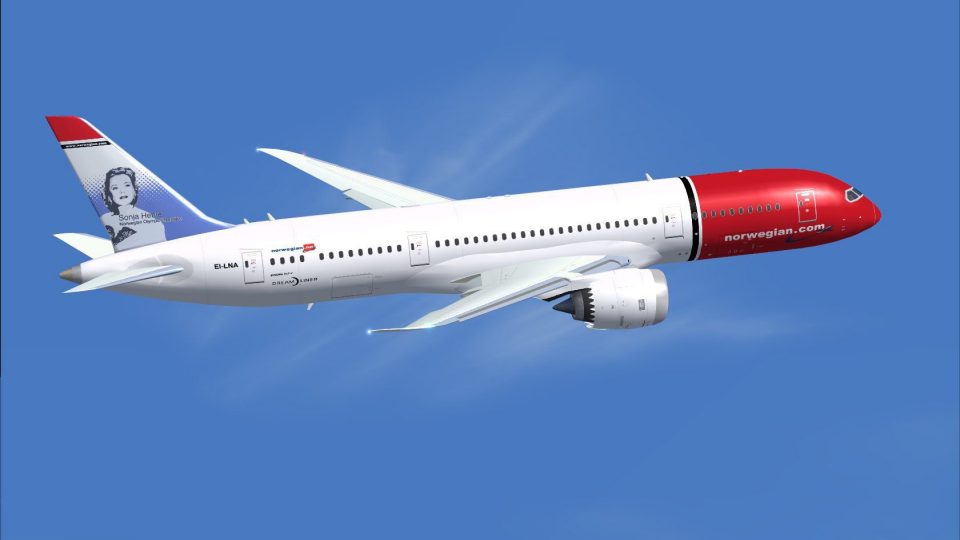
AI Norwegian Boeing 787-8
Norwegian Boeing 787-8 AI livery textures bring the carrier’s signature red nose and tail branding to busy schedules, with clean shading, crisp fuselage detail, and balanced reflectivity for varied lighting. Built for FSX AI traffic, it requires the CamSim 787-8 AI base model to display the Dreamliner accurately in motion.
 Rate
Rate
Images & Screenshots
1 total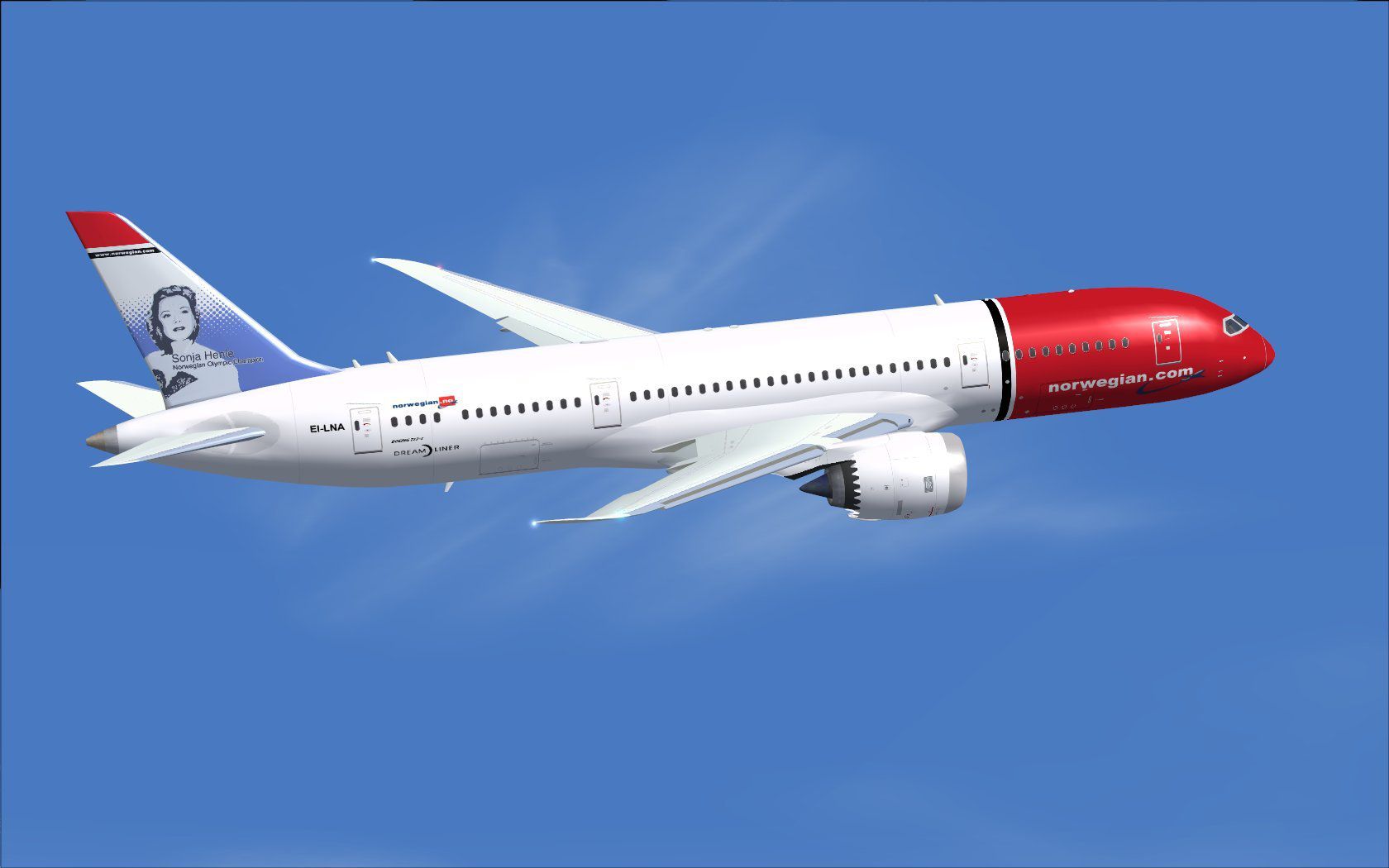
Expand your simulation's AI traffic with this carefully crafted Norwegian Boeing 787-8 repaint, designed by Camil Valiquette for the CamSim AI base package. These freeware textures allow enthusiasts to depict Norwegian’s signature Dreamliner while maintaining top-notch fidelity in FSX environments. The add-on focuses on accuracy, shading, and unique visual details, yet requires the separate CamSim 787-8 AI model previously published. Accuracy is ensured through multiple reference points, ensuring a faithful portrayal of the airline’s distinctive branding and overall geometry.
Aircraft Technical Foundation
The Boeing 787-8, often referred to as the Dreamliner, is a twin-engine, wide-body airliner that leverages composite materials, offering enhanced fuel efficiency and operational range for its operators. Norwegian, a well-known low-cost carrier headquartered in Norway, has employed the 787 for medium- to long-haul segments. Its sleek profile, coupled with optimized aerodynamics, contributes to the aircraft’s overall performance. This CamSim rendition, produced by developer Camil Valiquette, simulates these traits to suit AI traffic deployments across virtual skies.
Key Livery Characteristics
- Brand-Specific Markings: Norwegian’s unique red nose and tail markings reflect the airline’s contemporary identity.
- Fuselage Clarity: High-resolution textures maintain clarity across the curved engine nacelles and fuselage sections.
- Balanced Reflectivity: Reflections have been calibrated for daytime and low-light operations, enhancing the polished appearance without overwhelming the scene.
Norwegian Boeing 787-8 capturing wing flex and livery details during flight.
Steps to Incorporate into Your Simulator
- Place the provided texture folder into your existing CamSim AI Aircraft Base Model directory.
- Open the aircraft.cfg file contained in the same base model folder and append the section displayed below.
- Adjust
[fltsim.x]to reflect the correct sequential numbering for your configuration.
[fltsim.x]
title=Boeing 787-8 v5 AI Norwegian
sim=787-8
model=787-8 ai v5
panel=
sound=
texture=dy
kb_checklists=
kb_reference=
atc_id=xx
atc_airline=xxx
atc_flight_number=xxx
atc_heavy=1
ui_manufacturer="CamSim AI Aircaft"
ui_type="Boeing 787-8 V5 AI"
ui_variation="AI Norwegian"
ui_typerole="Commercial Airliner"
ui_createdby="CamSim"
description="Boeing AI Boeing 787-8 Version 5."
Base Model Requirement
This repaint relies on the freeware CamSim 787-8 AI foundation. Ensure you have obtained those files from the Fly Away Simulation library to achieve full compatibility with these textures. The aircraft model and paint scheme both originate from Camil Valiquette, so installing his base package is essential.
Notes for Windows 7 Users
Some render elements might disappear at dawn or dusk if DirectX 10 Preview is selected in FSX. Disable “Preview DirectX 10” under your simulator’s Global Display options if you observe any anomalies, ensuring the livery shows correctly at all times of day.
Author and Creator Acknowledgments
This Norwegian Boeing 787-8 repaint is a freeware release provided by Camil Valiquette of CamSim. The exceptional exterior details and refined model structure underline the developer’s dedication to enhancing AI traffic realism for virtual pilots and enthusiasts worldwide.
Ready to download AI Norwegian Boeing 787-8?
Free for all simmers · 429.76 KB · Scanned clean Sep 2026
File information
Download speed: Free tier is capped at 0.5 Mbps. PRO members download at full line speed.
How to install this mod
FSX / P3D
Repaint
How to install this mod
-
Extract the downloaded archive
Use 7-Zip (free) or WinRAR to extract the ZIP to a temporary folder. Don't install while still zipped — the simulator can't read inside ZIP files. -
Add livery to base aircraft folder
Place the texture folder (typicallytexture.{airline}) insideFSX\SimObjects\Airplanes\{base-aircraft}\. -
Update aircraft.cfg
Open the baseaircraft.cfgin Notepad. Add a new[fltsim.X]section per the readme. -
Always read the included readme
Every mod ships with areadme.txtorREADMEfile. It tells you exactly where files go, what dependencies are needed, and any quirks specific to this add-on.
What’s inside this archive
The archive camsim788ai_dy_x.zip has 17 files and directories contained within it.
File Contents
This list displays the first 500 files in the package. If the package has more, you will need to download it to view them.
| Filename/Directory | File Date | File Size |
|---|---|---|
| CamSim Boeing 787-8 V5 AI Texture Only Norwegian | 11.07.14 | 0 B |
| 788v4dy_.jpg | 07.08.13 | 83.42 kB |
| file_id.diz | 11.07.14 | 235 B |
| Read Me_FSX.txt | 11.07.14 | 1.59 kB |
| texture.dy | 11.07.14 | 0 B |
| 787eng_t.bmp | 07.07.13 | 1.00 MB |
| 787int_t.bmp | 07.08.13 | 1.00 MB |
| 787tail_t.bmp | 07.05.13 | 1.00 MB |
| 788fuse_t.bmp | 11.07.14 | 1.00 MB |
| 789wings_t.bmp | 08.21.13 | 1.00 MB |
| gris_t.bmp | 12.09.09 | 16.07 kB |
| tail.bmp | 12.02.12 | 1.00 MB |
| thumbnail.jpg | 11.07.14 | 5.99 kB |
| w787x_t.bmp | 07.17.13 | 16.07 kB |
| w_t.bmp | 10.22.13 | 16.07 kB |
| flyawaysimulation.txt | 10.29.13 | 959 B |
| Go to Fly Away Simulation.url | 01.22.16 | 52 B |
Rate this add-on
PRO perkOnly PRO members can place votes.
0 comments
Be the first to leave a comment on this download.
No comments yet
Be the first to share your thoughts on this download.