

 FSX Military Aircraft
RAF McDonnell Phantom FGR.2 111 Sqdn 1977
This is a repaint of the payware Milviz F-4 Phantom representing XV406 (D) of…
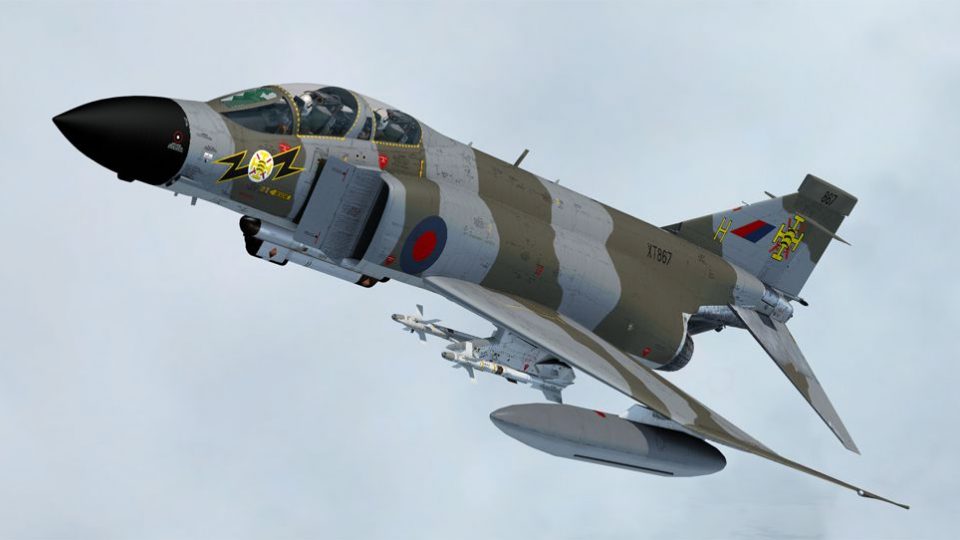
RAF Phantom FGR.2 XT867 “H” of No. 111 Squadron comes to life in authentic 1983 RAF Leuchars markings, including the later square fin-mounted rear warning radar detail. Designed for the Milviz Phantom II J and requiring that payware base package, this repaint delivers period-correct squadron presentation in FSX.
 Rate
Rate

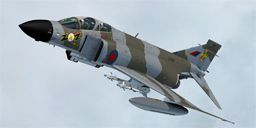
This is a repaint of the payware Milviz F-4J/S Phantom representing XT867 (H) of No. 111 Squadron RAF based at RAF Leuchars, Eastern Scotland, around 1983. It supersedes the earlier repaint for the Milviz F-4E and shows an aircraft equipped with the later square rear warning radar installation on the vertical fin. By Dave Quincey.
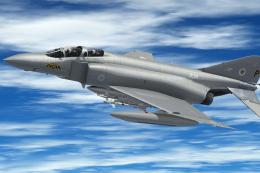
Screenshot of Phantom FGR.2 111 Sqdn in flight.
Unzip the file to a location of your choice and move the 'texture.XT867' folder to the 'Milviz Phantom II J' directory. Open the 'aircraft.cfg' file and add the following after the last variant entry. Replace the xx with the next variant number and save.
[fltsim.xx]

title=F-4J RAF 111 Squadron

sim= f4e_11

model=1

panel=

sound=

texture=XT867

kb_checklists=Phantom_check

kb_reference=

ui_manufacturer=F-4JMK

ui_typerole="Twin Engine warbird"

ui_createdby="Milviz"

ui_type= Milviz Phantom

ui_variation=F-4K RAF 111 Squadron

atc_id_color=0x00000000

visual_damage=0

atc_heavy=0

atc_id=F4J

atc_airline=

atc_flight_number=406

atc_id_font=Verdana,-11,1,600,0

description= Phantom F.G.1 of No. 111 Sqdn. RAF based at RAF Leuchars 1983

slimes=0

raf_rwr=1
This texture set was created using the excellent paint kit available from Milviz.
Free for all simmers · 26.09 MB · Scanned clean Oct 2026
Download speed: Free tier is capped at 0.5 Mbps (this file takes approximately 7 mins at the cap). PRO members download at full line speed.
texture.{airline}) inside FSX\SimObjects\Airplanes\{base-aircraft}\.aircraft.cfg in Notepad. Add a new [fltsim.X] section per the readme.readme.txt or README file. It tells you exactly where files go, what dependencies are needed, and any quirks specific to this add-on.The archive f4111sqdnud.zip has 33 files and directories contained within it.
This list displays the first 500 files in the package. If the package has more, you will need to download it to view them.
| Filename/Directory | File Date | File Size |
|---|---|---|
| F-4K 111 Sqdn.jpg | 01.07.16 | 215.10 kB |
| Read Me.txt | 01.08.16 | 1.71 kB |
| Texture.XT867 | 01.07.16 | 0 B |
| F4E_S_J_1_ext_diffuse.dds | 01.07.16 | 4.00 MB |
| F4E_S_J_10_ext_diffuse.dds | 02.16.15 | 4.00 MB |
| F4E_S_J_12_ext_diffuse.dds | 08.09.15 | 2.00 MB |
| F4E_S_J_2_ext_diffuse.dds | 01.07.16 | 4.00 MB |
| F4E_S_J_3_ext_diffuse.dds | 01.07.16 | 4.00 MB |
| F4E_S_J_4_ext_diffuse.dds | 01.07.16 | 4.00 MB |
| F4E_S_J_5_ext_diffuse.dds | 08.06.15 | 4.00 MB |
| F4E_S_J_6_ext_diffuse.dds | 01.05.16 | 4.00 MB |
| F4E_S_J_7_ext_diffuse.dds | 01.05.16 | 4.00 MB |
| F4E_S_J_8_ext_diffuse.dds | 01.07.16 | 4.00 MB |
| F4E_S_J_9_ext_diffuse.dds | 01.07.16 | 4.00 MB |
| fuel_tank.dds | 08.05.15 | 512.12 kB |
| fuel_tank2.dds | 12.18.15 | 512.12 kB |
| glass_t.dds | 02.16.15 | 256.12 kB |
| helmet.dds | 08.10.15 | 256.12 kB |
| helmet2.dds | 08.10.15 | 256.12 kB |
| pylon01.dds | 12.18.15 | 512.12 kB |
| pylon02.dds | 12.18.15 | 1.00 MB |
| pylon03.dds | 12.18.15 | 1.00 MB |
| pylon04.dds | 12.18.15 | 512.12 kB |
| pylon05.dds | 12.18.15 | 512.12 kB |
| pylon06.dds | 12.18.15 | 512.12 kB |
| pylon07.dds | 12.18.15 | 512.12 kB |
| raf.dds | 01.07.16 | 256.12 kB |
| texture.cfg | 02.16.15 | 137 B |
| thumbnail.jpg | 01.07.16 | 37.52 kB |
| Thumbs.db | 01.08.16 | 353.50 kB |
| Thumbs.db | 01.08.16 | 4.50 kB |
| flyawaysimulation.txt | 10.29.13 | 959 B |
| Go to Fly Away Simulation.url | 01.22.16 | 52 B |
Only PRO members can place votes.
More FSX & P3D add-ons hand-picked based on this download.
FSX Military Aircraft
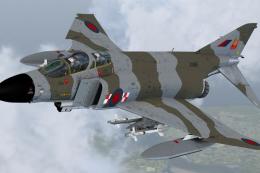
This is a repaint of the payware Milviz F-4 Phantom representing XV406 (D) of…
 FSX Military Aircraft
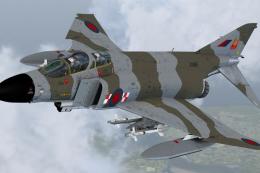
This is a repaint of the latest Milviz F-4 Phantom II J/S representing XV495 …
 FSX Military Aircraft
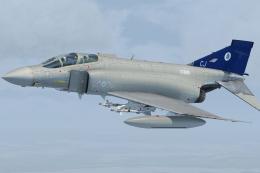
This is a repaint of the payware Milviz F-4 Phantom II representing XV495 (L)…
 FSX Military Aircraft
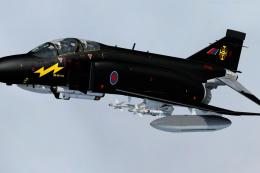
This file contains four new texture files to update the earlier version of th…
 FSX Military Aircraft
This is a repaint of the payware Milviz F-4J/S Phantom to represent F.G.1 XV5…
 FSX Military Aircraft
This is a repaint of the excellent Milviz F-4J representing an RAF F. 3 from …
 FSX Military Aircraft
This file contains updates for earlier repaints of the Milviz F-4 Phantom II …
 FSX Military Aircraft
This is a repaint for the Milviz F-4J, of XV587, an F-4K Phantom FG.1 of 43 S…
Be the first to leave a comment on this download.
Be the first to share your thoughts on this download.