

 X-Plane Scenery Libraries
Follow Me Truck
This is a highly detailed airport 'Follow Me Truck' for use in any scenery. T…
Hedge scenery sections bring tidy, realistic garden borders to airfields and towns in X-Plane 11, with two-foot-wide, three-foot-high pieces and an eight-foot main run for quick placement. A circle, half circle, and T section expand layout options, while included SketchUp files make scaling and custom shaping straightforward.
 Rate
Rate


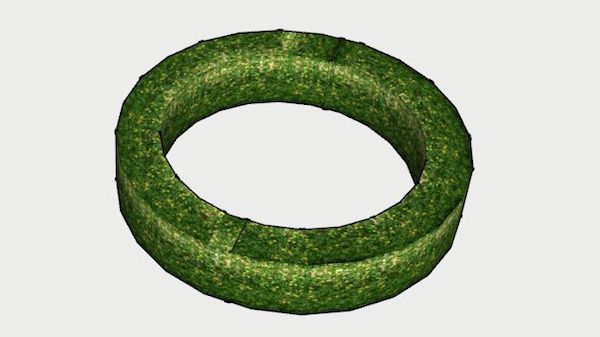
This file contains a series of hedge sections. Each hedge is two feet wide by three feet high. The main section is eight feet long.
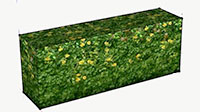 There is also a circle, half circle, and a T section; so happy gardening! The SketchUp files are included so you can scale them to meet your needs. By Fred Schutzman.
Free for all simmers · 1.58 MB · Scanned clean Sep 2026
Download speed: Free tier is capped at 0.5 Mbps. PRO members download at full line speed.
Aircraft/ (planes), Custom Scenery/ (airports, mesh), or Resources/plugins/ (plugins).readme.txt or README file. It tells you exactly where files go, what dependencies are needed, and any quirks specific to this add-on.The archive hedge.zip has 14 files and directories contained within it.
This list displays the first 500 files in the package. If the package has more, you will need to download it to view them.
| Filename/Directory | File Date | File Size |
|---|---|---|
| hedge | 07.26.17 | 0 B |
| 001.png | 02.04.15 | 298.32 kB |
| 2_8_hedge.obj | 02.04.15 | 2.23 kB |
| 2_8_hedge.skb | 02.04.15 | 417.28 kB |
| T_hedge.obj | 02.04.15 | 5.32 kB |
| T_hedge.skp | 02.04.15 | 415.21 kB |
| Thumbs.db | 02.04.15 | 21.50 kB |
| circle_hedge.obj | 02.04.15 | 21.43 kB |
| curve hedge.obj | 02.04.15 | 14.12 kB |
| curve hedge.skp | 02.04.15 | 424.84 kB |
| image1.jpg | 07.26.17 | 91.03 kB |
| image2.jpg | 07.26.17 | 61.82 kB |
| flyawaysimulation.txt | 10.29.13 | 959 B |
| Go to Fly Away Simulation.url | 01.22.16 | 52 B |
Only PRO members can place votes.
More X-Plane add-ons hand-picked based on this download.
X-Plane Scenery Libraries
This is a highly detailed airport 'Follow Me Truck' for use in any scenery. T…
 X-Plane Scenery Libraries
This is an animated wind turbine, suitable for both land and sea. Made in Ske…
 X-Plane Scenery Libraries
The North American B-25 Mitchell is an American twin-engine, medium bomber ma…
 X-Plane Scenery Libraries
This is a highly detailed model of an NWAA EC-135 Eurocopter (N-NWEM). The an…
 X-Plane Scenery Libraries
This is a collection of six sets of animated flames with smoke. They are set …
 X-Plane Scenery Libraries
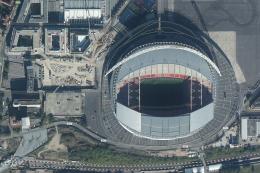
Wembley Stadium is a football stadium in Wembley, London, England, which open…
 X-Plane Scenery Libraries
The Queensferry Crossing is a road bridge under construction in Scotland. It …
 X-Plane Scenery Libraries
This is a large 180 feet long passenger terminal suitable for any large scene…
Be the first to leave a comment on this download.
Be the first to share your thoughts on this download.