

 X-Plane Light General Aviation Aircraft
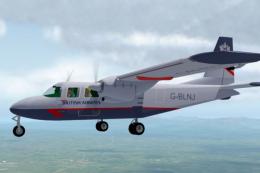
British Airways BN-2A Islander G-BLNJ
This is a British Airways Landor repaint for the BN-2A submitted by Aerostars…
The e-Go British ultralight brings a compliant single-seat microlight to X-Plane 11, tuned for straightforward, trainer-like handling and an easy transition for pilots familiar with classic Cessna trainers. A clean, fixed-gear design skips flaps, spoilers, speed brakes, and variable-pitch controls, while using largely native PlaneMaker components.
 Rate
Rate
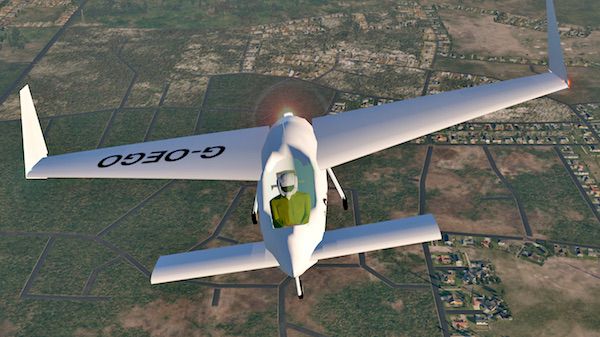
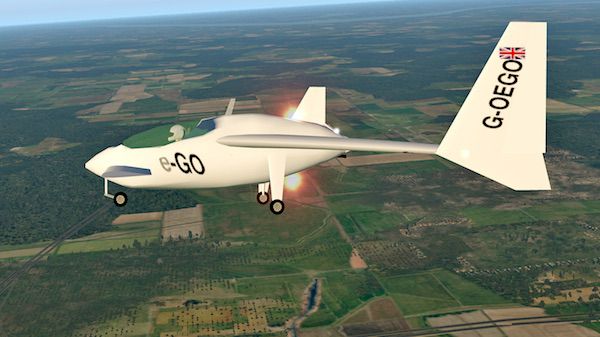
The aircraft was designed to comply with the United Kingdom single-seat deregulated microlight class, as well as to comply with the Fédération Aéronautique Internationale microlight rules. The aircraft cruise speed is planned to be modified for US light-sport aircraft rules.
 Pilots Notes:
There are no flaps, spoilers speed brakes, variable pitch prop, or retractable landing gear on this aircraft.
All parts of this aircraft are native PlaneMaker except.. windshield, pilot, and instrument panel backing.
Any pilot that has flown a trainer like a Cessna 150, or 172 Skyhawk should feel right at home and have no problems transitioning to this aircraft.
Free for all simmers · 5.1 MB · Scanned clean Oct 2026
Download speed: Free tier is capped at 0.5 Mbps (this file takes approximately 1 min at the cap). PRO members download at full line speed.
Aircraft/ (planes), Custom Scenery/ (airports, mesh), or Resources/plugins/ (plugins).readme.txt or README file. It tells you exactly where files go, what dependencies are needed, and any quirks specific to this add-on.The archive e-go.zip has 23 files and directories contained within it.
This list displays the first 500 files in the package. If the package has more, you will need to download it to view them.
| Filename/Directory | File Date | File Size |
|---|---|---|
| e-GO | 03.28.17 | 0 B |
| READ ME e-Go.pdf | 03.25.17 | 52.81 kB |
| README e-Go.docx | 03.25.17 | 484.51 kB |
| e_GO V11PB17 | 03.25.17 | 0 B |
| cockpit | 01.29.17 | 0 B |
| -PANELS- | 02.01.17 | 0 B |
| Panel_Glider-1.png | 07.10.12 | 37.51 kB |
| Panel_Glider.png | 02.01.17 | 599.39 kB |
| Panel_Glider.psd | 02.01.17 | 3.35 MB |
| e-GO.acf | 03.25.17 | 1.12 MB |
| e-GO.acf~ | 03.25.17 | 1.12 MB |
| e-GO_paint.png | 03.10.17 | 878.99 kB |
| e-GO_prefs.txt | 03.25.17 | 196 B |
| objects | 03.25.17 | 0 B |
| e-GO_paint.png | 03.10.17 | 878.99 kB |
| glass19.obj | 03.25.17 | 7.34 kB |
| ipanel1.obj | 02.08.17 | 24.36 kB |
| pilot_e-seat.obj | 03.25.17 | 1.15 MB |
| pilot_e-seat.png | 03.25.17 | 58.08 kB |
| image1.jpg | 03.28.17 | 66.88 kB |
| image2.jpg | 03.28.17 | 83.36 kB |
| flyawaysimulation.txt | 10.29.13 | 959 B |
| Go to Fly Away Simulation.url | 01.22.16 | 52 B |
Only PRO members can place votes.
More X-Plane add-ons hand-picked based on this download.
X-Plane Light General Aviation Aircraft
This is a British Airways Landor repaint for the BN-2A submitted by Aerostars…
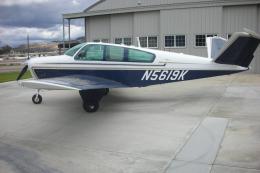 X-Plane Light General Aviation Aircraft
The Beechcraft Bonanza is an American general aviation aircraft introduced in…
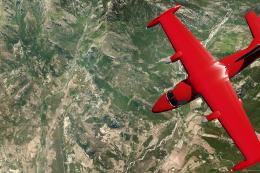 X-Plane Light General Aviation Aircraft
This package includes a highly detailed Mitsubishi MU-2 Solitaire model for X…
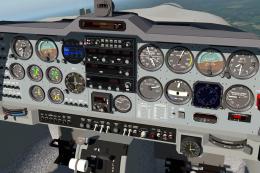 X-Plane Light General Aviation Aircraft
The Grob Tutor 115 E is a single engine two seat side by side training aircra…
 X-Plane Light General Aviation Aircraft
X-Plane 11 Baron B58 With G1000 1.12. This is the default Baron B58 with Garm…
 X-Plane Light General Aviation Aircraft
A high-fidelity rendition of the Piper PA46 Malibu series is now at your fing…
 X-Plane Light General Aviation Aircraft
The Piper M600 is a sleek single turboprop that can cruise up to 30,000 feet …
 X-Plane Light General Aviation Aircraft
X-Plane 11 Jabiru 160C 1.0. This is Jacques Brault's X-Plane 8 and 9 Jabiru 1…
Read what other simmers think, or add your own.


A fun plane to fly and well designed. However, there is no explanation for what the push buttons do so you really can't take full advantage of the plane's capability.