

 FSX Civil Aircraft
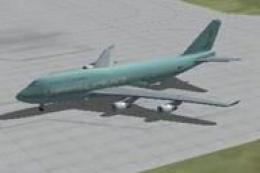
Landmark Airlines Boeing 747-400
FSX Landmark Airlines Boeing 747-400. Textures only for the default B747-400.…
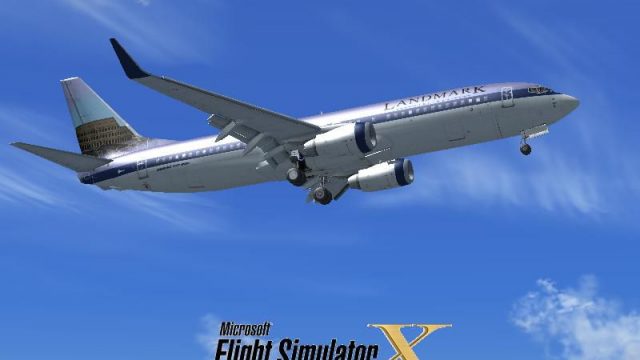
Landmark Airlines’ classic fictional livery returns on the default Boeing 737-800 with a faithful color palette, period-correct logos, and clean fuselage detailing that suits both exterior views and the virtual cockpit, plus an optional customized splash screen. Built for Microsoft Flight Simulator X, it requires the stock 737-800 model for seamless integration.
 Rate
Rate
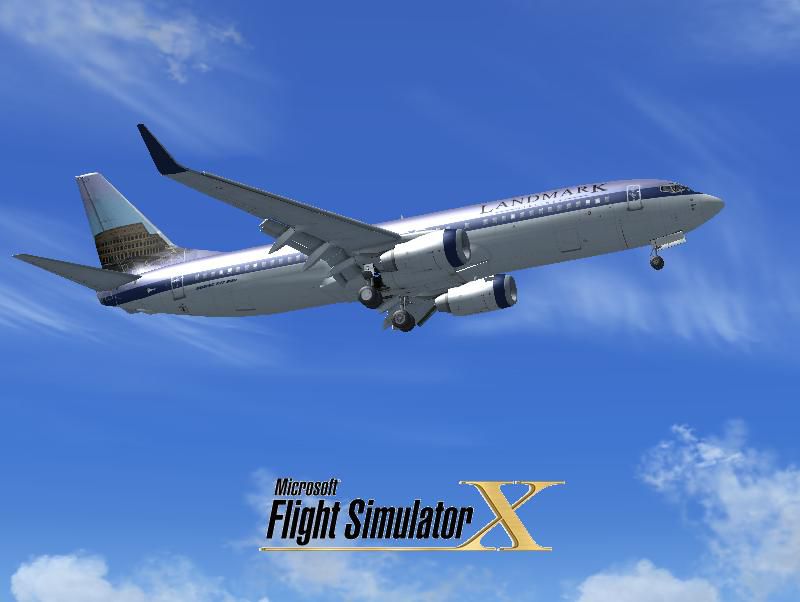
This repaint introduces the classic Landmark Airlines theme for the default Boeing 737-800 in Microsoft Flight Simulator X. It draws inspiration from an older FS2004 variation based on the Boeing 737-400, ensuring a faithful recreation of the original fictional carrier’s look. This package, created by Victor Vu, comes with a customized splash screen and easy-to-follow installation steps. It does not include the base model, so you will need to use the default 737-800 already present in your simulator.
The Landmark Airlines brand has remained a favorite among virtual pilots who appreciate historical flight simulation liveries. Although originally showcased in earlier iterations of the simulator, this specific texture set was not officially bundled with the Boeing 737-800 in FSX. By adding this repaint, you will capture the essence of that classic fictional airline, complete with official logos and distinctive fuselage detailing.
B737_800 folder located under the SimObjects/Airplanes path.aircraft.cfg file for the default Boeing 737-800, then navigate to the bottom of its list of [flightsim.x] sections.This add-on comprises only the texture files; it will not work without the default FSX Boeing 737-800 model, which you can find already bundled with Microsoft Flight Simulator X or in the Fly Away Simulation file library if needed. The entire set, credited to Victor Vu, presents an excellent opportunity to revitalize the nostalgic flair of Landmark Airlines within your virtual fleet.
Free for all simmers · 7.51 MB · Scanned clean Oct 2026
Download speed: Free tier is capped at 0.5 Mbps (this file takes approximately 2 mins at the cap). PRO members download at full line speed.
texture.{airline}) inside FSX\SimObjects\Airplanes\{base-aircraft}\.aircraft.cfg in Notepad. Add a new [fltsim.X] section per the readme.readme.txt or README file. It tells you exactly where files go, what dependencies are needed, and any quirks specific to this add-on.The archive 738_lma.zip has 35 files and directories contained within it.
This list displays the first 500 files in the package. If the package has more, you will need to download it to view them.
| Filename/Directory | File Date | File Size |
|---|---|---|
| installation.txt | 03.25.09 | 929 B |
| Readme.txt | 03.26.09 | 1.46 kB |
| screenshot.PNG | 03.25.09 | 14.67 kB |
| Splash Screen | 03.26.09 | 0 B |
| dlgsplash.bmp | 03.25.09 | 1.38 MB |
| Thumbs.db | 03.26.09 | 5.00 kB |
| texture.lma | 03.26.09 | 0 B |
| 737_Refection.dds | 09.04.06 | 170.79 kB |
| B737_800_1_C.dds | 09.04.06 | 682.79 kB |
| b737_800_1_LM.dds | 09.04.06 | 170.79 kB |
| B737_800_1_night_C.dds | 09.04.06 | 682.79 kB |
| b737_800_1_T.dds | 03.25.09 | 1.00 MB |
| b737_800_1_T_Bump.dds | 03.25.09 | 1.00 MB |
| b737_800_1_T_Specular.dds | 03.25.09 | 1.00 MB |
| B737_800_2_C.dds | 09.04.06 | 682.79 kB |
| B737_800_2_night_C.dds | 09.04.06 | 682.79 kB |
| b737_800_2_T.dds | 03.25.09 | 1.00 MB |
| b737_800_2_T_Bump.dds | 03.25.09 | 1.00 MB |
| b737_800_2_T_Specular.dds | 03.25.09 | 1.00 MB |
| B737_800_3_C.dds | 09.04.06 | 682.79 kB |
| B737_800_3_night_C.dds | 09.04.06 | 682.79 kB |
| B737_800_4_C.dds | 09.04.06 | 682.79 kB |
| B737_800_4_night_C.dds | 09.04.06 | 682.79 kB |
| B737_800_5_C.dds | 09.04.06 | 170.79 kB |
| B737_800_5_night_C.dds | 09.04.06 | 170.79 kB |
| B737_800_C.bmp | 05.12.06 | 682.74 kB |
| B737_800_Interior.dds | 03.25.09 | 256.12 kB |
| Fresnel_Ramp.dds | 03.25.09 | 1.12 kB |
| Pilots_737.dds | 03.25.09 | 64.12 kB |
| texture.cfg | 08.14.06 | 137 B |
| thumbnail.jpg | 03.25.09 | 37.73 kB |
| Thumbs.db | 03.26.09 | 5.00 kB |
| Thumbs.db | 03.26.09 | 5.00 kB |
| flyawaysimulation.txt | 10.29.13 | 959 B |
| Go to Fly Away Simulation.url | 01.22.16 | 52 B |
Only PRO members can place votes.
More FSX & P3D add-ons hand-picked based on this download.
FSX Civil Aircraft
FSX Landmark Airlines Boeing 747-400. Textures only for the default B747-400.…
 FSX Civil Aircraft
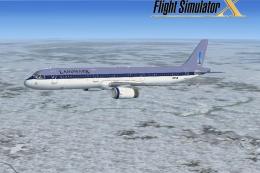
FSX Landmark Airlines Airbus A321. This is a fictional repaint for the FSX de…
 FSX Civil Aircraft
Continental Boeing 737-800. Fictional textures for the default B737-800. Repa…
 FSX Civil Aircraft
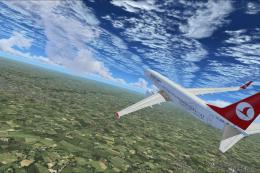
Turkish Airlines Boeing 737-800. Textures by Alex James for the default B737-…
 FSX Civil Aircraft
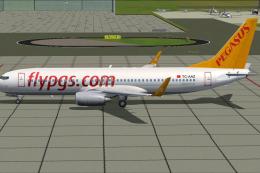
Experience a comprehensive Pegasus Airlines Boeing 737-800 freeware package d…
 FSX Civil Aircraft
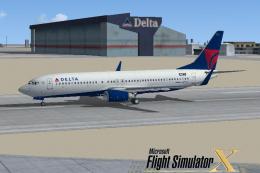
FSX Delta Airlines Boeing 737-800, registration N3744F. A repaint for the def…
 FSX Civil Aircraft
This package features a Boeing 737-823 wearing American Airlines’ modern pain…
 FSX Civil Aircraft
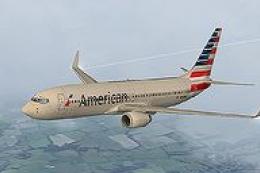
This carefully crafted repaint showcases American Airlines’ updated color arr…
Be the first to leave a comment on this download.
Be the first to share your thoughts on this download.