

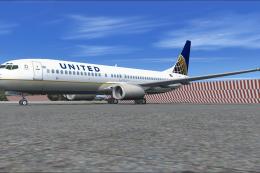
 FSX Civil Aircraft
United Airlines Boeing 737-800 Revised
The United Airlines Boeing 737-800 featured here brings an updated paint sche…
United Airlines Boeing 737-800 textures bring the default jet to life with accurate branding, refined panel detail, and tuned reflectivity for convincing day and night lighting in Microsoft Flight Simulator X. Precise mapping keeps windows, doors, and tail markings aligned, and it requires the original default 737-800 model.
 Rate
Rate
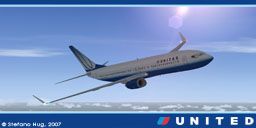
This freeware repaint showcases a detailed United Airlines livery for the default Boeing 737-800 within Microsoft Flight Simulator X, offering authentic airline colors and refined visual enhancements. It includes carefully recreated design elements depicting United’s recognizable branding. You must already have the original aircraft model installed to apply these textures. Repaint by Stefano Hug.
United Airlines’ signature Boeing 737-800 paint scheme is reflected in this package through accurate hues, placement of the logo elements, and realistic metallic undertones. It captures door outlines, panel lines, and tail section markings that reflect the carrier’s standard motif. The placement of the United title and tail graphic follows official aviation references for a faithful depiction of the real aircraft.
This repaint integrates seamlessly with the default B737-800 systems in Microsoft Flight Simulator X. The model’s existing control surfaces, lights, and animations remain fully compatible with the new textures, preserving flight handling and visual performance. The fuselage liveries have been mapped precisely to align with each rivet, panel, and window.
By layering on realistic alpha channels (used for simulating reflective properties) and carefully calibrated normal maps (mapping surface detail), the repaint provides an enhanced visual aesthetic that will appear both during daytime operations and in night lighting. The resulting finish grants a balanced diffuse texture while preserving clarity at all simulated altitudes.
The Boeing 737-800, part of the versatile 737 Next Generation series, is engineered for short to medium-haul routes. United Airlines deploys its 737 fleet for domestic and some near-international routes, taking advantage of the aircraft’s efficient turbofan powerplants and updated flight deck technology. This frame’s fuel-saving winglets and optimized cockpit design contribute to significant operational reliability.
United Airlines, established as one of the long-standing major U.S. carriers, operates a wide network across continents. The livery’s visual identity echoes United’s ongoing modernization efforts, combining a modern font style and a sweeping tail motif to reflect the airline’s brand image, which has been a notable evolution over the years.
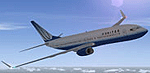
Note: This repaint is free to download and does not include the base model. The required default Boeing 737-800 is typically bundled with Microsoft Flight Simulator X. Repaint by Stefano Hug.
Free for all simmers · 2.86 MB · Scanned clean Oct 2026
Download speed: Free tier is capped at 0.5 Mbps. PRO members download at full line speed.
texture.{airline}) inside FSX\SimObjects\Airplanes\{base-aircraft}\.aircraft.cfg in Notepad. Add a new [fltsim.X] section per the readme.readme.txt or README file. It tells you exactly where files go, what dependencies are needed, and any quirks specific to this add-on.The archive text_uva.zip has 11 files and directories contained within it.
This list displays the first 500 files in the package. If the package has more, you will need to download it to view them.
| Filename/Directory | File Date | File Size |
|---|---|---|
| Texture.UVA | 04.08.07 | 0 B |
| b737_800_1_T.dds | 04.08.07 | 1.33 MB |
| b737_800_1_T_Specular.dds | 09.04.06 | 1.33 MB |
| b737_800_2_T.dds | 04.08.07 | 1.33 MB |
| b737_800_2_T_Specular.dds | 09.04.06 | 1.33 MB |
| Fresnel_Ramp.dds | 09.04.06 | 640 B |
| readme.txt | 04.09.07 | 928 B |
| texture.cfg | 08.14.06 | 137 B |
| thumbnail.jpg | 04.08.07 | 34.35 kB |
| flyawaysimulation.txt | 10.29.13 | 959 B |
| Go to Fly Away Simulation.url | 01.22.16 | 52 B |
Only PRO members can place votes.
More FSX & P3D add-ons hand-picked based on this download.
FSX Civil Aircraft
The United Airlines Boeing 737-800 featured here brings an updated paint sche…
 FSX Civil Aircraft
This high-fidelity repaint presents a United Airlines Boeing 737-800 (registr…
 FSX Civil Aircraft
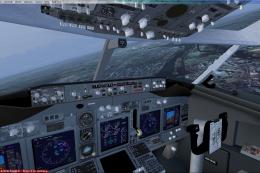
United Airlines Boeing 737-800 in post-merger livery. Includes Project Open S…
 FSX Civil Aircraft
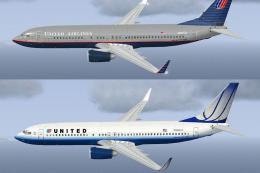
FSX United Airlines Boeing 737-800 old and new repaints. Repaint by Jon Murch…
 FSX Civil Aircraft
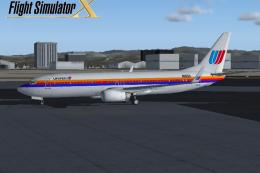
FSX United Airlines Boeing 737-800 (old colors). A repaint of the default B73…
 FSX Civil Aircraft
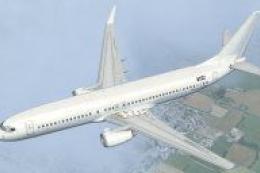
A repaint for the default B737. Repaint by Benjamin Romsy and David Kuess. Sc…
 FSX Civil Aircraft
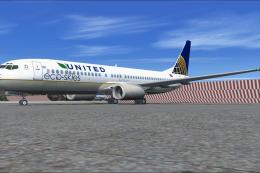
This enhanced Boeing 737-800W in the United Airlines Eco Skies scheme provide…
 FSX Civil Aircraft
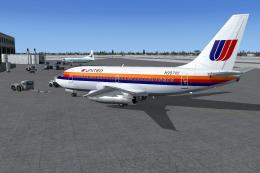
This repaint package offers a classic United Airlines color scheme applied to…
Read what other simmers think, or add your own.

i got the pitcher and when i click on it it says b737 failed united air whats that?